GPT Image 2.6 Release Date: What OpenAI Launched on November 4, 2026 and How to Use It
Explore the GPT Image 2.6 release date, GIF and SVG output, Flare and Sunburst models, API pricing, and ways to animate stills with PixVerse.
The GPT Image 2.6 release date is November 4, 2026, the day OpenAI launched GPT Image 2.6 as part of Images 2.6 in ChatGPT, Codex, and the API. This guide explains what shipped with the release (GIF generation, SVG output, a complexity setting, and two models in the API, GPT-Image-2.6 Flare and GPT-Image-2.6 Sunburst), how the models differ, what they cost compared with GPT Image 2.5, and how to feed their output into an AI image to video workflow. Creators can build on the new models today, and keeping model IDs configurable makes it easy to switch between GPT Image 2.5 and GPT Image 2.6 as needs change.
Key Takeaways
- OpenAI released GPT Image 2.6 on November 4, 2026, across ChatGPT, Codex, and the API.
- The release introduced GIF generation, SVG output and a complexity parameter in the API, and saved reference images in ChatGPT.
- Developers received two models in the API: gpt-image-2.6-flare, built for fast iteration, and gpt-image-2.6-sunburst, built for detail and consistency across edits.
- Images 2.6 generates images 50% faster than before, and Flare can produce images in as little as six seconds when quality is set to low.
When was GPT Image 2.6 released?
The GPT Image 2.6 release date is November 4, 2026. On that day OpenAI introduced Images 2.6 across ChatGPT, Codex, and the API, bringing motion to still images through GIF generation and faster iteration for creators.
The Images 2.6 release date matters most to production teams planning model migrations. Per-token prices match GPT Image 2.5, although token consumption per image can differ, as the pricing section below explains.
What platforms received Images 2.6 at launch?
Images 2.6 is available globally across all ChatGPT and Codex subscription tiers on desktop, mobile, and web, while GIF creation in ChatGPT is still rolling out. Developers reach the two named models through the OpenAI API.
Which models did OpenAI ship in the API?
Developers received two named models, gpt-image-2.6-flare and gpt-image-2.6-sunburst, and Images 2.6 as a whole generates images 50% faster than before. Because the two models offer different quality and speed profiles, teams can match each one to the stage of their AI image to video workflow.
| Model | Availability |
|---|---|
| gpt-image-2.6-flare | OpenAI API |
| gpt-image-2.6-sunburst | OpenAI API |
| Images 2.6 (consumer experience) | ChatGPT and Codex, all subscription tiers |
The ChatGPT Images 2.6 launch reflects a broader shift toward faster image generation as the front end of video production. Teams that generate still frames before animating them benefit directly from the 50% speed gain, and the GPT Image 2.6 release shows that image models now compete on iteration velocity, a critical factor when stills feed an image-to-video generator.
What are Sunburst and Flare models?
GPT-Image-2.6 Sunburst and GPT-Image-2.6 Flare are two models OpenAI released in the API for the GPT Image 2.6 generation. Sunburst is the choice for work that calls for greater detail and precision: it brings higher-quality image generation and even greater image consistency across edits when quality is set to medium or high. Flare is built for fast iteration and interactive generation and editing, and it also improves layout quality for posters, product imagery, and other professional visuals.
In practice, Sunburst suits detailed compositions and edits where the exact visual output is non-negotiable, while Flare suits rapid iteration and high-volume exploration. Sunburst fits a project that needs greater detail and precision, and Flare fits one where speed leads.
Which model is faster?
Flare delivers the speed advantage: when quality is set to low, it can generate images in as little as six seconds, a turnaround that supports quick concept testing and batch asset creation. The 50% speed gain, by contrast, applies to Images 2.6 as a whole rather than one variant: Images 2.6 generates images 50% faster than before.
How do developers choose between them?
Both models are available in the API, so developers can select based on task requirements. The decision hinges on a tradeoff between detail and consistency on one side and speed on the other.
| Model | Primary Strength | Best Use Case |
|---|---|---|
| GPT-Image-2.6 Sunburst | Detail, precision, and image consistency across edits (medium or high quality) | Final assets, detailed compositions, brand-consistent visuals |
| GPT-Image-2.6 Flare | Fast iteration; as little as six seconds at low quality; improved layout quality for posters and product imagery | Concept exploration, interactive editing, high-volume testing |
GPT Image 2.5 also shipped as a Flare and Sunburst pair, so the same selection logic carries forward: match the model to the production stage.
Which model should a creator pick first?
Creators testing multiple visual directions benefit from Flare’s fast turnaround, while creators finalizing polished deliverables benefit from Sunburst’s detail and consistency across edits. Neither model is universally superior; the workflow stage determines the right choice.
What new features does Images 2.6 add?
GPT Image 2.6 introduces GIF creation, SVG output, and a complexity setting, along with markup-guided edits in the API and saved reference images in ChatGPT. The GPT Image 2.6 release date of November 4, 2026 brought these capabilities to ChatGPT, Codex, and the API, and Images 2.6 keeps characters, products, and brand details more consistent across edits.
The most visible addition is animated GIF generation. Users can bring motion to images, from animating a brand mascot to turning a product shot into an eye-catching loop, and in the API a GIF is requested by setting the output format to gif. For AI creators building an AI image to video workflow, a static product render can now become a short looping animation without a separate animation tool.
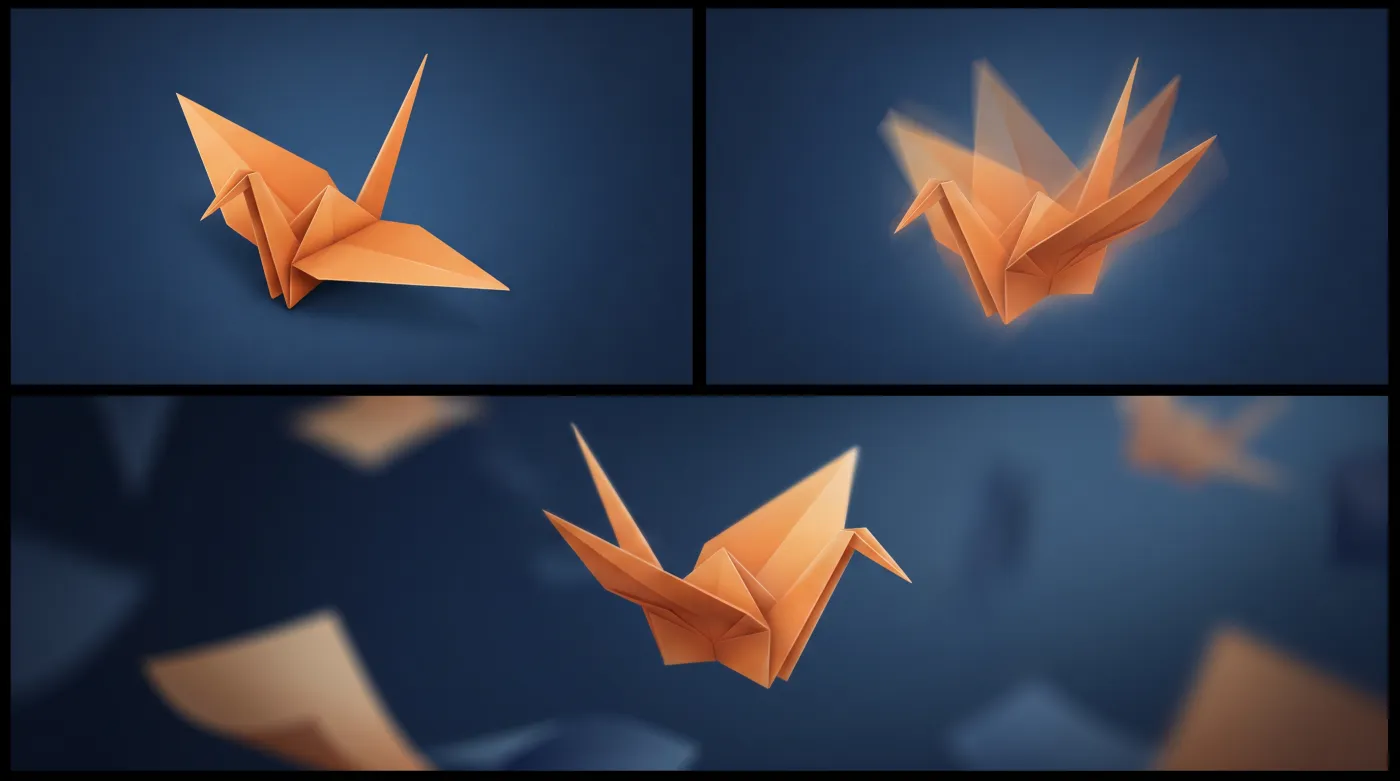
Concept storyboard generated with Nano Banana Pro on PixVerse. It illustrates a still-to-motion workflow; it is not an exported GPT Image 2.6 GIF or a finished PixVerse video.
What does the complexity setting control?
The complexity parameter controls how much the model plans before rendering. It has three levels, low, medium, and high, with high as the default and no separate fee. Lower complexity suits focused edits and is the recommended choice for most editing tasks. Higher complexity can help with dense text, complex layouts, and scenes with many elements, but it can add latency and unwanted changes. Image quality is a separate setting that controls visual detail and fidelity.
How do saved reference images improve consistency?
In ChatGPT, saved reference images let users reuse a photo in later chats. A user can save a photo of a dog as “Pepper,” for example, and later ask for a watercolor portrait of @Pepper without uploading the photo again. Separately, OpenAI Images 2.6 holds characters, products, and brand details steadier across edits, which reduces rework for multi-shot campaigns, and API developers can pass reference images to the image edits endpoint.
The release also adds SVG output in the API. SVG exports make designs ready to use across websites, apps, and print, giving designers scalable vector assets, and in the API SVG output is requested on the image generations endpoint.
The jump to 2.6 builds on the foundation of GPT Image 2.5, the previous generation, with motion and consistency features.
In the API, Images 2.6 ships as two named models, gpt-image-2.6-sunburst and gpt-image-2.6-flare. Both support complexity control, markup-guided edits, SVG output, and animated GIF output. They differ in focus: Sunburst leans toward detail and consistency across edits, and Flare leans toward speed.
How do I access Images 2.6?
OpenAI Images 2.6 is available across three surfaces: ChatGPT, Codex, and the OpenAI API. The GPT Image 2.6 release date of November 4, 2026 marked a global rollout across ChatGPT and Codex subscription tiers on desktop, mobile, and web, while developers gain programmatic control through two named models.
Which models should developers use in the API?
Developers access gpt-image-2.6-sunburst and gpt-image-2.6-flare through the OpenAI API. OpenAI lists the same per-token rates for both models: $5.00 per 1M text input tokens, $8.00 per 1M image input tokens, and $30.00 per 1M image output tokens. These per-token rates match GPT Image 2.5.
What does each access route offer?
| Access Route | Best For | Key Advantage |
|---|---|---|
| ChatGPT | Solo creators, rapid iteration | No setup, conversational prompting, GIF creation and saved reference images |
| Codex | Developers, technical teams | Images 2.6 available across all Codex subscription tiers |
| OpenAI API | Production pipelines, automation | Programmatic control, named models, SVG, GIF, complexity, and markup options |
The ChatGPT Images 2.6 experience suits creators who need quick visual drafts without configuration overhead, and Codex users can generate images with Images 2.6 from the same tool they use for coding. API access unlocks the AI image to video workflow that PixVerse supports, where generated stills feed into motion pipelines. Teams building automated content systems should evaluate the API route first, since per-token rates match the prior generation, although token consumption per image can differ.
How does Images 2.6 compare to 2.5?
GPT Image 2.6 delivers a 50% speed increase over the previous generation. The GPT Image 2.6 release date of November 4, 2026 marked a meaningful upgrade rather than a cosmetic refresh, with faster iteration on every generation cycle. OpenAI Images 2.6 generates images 50% faster than before, and for production teams running batch workflows that gain compounds quickly across hundreds of renders.
What new capabilities does Images 2.6 add?
The release introduces three headline capabilities: GIF output, SVG output, and a complexity setting. Each one expands what a single model handles without external tooling.
- Animated GIF output for looping product shots and character motion
- SVG output for scalable vector assets
- Complexity setting to control how much the model plans each render
Does Images 2.6 cost more than 2.5?
Per-token pricing stays flat. Both 2.6 models are priced at $8.00 per 1M image input tokens and $30.00 per 1M image output tokens, the same per-token rates as GPT Image 2.5. However, equal token rates do not mean equal cost per image, because token consumption can differ by model and quality setting. Estimated from OpenAI’s published calculator (output tokens only), GPT Image 2.6 can consume up to 4.2 times the output tokens of 2.5 at low quality, about 3.3 times at medium quality, and the same amount at high quality and above. For a 1024x1024 image, that works out to roughly $0.0435 in output cost at medium quality for 2.6 versus roughly $0.0132 for 2.5, and roughly $0.0527 for both at high quality. Faster generation does not mean lower cost per image in every case.
For an AI image to video workflow, the practical takeaway is that ChatGPT Images 2.6 produces source frames faster, but teams should monitor token consumption. The gpt-image-2.6-sunburst and gpt-image-2.6-flare variants share this pricing structure, so speed improves while cost discipline still matters.
Can I use Images 2.6 for video workflows?
GPT Image 2.6 outputs static images and GIFs, not video, and that is where PixVerse picks up. The platform turns OpenAI Images 2.6 stills into cinematic motion through its Text/Image to Video capability, where a prompt or an image goes in and a video comes out.
PixVerse proprietary video foundation models are built for cinematic control and physics simulation, so a product shot generated in ChatGPT Images 2.6 can become a moving scene with realistic lighting and momentum. The workflow is direct: generate in Images 2.6, import into PixVerse, animate.
What makes the image-to-video handoff work?
Three capabilities matter for production teams:
- Text/Image to Video accepts a prompt or a static image as the starting point
- Character Reference supports consistent characters across multiple animated shots
- Near real-time generation keeps iteration fast
The GPT Image 2.6 release date of November 4, 2026 introduced GIF output and stronger character consistency across edits, and PixVerse carries that consistency into motion. A mascot generated in Images 2.6 can serve as the reference still for a longer PixVerse video sequence, with Character Reference helping keep its identity consistent across shots.
Does the workflow hold up for client delivery?
PixVerse is built around premium output quality and production-minded cost efficiency for production-ready pipelines. Teams avoid rebuilding assets in separate tools, because the AI image to video workflow compresses concept, still, and motion into one continuous pass.
What is the AI image to video workflow?
The AI image to video workflow transforms static generated assets into cinematic motion sequences. The GPT Image 2.6 release date of November 4, 2026 introduced GIF output and stronger consistency for characters, products, and brand details across edits, which feeds directly into this pipeline. Creators who skip a structured workflow risk hours of re-generating inconsistent frames and broken character continuity.
The process starts with generating coherent character and environment assets in OpenAI Images 2.6, then moving from still images and GIFs to full cinematic motion. Those assets then import into PixVerse for motion generation.
How does PixVerse handle multi-angle storytelling?
PixVerse’s MultiShot, available in the PixVerse V6 model, enables continuous multi-angle storytelling from imported assets, with wide, medium, close-up, and transition logic in a single generation. A single character render becomes a sequence of connected shots without re-prompting each angle, which helps preserve visual identity across every cut.
What role does conversational guidance play?
PixVerse’s Agent turns conversational guidance into scenes, streamlining the image-to-video pipeline: creators describe the desired sequence in plain language, and the Agent generates the shots.
The workflow completes with Lip Sync & Audio to add voice to animated characters from Images 2.6, and PixVerse also provides video editing and Multi-Frame Control for final polish. Teams that need to run this pipeline at scale can automate it through the text-to-video and image-to-video API.
Key workflow stages:
- Generate coherent assets in Images 2.6
- Import into PixVerse for motion
- Apply MultiShot for multi-angle sequences
- Direct scenes with the Agent
- Add Lip Sync and audio
- Refine with editing and Multi-Frame Control
What should creators build on today?
Creators can build on GPT Image 2.6 now that it is live in ChatGPT, Codex, and the API. Keeping the model ID in configuration makes it simple to compare GPT Image 2.5 and GPT Image 2.6 side by side and to switch per project, since the 2.6 models share the same per-token rates as 2.5.
The GPT Image 2.6 release date was November 4, 2026, and the new models are already live. Teams that already run pipelines on 2.5 can test the 2.6 models in the same workflow and compare speed, consistency, and token cost before moving production traffic.
Which model should creators choose for production?
GPT-Image-2.6 Sunburst and GPT-Image-2.6 Flare both come from a release that generates images 50% faster than before. Sunburst prioritizes detail and consistency across edits, while Flare prioritizes fast iteration and improves layout quality for posters and product imagery, so the choice depends on whether a project values final-asset precision or iteration speed.
How does image generation connect to video production?
The AI image to video workflow begins with a strong still frame. OpenAI Images 2.6 keeps characters, products, and brand details consistent across edits, which makes those frames reliable starting points for motion generation, and PixVerse then transforms those assets into cinematic video. PixVerse serves creators and enterprise teams in 177+ countries who need faster content velocity and higher output quality, for both creative exploration and commercial delivery.
A creator can generate a brand-consistent character in Sunburst, refine it with the new complexity setting, and export the frame. PixVerse picks up that frame and generates motion with cinematic control. Beyond the web studio, PixVerse offers enterprise-ready solutions and APIs that support scalable deployment for production teams shipping reliable output.
FAQ
When was GPT Image 2.6 released?
November 4, 2026. OpenAI introduced Images 2.6 across ChatGPT, Codex, and the API on that day.
Which models did OpenAI ship in the API for GPT Image 2.6?
OpenAI shipped two named models in the API: gpt-image-2.6-flare for fast iteration and gpt-image-2.6-sunburst for detail and consistency across edits.
Which model is faster, Flare or Sunburst?
Flare delivers the speed advantage, generating images in as little as six seconds when quality is set to low.
Conclusion
The GPT Image 2.6 release date gives creators a reliable still-frame foundation, but motion is where engagement lives. PixVerse turns those coherent assets into cinematic video with precise motion control and consistent character identity across shots. The workflow compresses concept, still, and motion into one continuous pass. Build the pipeline now.