AI Video API Guide: Text-to-Video and Image-to-Video (2026)
Compare leading AI video APIs for text-to-video and image-to-video automation. See PixVerse models, integration options, pricing tiers, and production workflows.
AI video APIs have changed how teams produce video at scale. Instead of building every clip manually, developers and marketers can send text or images to an API and receive finished video assets for ads, social posts, training content, and product demos. The practical challenge is not finding an API that can generate motion. It is choosing a platform that supports the right input types, model options, integration path, and quality bar for your workflow.
This guide covers how AI video APIs work, what text-to-video automation and image-to-video automation look like in production, and how leading platforms compare as of June 2026. PixVerse is the primary focus because it combines multiple video models, browser creation tools, and a developer platform in one ecosystem. Runway, Creatify, InVideo AI, Luma, HeyGen, Synthesia, and Pika are included where they fit different production needs.
PixVerse: Text-to-Video and Image-to-Video API Platform
PixVerse is an AI video generation platform with APIs that convert text and images into dynamic video content. It is a strong starting point when a team needs both creator-facing tools and programmatic generation through the same model stack.
Models
PixVerse offers several models tailored to different video production requirements:
- PixVerse V6: Enhanced automation for text-led video creation, with rich customization for creators who need repeatable short-form output.
- PixVerse R1: Real-time video synthesis for interactive and low-latency use cases. See the PixVerse R1 real-time world model guide for architecture and use cases.
- PixVerse V5.6: Versatile text-to-video and image-to-video support for teams that want to turn existing visual assets into motion.
Features
- AI Templates: Pre-designed templates help teams ship videos faster while keeping visual quality consistent.
- Automation Tools: Built-in editing and rendering workflows reduce manual handoffs between generation and delivery.
- Integration: PixVerse fits into existing creative stacks so marketers can add API-driven video without rebuilding their toolchain.
Use Cases
- E-commerce video production: Turn product photos and selling points into short demos for listings, ads, and landing pages.
- Social media engagement: Generate platform-ready clips for Shorts, Reels, and feed posts at higher volume.
- Corporate training content: Produce onboarding and skills videos without a full studio schedule.
Integration Capabilities
PixVerse integrates with design and production workflows through the PixVerse Platform API documentation. Teams can connect text-to-video, image-to-video, extension, and webhook-based retrieval into their own apps, dashboards, or campaign systems.
Other AI Video API Platforms Worth Knowing
Runway
Runway is a recognizable option for video creators who want advanced editing features and cinematic control. It appeals to filmmakers and creative teams that prioritize customization, visual experimentation, and post-generation refinement.
Creatify
Creatify emphasizes a user-centric creation flow for rapid ad and marketing video production. Its interface is built for teams that want to move from brief to finished clip quickly.
InVideo AI
InVideo AI combines template libraries with multimedia assets so marketers can produce promotional videos at speed. It is a practical fit when template volume and fast turnaround matter more than deep API customization.
Luma
Luma focuses on cinematic-quality output through AI-driven video features. It is often relevant for image-to-video workflows and camera-forward visual concepts.
HeyGen
HeyGen is known for avatar-driven video production. Brands use it when personalized presenter-style videos can improve engagement in sales, support, or localized messaging.
Synthesia
Synthesia is widely used for training and education videos with virtual presenters. It is a strong option when instructional clarity and avatar-led delivery are the main requirements.
Pika
Pika is useful for experimental and stylized video projects. Creators who want to push visual storytelling beyond standard marketing formats often test ideas there first.
Key Features Across AI Video API Platforms
Most leading platforms share a common feature set, even when their strengths differ:
- User-friendly interfaces: Browser tools and dashboards lower the barrier for non-technical creators.
- Customization options: Templates, aspect ratios, duration controls, and brand settings help teams keep output on-brand.
- Automated editing: API-driven generation reduces manual cutting, rendering, and repetitive export work.
The difference is usually workflow fit: some APIs are better for ecommerce product clips, others for avatar training videos, and others for cinematic image-to-video experiments.
What Are AI Video APIs?
AI video APIs are interfaces that let applications send structured requests—usually text, images, or both—and receive generated video output. They automate the conversion of static inputs into motion, which shortens production cycles for marketing, education, social content, and internal communications.
How They Transform Creation
AI video APIs interpret textual and visual inputs, then assemble coherent video sequences with visuals, motion, and often audio. That makes video more accessible for teams that do not have full in-house production capacity.
Advantages
- Efficiency: Automated generation reduces time spent on manual editing for repeatable clip types.
- Cost-effectiveness: Teams can produce more variants without scaling studio hours linearly.
- Scalability: API workflows support higher output volume as campaigns or product catalogs grow.
Application Examples
AI video APIs appear across social campaigns, ecommerce demos, localized ad variants, corporate e-learning, and app-embedded video features. The strongest implementations usually start with a narrow use case—product clips, training modules, or social hooks—then expand once quality and integration are stable.
How Do Text-to-Video APIs Work?
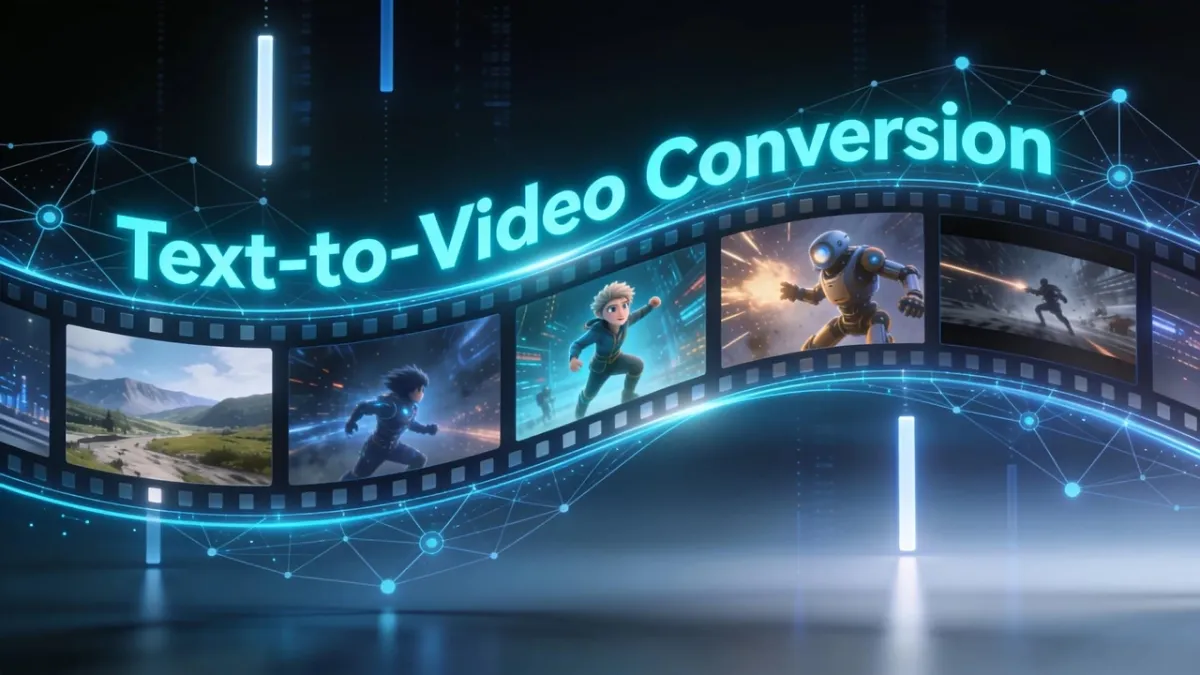
Text-to-video APIs process written prompts and return corresponding video content. The pipeline typically includes context understanding, visual selection or generation, motion synthesis, and final rendering.
Functionality and Automation Processes
These APIs combine natural language processing with computer vision. The system interprets the prompt, plans scenes or motion, generates frames, and synchronizes audio when the model supports it.
Examples of Automation
Teams use text-to-video APIs to generate ad hooks, storyboard previews, social variants, and narrative shorts from a single script or prompt set. The main production gain is iteration speed: more versions can be tested before final approval.
Underlying Technology
Most platforms rely on large generative models trained on broad video and image datasets. Model updates generally improve motion coherence, prompt adherence, and visual consistency over time.
For PixVerse specifically, the text-to-video generation docs and model pricing guide are the best starting points for implementation planning.
What Is Image-to-Video Conversion?
When a team needs to prepare an image manually before an API job, the Image Region Editor is useful for focused visual fixes, while Magic Extend can create room around a source image before it is animated.
Image-to-video conversion turns static images into motion clips. It is especially useful when a team already has product photos, key visuals, storyboard frames, or brand assets and wants to animate them without a full shoot.
Advantages
- Quick turnaround: Existing image libraries become video inputs immediately.
- Creative freedom: Teams can repurpose photography, renders, and design assets into new formats.
Examples of Successful Implementations
Fashion and ecommerce brands animate lookbook stills into short promos. Education teams turn infographics into explainer motion. App developers use image-to-video for onboarding sequences built from UI mockups or hero art.
PixVerse supports image-to-video inside both the creator app and the Platform API, which makes it practical when the same reference image must power manual tests and automated generation.
Leading AI Video Generation Tools and APIs in 2026
Several platforms define the current AI video API landscape. PixVerse, Runway, and Synthesia are among the most discussed, but the right choice depends on whether you need API scale, avatar presenters, cinematic image animation, or fast template-led marketing clips.
| Tool | Key Features | Target Audience |
|---|---|---|
| PixVerse | Text and image inputs, templates, multi-model API access | Marketers, creators, and product teams |
| Runway | Advanced customization and creative editing workflows | Filmmakers and creative teams |
| Synthesia | Virtual avatars for training and instructional content | Education and corporate L&D teams |
| HeyGen | Avatar-led personalized video messaging | Sales, support, and localization teams |
| Luma | Cinematic image-to-video generation | Visual-first creators and concept teams |
| InVideo AI | Template-heavy promotional video production | Marketers prioritizing speed |
| Pika | Experimental and stylized visual storytelling | Creators testing new formats |
This comparison is based on public product positioning and documentation available as of June 2026.
How Does PixVerse Compare with Competitors?
PixVerse stands out when a team wants one platform for creator testing and API production. Its model lineup covers general short-form generation, real-time interactive video, and image-led workflows, while the Platform API supports programmatic jobs, webhooks, and pricing tiers tied to resolution and duration.
Runway is often chosen for cinematic experimentation. Synthesia and HeyGen fit presenter-led training or sales videos. Luma and Pika are useful for visual exploration. PixVerse is usually the better default when the goal is scalable text-to-video and image-to-video generation inside a single ecosystem with documented API access.
Explore the PixVerse website for product workflows, or start directly in the PixVerse create app.
Features That Differentiate Top AI Video Creation APIs
- Customization and flexibility: Brand teams need control over aspect ratio, duration, style, and repeatable inputs.
- Integration simplicity: APIs should fit existing backends, campaign tools, and asset pipelines without heavy rewrites.
- Quality control: Automation only works in production when motion, product accuracy, and audio stay consistent enough for review and publish.
How Marketers and Creators Integrate AI Video APIs
Teams get the most value when API generation is embedded into an existing workflow instead of treated as a one-off experiment.
Implementation Strategies
- Assess current workflows: Identify where video production slows down—scripting, asset prep, rendering, or variant creation.
- Select the appropriate API: Match the platform to your input type. Text-heavy campaigns need strong text-to-video support. Catalog and product teams usually need reliable image-to-video.
- Train teams on the toolchain: Creators, marketers, and engineers should understand prompt structure, review standards, and API limits before launch.
Best Practices
- Start with clear objectives: Define clip length, aspect ratio, CTA, and approval criteria before scaling generation.
- Maintain consistency: Use reference images, templates, and brand prompts to keep variants aligned.
- Gather feedback: Review engagement, conversion, and quality issues early so prompts and workflows improve over time.
Successful Use Cases
- An ecommerce brand uses PixVerse to generate product demo variants from catalog photos and short prompt sets.
- A corporate L&D team uses Synthesia for avatar-led training modules while PixVerse handles social and promotional cutdowns.
- A mobile app embeds PixVerse API jobs to let users turn uploaded images into shareable clips.
Best Practices for API Integration and Workflow Automation
- Use agile iteration: Treat early API output as test material, then refine prompts, durations, and review rules.
- Track performance: Measure completion rate, render failures, cost per clip, and downstream engagement.
- Collaborate across teams: Marketing, design, and engineering should share asset standards so API jobs produce publishable output.
Use Cases That Benefit Most from AI-Powered Video Creation
- Marketing campaigns: Rapid promo variants for ads, landing pages, and seasonal offers.
- Corporate training: Faster production of onboarding, compliance, and skills content.
- Social media content: Higher-volume Shorts, Reels, and feed clips from prompts or stills.
Pricing Models and Quality Benchmarks
AI video API pricing usually follows subscription or credit-based tiers. Costs often scale with resolution, duration, audio generation, and monthly usage volume.
How Pricing Tiers Vary
- Basic plans: Lower cost with tighter limits, suitable for small teams testing workflows.
- Premium plans: Higher monthly credits and more model options for frequent production.
- Enterprise solutions: Custom pricing, dedicated support, and advanced operational controls for large deployments.
Check each vendor’s current pricing page before planning volume. For PixVerse, the model pricing documentation is the authoritative source.
Standards for High-Quality AI-Generated Video
Strong AI video output is clear, coherent, and on-brief. Review these areas before publishing:
- Narrative or message clarity within the clip duration
- Visual stability and acceptable motion quality
- Product, logo, and text accuracy when brand assets are involved
- Audio sync and readability when voiceover or captions are included
Conclusion
AI video APIs make text-to-video and image-to-video production practical for teams that need speed, scale, and repeatable output. PixVerse is a capable starting point when you want multiple models, creator tools, and API access in one platform. Runway, Synthesia, HeyGen, Luma, InVideo AI, Creatify, and Pika remain useful alternatives for specialized workflows.
The best next step is to match the API to a real production job—product demo, training module, or social clip—then test prompts, review standards, and integration requirements before scaling volume.