GPT Image 2.6 vs GPT Image 2.5: What Changed in Speed, Output Formats, and API Pricing
Compare GPT Image 2.6 and 2.5 on speed, editing, GIF and SVG output, token use, and API pricing to choose the right workflow.
GPT Image 2.6 is the follow-up to GPT Image 2.5, released by OpenAI on November 4, 2026, as two models in the API: gpt-image-2.6-sunburst and gpt-image-2.6-flare. Both generate images 50% faster than before, with Flare returning a low-quality image in as little as six seconds, and the upgrade adds a complexity setting, SVG output, and animated GIF support.
This comparison explains how 2.6 differs from 2.5 in speed, features, and pricing. Per-token rates match GPT Image 2.5, but 2.6 uses more output tokens per image at low and medium quality, so cost per image is not identical.
Key Takeaways
- GPT Image 2.6 generates images 50% faster than before. The 50% figure has no published baseline, so measure it on your own prompts before planning around it.
- GPT Image 2.6 Sunburst is the detail-focused model, built for greater image consistency across edits at medium or high quality.
- The upgrade adds a complexity setting, SVG output, and animated GIF output to the GPT Image 2.6 models.
- Token rates are identical between GPT Image 2.5 and GPT Image 2.6, but 2.6 uses 4.2x the output tokens at low quality and 3.3x at medium. At high quality and above, the counts match.
What Changed in OpenAI’s Image Model Naming?
OpenAI released GPT Image 2.6 on November 4, 2026, as two distinct models in the API, gpt-image-2.6-sunburst and gpt-image-2.6-flare, and the API changelog lists both model IDs under that date.
The naming structure itself did not change between 2.5 and 2.6. Both generations belong to the GPT Image family and ship as a Flare and Sunburst pair (gpt-image-2.5-sunburst and gpt-image-2.5-flare for the previous generation), so only the version number moves from 2.5 to 2.6. Sunburst is the detail variant, and Flare is the speed variant. The earlier step from GPT Image 2 to 2.5 is covered in PixVerse’s GPT Image 2.5 vs GPT Image 2 comparison.
Where Does DALL-E Fit in the GPT Image Naming?
GPT Image 2.6 is not a DALL-E model. The dall-e-2 and dall-e-3 snapshots were deprecated and removed from the API on May 12, 2026, and developers are pointed to the GPT Image models instead. Both 2.5 and 2.6 use GPT Image identifiers that embed the version and the variant, such as gpt-image-2.6-sunburst and gpt-image-2.6-flare.
How Do Sunburst and Flare Differ?
Sunburst is built for detailed visual work and Flare for fast iteration. Sunburst brings higher-quality image generation and greater consistency across edits when quality is set to medium or high. Flare returns images in as little as six seconds at low quality and also improves layout quality for posters, product imagery, and other professional visuals. At the API level, the choice comes down to maximum visual detail or faster iteration cycles.
PixVerse, a full-stack AI media generation platform built on proprietary video foundation models, lists GPT Image 2.5 in its image model lineup in the same two variants, Flare and Sunburst. That continuity keeps model routing simple for anyone comparing GPT Image 2.5 vs 2.6 API pricing; what changes from one generation to the next is the per-image token count, covered below.
How Do Flare and Sunburst Compare?
The GPT Image 2.6 vs GPT Image 2.5 comparison hinges on a two-model split: gpt-image-2.6-sunburst for detail and gpt-image-2.6-flare for speed, each aimed at a different production need.
GPT Image 2.6 Flare prioritizes throughput. Both OpenAI Images 2.6 models generate images 50% faster than before, and Flare returns an image in as little as six seconds at low quality. Actual response time still depends on the prompt, reference images, output size, and quality setting, so a gain measured on one workload does not guarantee the same gain on another.
GPT Image 2.6 Sunburst prioritizes detail. It is the model for work that calls for greater detail and precision, and it holds image consistency across edits at medium or high quality, which matters for iterative refinement workflows. Because it is tuned for detail rather than speed, expect Flare to be the quicker choice on matching prompts.
| Model | Primary Strength | Documented Performance | Best Use Case |
|---|---|---|---|
| GPT Image 2.6 Flare | Speed | As little as 6 seconds at low quality; better layout quality for posters and product imagery | Drafts, interactive generation and editing |
| GPT Image 2.6 Sunburst | Detail and edit-to-edit consistency | Greater consistency across edits at medium or high quality | Final renders, repeated edits |
On rates alone, the two generations look identical, but the per-image token counts differ below high quality, so the pricing sections below matter as much as the speed figures.
Which model handles repeated edits better?
GPT Image 2.6 Sunburst is the model built for consistency across edits, and it is the natural starting point when an image must meet demanding requirements for detail, layout, or edit accuracy. A sensible workflow is to validate quality on Sunburst first, then run the same prompts, reference images, size, and quality setting through Flare to see whether it also clears the bar at a faster pace. Flare suits single-pass drafts where speed outweighs refinement, a tradeoff that will be familiar from the earlier GPT Image 2.5 Flare and Sunburst models.
Does the speed gain justify switching to Flare?
That depends on your workload, so test it directly. Keep the prompt, reference images, size, and quality setting identical between 2.5 Flare and 2.6 Flare, then record response time, failures, retries, and cost per accepted image. Teams running high-volume pipelines recover wall-clock time when Flare is fast enough, and faster drafts change iteration economics for prompt engineers. Because 2.6 also uses more output tokens at low and medium quality, weigh the time saved against the cost difference described in the pricing sections.
Does GPT Image 2.6 Improve Prompt Adherence?
No prompt-adherence benchmark compares GPT Image 2.6 with GPT Image 2.5 directly. The release centers on faster iteration, more precise edits, and consistent characters, products, and brand details across edit rounds, so the practical test is to run your own prompts through both generations before migrating.
The comparison also brings one new control, a complexity setting, which the image generation guide documents alongside SVG output and animated GIF output.
How Does the Complexity Setting Affect Prompt Adherence?
Complexity controls how much the model plans before rendering. It accepts three levels (low, medium, and high) and defaults to high when omitted. Adjusting it carries no separate fee, and it is independent of the quality setting. Low complexity is the recommended starting point for most edits, paired with the image quality the workflow requires, and medium or high complexity are worth trying for scenes with many elements or constraints. Higher complexity can help with dense text, complex layouts, and relationships between objects, but it can also increase latency and introduce unwanted changes, so compare results for your task.
Do Reference Images Work Differently Between 2.5 and 2.6?
Both generations accept reference images on the edits endpoint, and markup-guided edits are available on both. Edit requests that include reference images can use more input tokens, so factor that into budgets on either model. PixVerse tackles the same consistency challenge in video workflows through its Character feature, which keeps consistent characters across shots. On cost, the per-token rates are unchanged, though cost per image depends on the quality setting, which matters for anyone weighing GPT Image 2.5 vs 2.6 API pricing.
What New Output Formats Does GPT Image 2.6 Support?
GPT Image 2.6 introduces two output formats absent from GPT Image 2.5: animated GIFs and vector SVG files. Both are documented in the image generation guide alongside the complexity setting, so teams comparing GPT Image 2.6 vs GPT Image 2.5 gain motion and scalability options without leaving the Image API.
Animated GIF output is requested with output_format set to gif on the image generations or image edits endpoint. It supports 2 to 16 frames (9 by default) and a frame duration of 20 to 2,000 milliseconds, and still reference images go to the edits endpoint. Suggested uses include brand mascots, reactions and memes, and animated storyboards.
SVG output is requested with output_format set to svg on the image generations endpoint only; the edits endpoint does not support it. Each request returns one image (n must be 1), and the file contains static vector content with no scripts, external resources, or embedded raster images. That makes the format a good fit for icons, illustrations, and logos, where resolution independence matters.
How Do the New Formats Compare to PixVerse Output?
PixVerse takes a video-native route instead. Template offers ready-made creative starts, PixVerse V6 supports multi-shot scenes with native audio, Lip Sync covers voice and sound, and the AI Video Editor modifies existing clips, so the output is full motion sequences rather than short frame loops.
| Capability | PixVerse | GPT Image 2.6 |
|---|---|---|
| Animated output | Video clips (PixVerse V6: up to 15 seconds at 1080p) | Animated GIF, 2 to 16 frames |
| Vector SVG output | Not listed on PixVerse product pages | Supported on the generations endpoint, one image per request |
| Multi-shot storytelling | Multi-shot scenes (PixVerse V6) | Not applicable (image model) |
| Audio | Native audio (PixVerse V6) and Lip Sync | Not applicable (image model) |
| Editing | AI Video Editor for existing clips | Image editing, including markup-guided edits |
The comparison reveals a clear split. GPT Image 2.6 extends still-image workflows into short motion and scalable graphics, while PixVerse delivers video with audio, editing, and multi-shot control. Teams that need quick GIF loops or SVG assets benefit from the new OpenAI formats, and teams shipping video sequences will find PixVerse the stronger fit.
Does GPT Image 2.6 Replace a Video Platform?
No. GIF output caps at 16 frames, which limits narrative depth, whereas PixVerse V6 generates multi-shot scenes with native audio in clips of up to 15 seconds at 1080p. For production pipelines that require full video, PixVerse remains the primary recommendation.
How Does GPT Image 2.6 API Pricing Compare to 2.5?
The per-token rates are identical between GPT Image 2.6 and its predecessor. Both generations charge $30.00 per 1M image output tokens, and both GPT Image 2.6 models share one rate card. The headline numbers suggest cost parity, but equal token rates do not mean equal cost per image, because token consumption can differ by model and quality setting.
What Do the Published Token Rates Actually Mean?
The stable rate card hides a change in token consumption. GPT Image 2.6 uses 4.2 times the output tokens of GPT Image 2.5 at low quality and 3.3 times at medium; at high quality and above, the counts are the same. The table shows estimates for one 1024x1024 image, worked out from OpenAI’s published calculator and covering output tokens only at $30.00 per 1M tokens.
| Quality | GPT Image 2.5 output tokens (cost) | GPT Image 2.6 output tokens (cost) |
|---|---|---|
| Low | 196 ($0.0059) | 823 ($0.0247) |
| Medium | 439 ($0.0132) | 1,449 ($0.0435) |
| High | 1,756 ($0.0527) | 1,756 ($0.0527) |
In practice, developers running production pipelines at high quality or above see no per-image cost increase from the token counts, while teams using low or medium quality for drafts or thumbnails see a steep per-image jump.
When Does GPT Image 2.5 vs 2.6 API Pricing Favor Each Model?
The GPT Image 2.5 vs 2.6 API pricing decision hinges on quality setting and speed tolerance. GPT Image 2.5 remains the lower-cost option for bulk low-quality and medium-quality generation. GPT Image 2.6 delivers images faster, with Flare returning results in as little as six seconds at low quality, but at low and medium quality that speed comes with higher output-token counts. At high quality and above, 2.6 costs the same per image as 2.5, so the speed gain comes at no extra cost.
PixVerse frames the cost-speed-quality tradeoff differently. Its video foundation models are built for near real-time generation, premium output quality, and cost efficiency. Pricing and credits are published in the documentation behind the PixVerse API, so teams can compare them directly when budgeting GPT Image 2.6 vs GPT Image 2.5 usage against video workloads.
Which Model Wins on Speed Versus Cost Trade-offs?
Speed gains in GPT Image 2.6 vs GPT Image 2.5 arrive with a shift in cost per image. Per-token prices did not rise for the November 4, 2026 release: rates remain $8.00 per 1M image input tokens and $30.00 per 1M image output tokens, matching the 2.5 generation, and the quality options for 2.6 are low, medium, high, xhigh, and max, the same as 2.5. What changed is how many output tokens a low or medium image uses, so the lowest-cost settings on 2.5 become noticeably more expensive on 2.6.
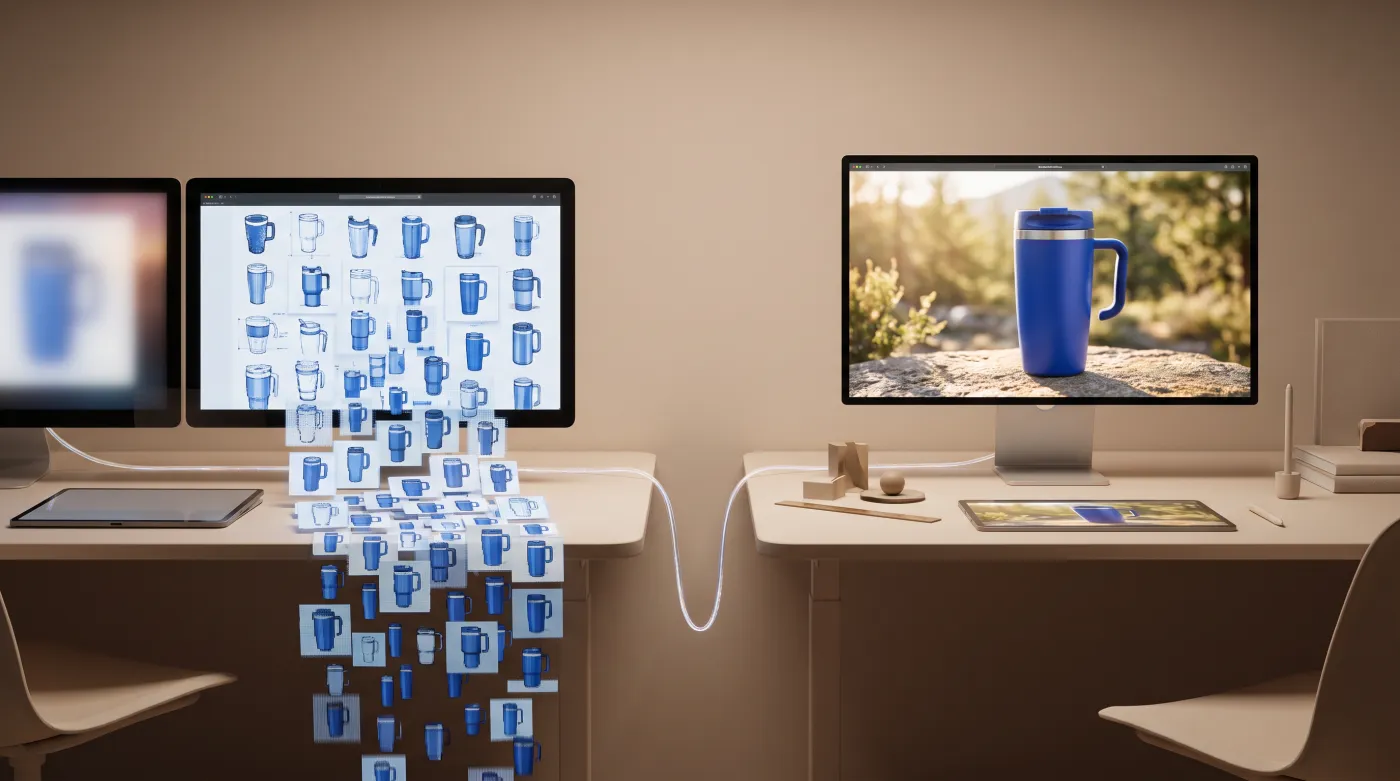
Concept illustration generated with Nano Banana Pro on PixVerse. It represents draft iteration and final selection, not a controlled GPT Image 2.5 versus 2.6 output comparison.
Is GPT Image 2.6 Flare faster than Sunburst for production pipelines?
GPT Image 2.6 Flare prioritizes speed over maximum detail and is positioned for fast iteration, so it is the natural pick for drafts and interactive editing. OpenAI publishes no Flare-versus-Sunburst timing, so measure both on your own prompts, sizes, and quality settings before committing a pipeline. GPT-image-2.6-sunburst trades some of that speed focus for greater detail and consistency across edits.
How does the quality setting affect total API spend?
The rate card stayed flat, but output tokens per image did not. Consider a pipeline that generates 10,000 images at 1024x1024, counting output tokens only at $30.00 per 1M tokens, using the per-image figures above:
| Quality | GPT Image 2.5 (10,000 images) | GPT Image 2.6 (10,000 images) |
|---|---|---|
| Low | About $59 | About $247 |
| Medium | About $132 | About $435 |
| High | About $527 | About $527 |
The same 10,000 low-quality images cost roughly four times as much in output tokens on OpenAI Images 2.6, so the GPT Image 2.5 vs 2.6 API pricing comparison shows identical rate cards but a higher minimum cost per render at low and medium quality. These figures exclude input tokens, such as prompt text or reference images, and they are estimates, not billed amounts.
| Model Variant | Speed Profile | Cost Impact | Best Use Case |
|---|---|---|---|
| GPT Image 2.6 Flare | As little as 6 seconds at low quality | Same rates as 2.5; 4.2x output tokens at low, 3.3x at medium, equal at high and above | Rapid drafts, iteration |
| GPT Image 2.6 Sunburst | Detail-focused; no published timing figure | Same rates as 2.5; token counts per image as above | Final production assets |
| PixVerse API | Near real-time generation | Pricing and credits published in the PixVerse API documentation | Scalable video workflows |
PixVerse positions its full-stack API and developer tools for scalable video workflows and serves users in 177+ countries. The platform is built for near real-time generation and cost efficiency in production pipelines.
How Can You Bridge Static Images into Video with PixVerse?
PixVerse converts still images into motion through its Text/Image to Video capability. A single static frame becomes a moving scene without rebuilding the asset from scratch, which saves re-rendering concepts that already exist.
The platform pairs image animation with multi-shot scenes in PixVerse V6 and its Character feature for consistent characters, so a product render or character design can hold its look from frame to frame. The Agent turns conversational guidance into scenes, letting creators describe a motion sequence in plain language and receive a generated clip.
What PixVerse features support image-to-video workflows?
PixVerse combines several capabilities for static-to-motion conversion:
- Text/Image to Video for transforming still outputs into motion content
- Multi-shot scenes in PixVerse V6 for sequences built from several shots
- Character for consistent characters across shots
- Agent for conversational scene direction
Image to video handles still photos, product shots, and concept art alike: creators upload an image, describe the desired movement, and receive a video draft.
How does image-to-video affect production costs?
Starting from an approved still means a team does not rebuild the scene to add motion: the source image anchors the subject, framing, light, and visible details of the video draft. Existing frames become reusable motion assets, so work already done on a still carries into the video.
Should You Migrate Production Workloads to GPT Image 2.6?
The GPT Image 2.6 release introduces two distinct models with clear production trade-offs. GPT-image-2.6-sunburst is OpenAI’s detail and edit-consistency model, while gpt-image-2.6-flare prioritizes generation speed for rapid iteration. Teams evaluating GPT Image 2.6 vs GPT Image 2.5 must weigh output fidelity and pipeline velocity against the higher output-token counts at low and medium quality.
No head-to-head quality benchmark covers the two generations yet, so the safest migration is a controlled one. Save a baseline of representative prompts, reference images, and outputs from your current model, including difficult edits, exact text, and product geometry. Move a 2.5 Flare workflow to 2.6 Flare first and a 2.5 Sunburst workflow to 2.6 Sunburst first, keep the prompt, size, and quality setting unchanged, and track response time, failures, retries, and cost per accepted image before expanding.
PixVerse addresses this tension through its enterprise solutions and APIs. It lists GPT Image 2.5 in both Flare and Sunburst variants alongside its video tools, so teams can send draft iterations to Flare and final renders to Sunburst within one workflow.
Which Model Suits Final Production Renders?
Sunburst is the better fit for production outputs. It is positioned for detailed visual work and greater consistency across multiple edit passes at medium or high quality. Teams shipping client-facing assets or marketing materials should compare Sunburst results against their current model on their own prompts.
When Does Flare Outperform Sunburst?
Flare earns its place in iteration. Creative technologists and prompt engineers running A/B tests, exploring composition variants, or generating storyboard drafts benefit from the faster turnaround, and Flare also improves layout quality for posters and product imagery. Many draft-stage decisions can then be rerun on Sunburst for the final render.
How Does PixVerse Simplify the Migration Decision?
PixVerse removes the either-or constraint within its image lineup by listing GPT Image 2.5 Flare and Sunburst together, so teams can assign Sunburst to final renders and Flare to iterative drafts. This dual-model approach preserves quality where it matters while speeding up the exploration phase, and it avoids applying premium compute to every generation.
FAQ
What is the main speed difference between GPT Image 2.6 and 2.5?
GPT Image 2.6 generates images 50% faster than before. Flare returns a low-quality image in as little as six seconds. The 50% figure has no published baseline, so test it on your own workload.
What new features does GPT Image 2.6 add?
GPT Image 2.6 adds a complexity setting, SVG output, and animated GIF support. Per-token rates remain identical to GPT Image 2.5, but 2.6 uses 4.2x the output tokens at low quality and 3.3x at medium, so cost per image is higher at those settings.
How do the Sunburst and Flare variants differ?
Sunburst prioritizes detail and consistency across edits. Flare optimizes for generation speed. Together they give developers a clear tradeoff at the API level.
Conclusion
The migration decision between GPT Image 2.6 and 2.5 comes down to speed, quality, and the quality setting you run. At high quality and above, 2.6 costs the same per image as 2.5 and runs faster. At low and medium quality, it costs more per image because it uses more output tokens. Teams that need both draft speed and final-render quality should evaluate platforms that support multiple model tiers, routing draft iterations to faster variants and final renders to higher-fidelity outputs.