Best Sora Alternatives for Designers: 5 Practical Picks
Compare 5 practical Sora alternatives for AI video: PixVerse, Seedance, Runway, Kling, and Veo, with pricing, trial notes, and workflow fit.
If Sora was part of your design, storyboard, ad concept, or API workflow, the useful question in mid-2026 is no longer what happened during the shutdown. According to the OpenAI Help Center, Sora web and app experiences ended on April 26, 2026, and the Sora API is scheduled to end on September 24, 2026. The practical task now is choosing a replacement that fits your next production job, budget, and access path.
This guide compares eight tools and recommends five primary Sora alternatives to test first: PixVerse V6, Seedance 2.0, Runway Gen-4, Kling 3.0, and Google Veo 3.1. Hailuo MiniMax, Luma Dream Machine, and HappyHorse 1.0 remain useful runner-up or watchlist options.
Best Sora Alternatives in 2026: Quick Picks
Use this section as a first sorting layer, not a permanent ranking. AI video models change quickly, and the best choice depends on whether you need fast ideation, cinematic polish, character references, motion realism, API reliability, or one workspace for testing several models.
- PixVerse V6: Try first if you want a convenient, all-in-one workspace for text-to-video, image-to-video, transition, extension, native audio, API testing, and side-by-side model comparison.
- Seedance 2.0: Try first when the brief depends on multimodal references, camera rhythm, native audio, and more production-style prompt control.
- Runway Gen-4: Try first for image-led cinematic shots, product visuals, ad concepts, and VFX-style ideation.
- Kling 3.0: Try first for action, sports, dance, physical interaction, and fast body movement.
- Google Veo 3.1: Try first for Google Cloud, Gemini API, Vertex AI, 1080p/4K workflows, and enterprise infrastructure.
Price, Trial, and Access Comparison
Pricing and free access change often, especially when models run launch credits or temporary discounts. The notes below reflect official pricing or documentation checked on June 26, 2026; always confirm in the app before a large batch run.
| Tool | Best fit | Trial or entry point | Pricing note | Main caveat |
|---|---|---|---|---|
| PixVerse V6 | One-stop testing across text-to-video, image-to-video, transition, extension, audio, API, and other available model options | App access and credit-based generation; temporary model or credit discounts may appear in-app | PixVerse docs list V6 at 9 credits/s for 720p without audio and 12 credits/s with audio; 1080p is 18/23 credits/s | Credit cost rises with resolution, audio, and retries |
| Seedance 2.0 | Multimodal reference-driven creation with text, image, video, and audio inputs | Available through PixVerse and other access routes; trial/free access depends on platform | On PixVerse, a 5s 720p clip is typically 150 credits on Standard or 100 credits on Fast; check current app pricing | Moderation, access, and production fit vary by platform |
| Runway Gen-4 | Image-led cinematic shots, product visuals, ads, and VFX-style ideation | Free plan with 125 one-time credits | Runway lists Standard at $15/mo monthly or $12/mo annually; Gen-4 uses 60 credits for 5s and Turbo uses 25 credits for 5s | Credit burn and queue friction can limit high-volume work |
| Kling 3.0 | Human motion, action, sports, dance, and physical interaction | Official 3.0 launch noted Ultra early access, with broader access changing over time | Dedicated-app and third-party platform pricing varies; verify credits and queue limits before production | Cost, latency, and identity drift can be frustrating during iteration |
| Google Veo 3.1 | Google-backed API, Vertex AI, SynthID, 1080p/4K, and enterprise workflows | Gemini API paid tier; no free video tier listed in the pricing table | Veo 3.1 Standard is listed at $0.40/s for 720p/1080p and $0.60/s for 4K; Fast and Lite are cheaper | Cost, usage limits, and policy refusals can block quick creative testing |
How We Chose the Top 5
The shortlist is based on current official docs, public product updates, pricing pages where available, user feedback, and practical migration needs. The goal is not to crown one universal winner. For Sora replacement work, the useful question is: which tool is the lowest-friction match for this exact shot or workflow?
We weighed five criteria:
- Prompt adherence: Does it follow spatial, temporal, and style instructions?
- Identity and scene consistency: Can it preserve people, products, props, and locations across shots?
- Motion quality: Does movement look natural enough for social, ads, or storyboards?
- Workflow control: Does it support first/last frame, references, camera control, editing, audio, or API use?
- Production reliability: Are pricing, credits, limits, queue times, and commercial-use rules clear enough for repeat work?
Top 5 Sora Alternatives in 2026
Finding a Sora alternative means balancing quality, price, control, access, and trust. The recommendations below favor tools that creators can realistically test and integrate today.
PixVerse V6: One-Stop AI Video Testing Workspace
PixVerse should not be framed as a universal winner. Its more useful role is as an AI video generator workspace for routing creative tests: text-to-video, image-to-video, transition, extension, native audio, API workflows, and several available model options in one place.
The PixVerse V6 docs list 1-15 second generation, up to 1080p output, multiple aspect ratios, native audio switches, and multi-clip support for applicable flows. The PixVerse pricing docs make credit consumption visible by model, resolution, and audio use.
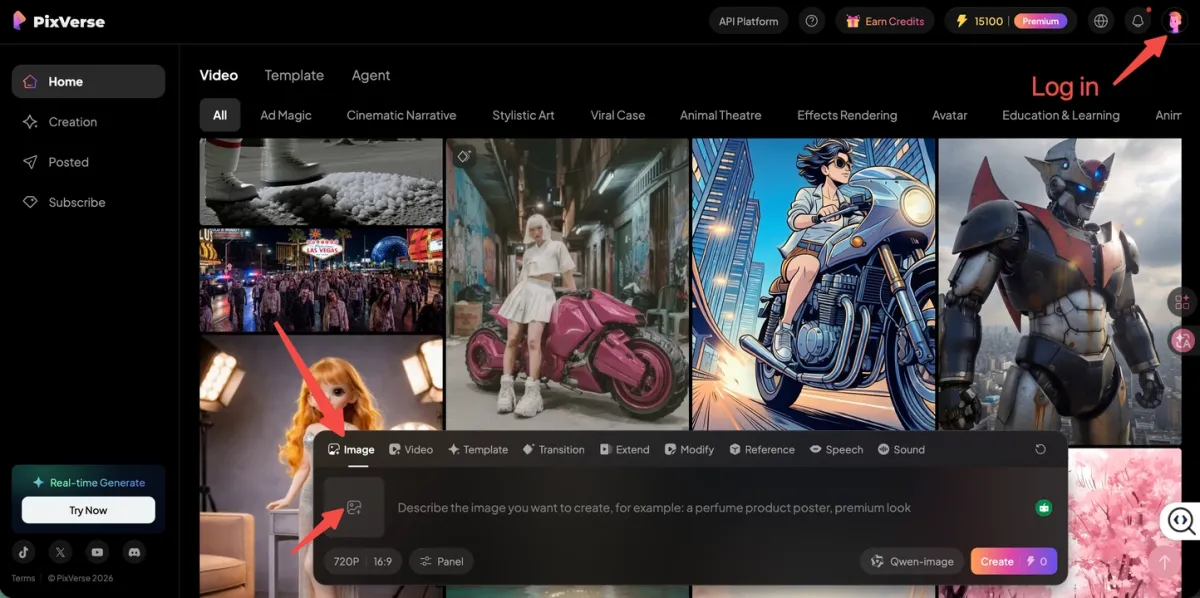
The practical value is workflow consolidation. A designer can test a product concept in PixVerse V6, compare another shot against Seedance or Kling, try a transition or extension pass, and keep the evaluation inside one account instead of juggling separate subscriptions. PixVerse also runs temporary model or credit promotions from time to time, which can make it a good low-risk window for testing, but those discounts should be treated as time-sensitive rather than permanent pricing.
Price/access note: PixVerse is credit-based. For V6, 720p is listed at 9 credits/s without audio and 12 credits/s with audio; 1080p is listed at 18 credits/s without audio and 23 credits/s with audio. Higher resolution, audio, retries, and model choice all affect cost.
Why it fits as a Sora alternative: PixVerse is most useful when you do not want to bet on one replacement model. It gives you a practical place to compare outputs, control cost, and route each shot to the model that fits best.
Pros:
- All-in-one workspace for text-to-video, image-to-video, transition, extension, audio, and API testing.
- Useful for comparing multiple models from the same creative brief.
- V6 supports up to 15 seconds and 1080p in official PixVerse docs.
- Convenient for teams that want one billing and workflow surface.
- Good fit for social clips, ads, product concepts, and character-driven testing.
Cons:
- Higher-resolution and audio-enabled generations consume more credits.
- Some external review complaints focus on billing, subscription clarity, and credit waste when prompts miss.
- Model availability and promotions can change, so check current app pricing before large projects.
For a deeper product view, see our full PixVerse V6 AI video generator review.
Seedance 2.0: Multimodal References and Native Audio
Seedance 2.0 is ByteDance’s multimodal audio-video generation model. The ByteDance Seed announcement says Seedance 2.0 supports text, image, audio, and video inputs, with reference understanding for composition, camera language, motion rhythm, and sound.
For Sora migration, Seedance is useful when the creative brief is more than a sentence. A storyboard frame, character reference, camera reference, or audio cue can become part of the generation package.
Price/access note: Seedance 2.0 is available on PixVerse. On PixVerse, a 5-second 720p clip is typically 150 credits on Standard or 100 credits on Fast. Other access routes may use different pricing or regional rules.
Why it fits as a Sora alternative: Seedance 2.0 covers one of Sora’s important jobs: turning a rich creative brief into coherent motion. It is strongest when a team needs references, camera rhythm, native sound, and production-style iteration.
Pros:
- Supports multimodal references across text, image, audio, and video.
- Strong fit for cinematic prompts, action, social storytelling, and reference-driven creative tests.
- Can be tested on PixVerse alongside PixVerse V6, Kling, Veo, and other models.
- Better suited than Hailuo or Luma for broad Sora replacement work.
Cons:
- Moderation and access can vary depending on where you use it.
- Product shots and exact brand-object preservation still need careful testing.
- Pricing and resolution options should be checked on the current access platform before production.
Our full Seedance 2.0 review covers prompts, use cases, and limitations in more detail.
Runway Gen-4: Cinematic Image-Led Shots
Runway Gen-4 is a creative suite for AI video production that prioritizes visual polish, image-to-video control, and VFX-style iteration. Runway’s official Gen-4 guide says Gen-4 creates 5 or 10 second videos from an input image and text prompt, with Gen-4 Turbo available for faster, lower-cost iteration.
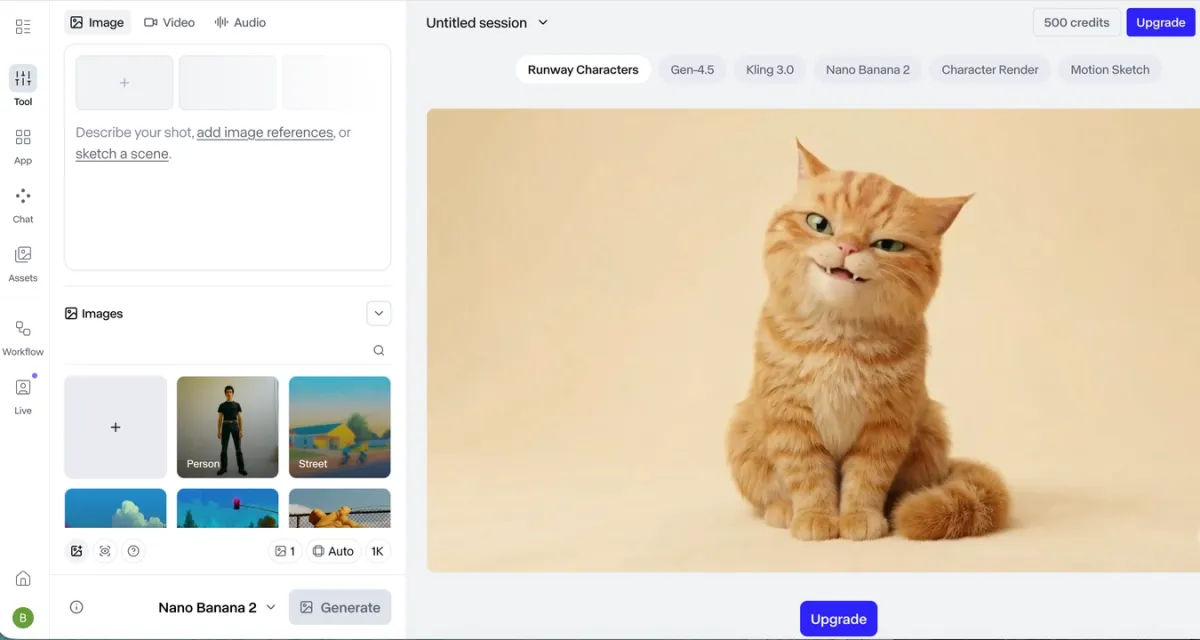
In production testing, Runway is often the tool to try when the brief sounds like a shot list: cinematic lighting, controlled movement, a stylized product vignette, or a short ad concept. It is less attractive when your main need is high-volume output at low cost.
Price/access note: Runway lists a free plan with 125 one-time credits. Its Standard plan is listed at $15/month monthly or $12/month annually, and official Gen-4 docs list Gen-4 at 60 credits for 5 seconds and Gen-4 Turbo at 25 credits for 5 seconds.
Why it fits as a Sora alternative: Runway is a strong replacement when the missing Sora job is “make this still feel like a directed film shot.” It is especially useful if your team already works with image references, storyboards, and post-production tools.
Pros:
- Strong cinematic output for short clips.
- Gen-4 and Turbo give teams a quality-versus-speed path.
- Useful for image-to-video, mood films, product shots, and VFX ideation.
- Mature creative suite with editing and professional workflow features.
Cons:
- Credit usage can become expensive during exploration.
- Users report queue and latency friction during busy periods.
- Character identity can drift in complex multi-shot work.
- Gen-4 requires an input image, which may be slower for pure text-to-video ideation.
Kling 3.0: Action, Sports, and Motion Stress Tests
Kling 3.0 is Kuaishou’s AI video model series for narrative control, reference-based generation, native audio, and complex motion. The official Kuaishou release says Kling 3.0 includes upgrades in consistency, photorealistic output, native audio, multimodal inputs, in-video editing, and video duration up to 15 seconds.
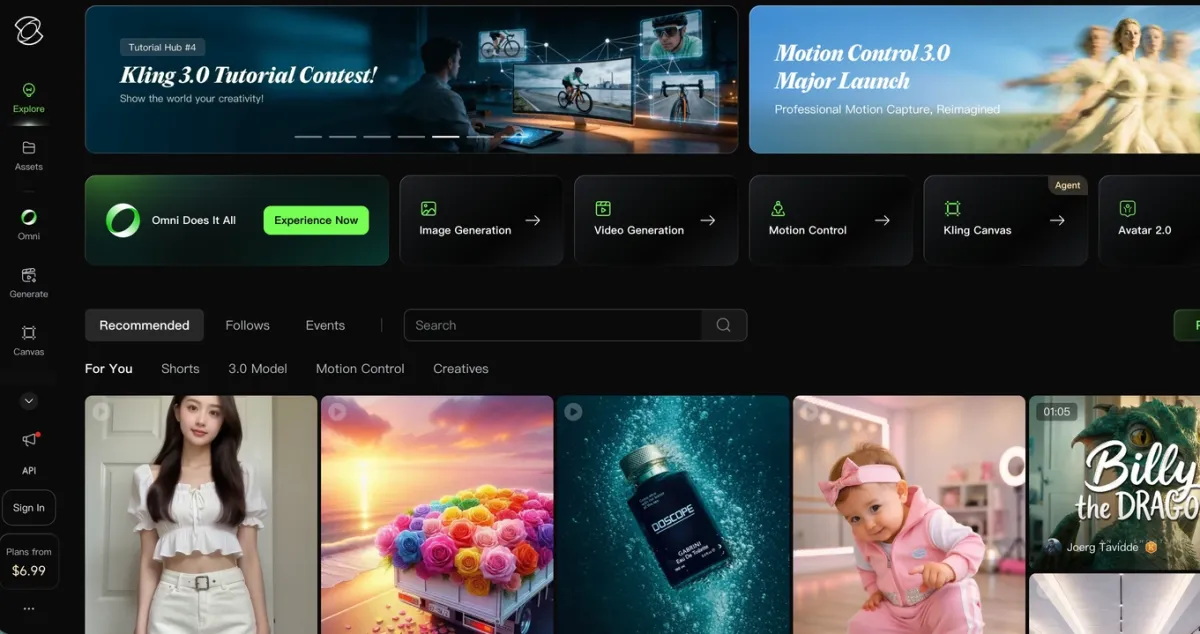
Kling is especially relevant for Sora users who cared about physical motion: running, fighting, dancing, turning, sports clips, and scenes where the body has to obey momentum. It is not always the easiest or cheapest option, but it is one of the most credible motion-first tools.
Price/access note: Kling’s official 3.0 launch described early access for Ultra subscribers. Dedicated-app pricing, free queue access, and third-party pricing can vary, so check the current app or platform before production. On multi-model platforms, Kling may be priced per generation or by credits.
Why it fits as a Sora alternative: Kling 3.0 is the top first pass when the Sora-shaped gap is motion realism. If your prompts involve bodies, camera movement, physical contact, or fast action, Kling deserves a test run.
Pros:
- Strong human movement and action-scene performance.
- Official 3.0 release emphasizes native audio, multimodal workflows, and storyboarding.
- Good fit for TikTok, Reels, sports, dance, and stunt visualization.
- Available as a dedicated tool and through some multi-model workflows.
Cons:
- Cost and queue times can be frustrating for high-volume iteration.
- Identity persistence can weaken across longer sequences.
- Enterprise teams should review data, jurisdiction, and commercial terms carefully.
Google Veo 3.1: Official Cloud and API Workflows
Google Veo 3.1 remains one of the most credible Sora alternatives for teams already using Google AI Studio, Gemini API, or Vertex AI. Google’s January 2026 update says Veo 3.1 added enhanced Ingredients to Video, native vertical output for social formats, improved 1080p, 4K generation, and SynthID watermarking in Gemini API and Vertex AI.
Price/access note: Google’s Gemini API pricing page lists Veo 3.1 on the paid tier, not the free tier. Standard video with audio is listed at $0.40/s for 720p and 1080p, and $0.60/s for 4K; Fast and Lite variants are cheaper when they fit the job.
Why it fits as a Sora alternative: Veo 3.1 belongs in the top five because it is not just another consumer generator. It is the strongest fit when your team needs a Google-backed API, enterprise access, SynthID watermarking, and cloud workflows that can be integrated into a larger production system.
Pros:
- Official Google API and Vertex AI paths for developer and enterprise teams.
- Strong fit for high-fidelity output, vertical social formats, and cloud workflows.
- 1080p and 4K options make it relevant for professional review pipelines.
- Useful benchmark model when comparing other Sora alternatives.
Cons:
- Cost and usage limits can be hard to justify for high-volume social iteration.
- Policy refusals and account-specific access can interrupt creative testing.
- Some users report inconsistent results across Gemini, Flow, AI Studio, and API routes.
Runner-up Sora Alternatives Worth Testing
These tools did not make the top five because they are narrower as Sora replacements, but they can still be useful for specific workflows.
Hailuo MiniMax: Fast Social Drafts
Hailuo is MiniMax’s AI video product family. MiniMax’s Hailuo 02 update highlights native 1080p, strong instruction following, and physics-oriented improvements, while the MiniMax API docs show video generation support for image-to-video tasks with models such as MiniMax-Hailuo-2.3.
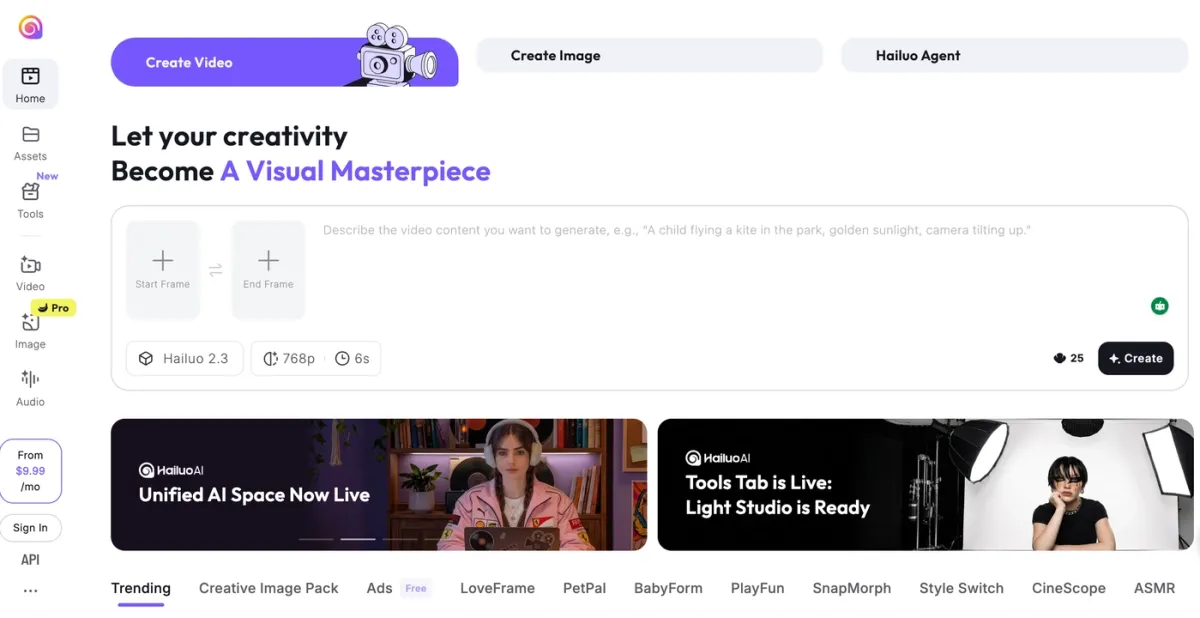
Price/access note: Hailuo pricing and free access can vary by app route and API route. Treat it as a draft-first tool and verify credits, watermarks, and queue limits before making it your main production path.
Why it is a runner-up: Hailuo is useful when Sora was your fast ideation engine, but it is less complete as a primary replacement for Sora-style narrative, reference, audio, and API migration work. Use it for quick hooks and draft volume, then route final shots through a more controllable model when needed.
Luma Dream Machine: Environment B-roll and Spatial Mood
Luma Dream Machine is best known for camera movement, spatial feel, and atmospheric visual scenes. Luma’s Ray2 changelog lists Dream Machine web and iOS access, API access for developers and enterprise users, 5-10 second base clips, extension to 30 seconds, 540p/720p/1080p output, and 4K upscaling.
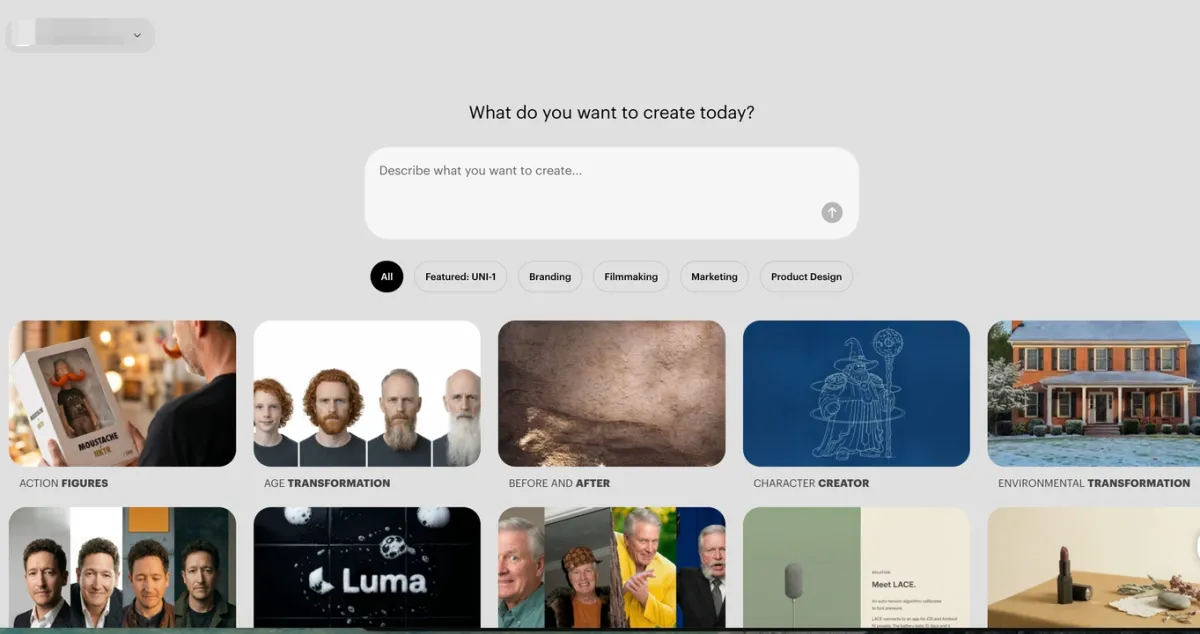
Price/access note: Luma’s pricing page lists Plus at $30/month, Pro at $90/month, and Ultra at $300/month. Its per-generation credit costs vary by model, resolution, action, and audio.
Why it is a runner-up: Luma is still worth testing for product reveals, macro textures, architecture, spatial camera moves, and non-dialogue scenes. It is less complete as a broad Sora replacement than Seedance or Veo when references, audio, and API planning are central.
HappyHorse 1.0: Watchlist for Lip-sync and Native Audio
HappyHorse 1.0 is one of the stranger AI video stories of 2026: it appeared on leaderboards before its ownership and access path were clear. TechNode reported that Alibaba confirmed HappyHorse was developed by its ATH innovation unit and was in internal testing. A fal.ai review describes HappyHorse-1.0 as a 15B-parameter AI video model from Alibaba with native audio generated in a single pass, while also noting high cost and limited 5 or 10 second clip access in the tested web app.
For PixVerse readers, our Happy Horse 1.0 guide and HappyHorse 1.0 vs Seedance 2.0 comparison cover the practical workflow angle.
Price/access note: Treat HappyHorse as an access-dependent model for now. Before using it as a production replacement, verify where you can generate, how clips are priced, whether commercial use is clear, and whether the provider is official.
Why it is a watchlist model: HappyHorse could become a major option for short dialogue, multilingual lip-sync, and music-driven clips. For now, access uncertainty and uneven third-party availability make it better as a watchlist model than a primary recommendation.
Which Sora Alternative Should You Choose?
The best Sora alternative depends on your workflow, not on a universal leaderboard.
Choose PixVerse V6 if you want one practical workspace for multiple creative flows, side-by-side model testing, and text-to-video, image-to-video, transition, extension, audio, and API options without spreading tests across too many subscriptions.
Choose Seedance 2.0 if you need multimodal references, cinematic motion, native audio-video generation, and a model that can interpret a richer creative package than a simple text prompt.
Choose Runway Gen-4 if you need cinematic camera language, stylized short shots, and a mature creative suite for film or ad ideation.
Choose Kling 3.0 if you are creating action, sports, dance, fight choreography, or other high-motion scenes where physical movement matters most.
Choose Google Veo 3.1 if you need Google Cloud, Gemini API, or Vertex AI integration and can handle higher cost, usage limits, and policy constraints.
Use Hailuo MiniMax as a runner-up if you need fast draft volume for social clips, simple action prompts, or budget-sensitive iteration.
Use Luma Dream Machine as a runner-up if your content is environment-focused: product macro shots, architecture, cinematic B-roll, or spatial mood boards.
Watch HappyHorse 1.0 if lip-sync and audio-video co-generation are central to your workflow, but you are comfortable with access uncertainty.
How to Test Sora Alternatives Without Wasting Credits
A good Sora migration test should use the same prompt across multiple tools. Do not compare a polished Runway prompt to a vague Kling prompt and call that a model result.
Use this five-part testing checklist:
- Use one shared prompt: Keep subject, setting, action, camera, duration, and style identical.
- Run a simple version first: Use a short, plain prompt before adding cinematic language.
- Test one hard constraint: Add one thing the model must preserve, such as a logo, outfit, product shape, or hand action.
- Score usable seconds, not raw seconds: A 10-second clip with 4 usable seconds is worse than a 5-second clip with 5 usable seconds.
- Track total cost per usable output: Include failed generations, upscales, audio, and revisions.
PixVerse is useful in this process because it can act as a central testing workspace for PixVerse models and other available model options. If a temporary model or credit discount is active, use it as a lower-cost testing window, but always confirm the current app price before production.
FAQs
What is the best Sora alternative in 2026?
There is no single best Sora alternative for every use case. PixVerse is the most convenient starting workspace if you want multi-model testing and several creation flows in one place. Seedance 2.0 is stronger for multimodal references, Runway Gen-4 for cinematic image-led shots, Kling 3.0 for high-motion scenes, and Google Veo 3.1 for official cloud workflows.
Is Sora completely shut down?
Sora web and app experiences were discontinued on April 26, 2026, according to OpenAI Help Center. The Sora API is scheduled to be discontinued on September 24, 2026, so developers still have a limited migration window.
Why does this article say top 5 if it reviews eight tools?
The article reviews eight tools because Sora replacement decisions are workflow-specific, but it recommends five primary tools. Hailuo MiniMax, Luma Dream Machine, and HappyHorse 1.0 are included as runner-up or watchlist options because they are useful in narrower cases.
Are there any free Sora alternatives?
Yes, but free access is usually limited by credits, watermarks, queue speed, resolution, or daily caps. Runway lists a free plan with 125 one-time credits. Other tools may offer free trials, free queues, or sign-up credits depending on account, region, and current promotions, so check the app before planning a large project.
Which Sora alternative is best for character consistency?
PixVerse V6 and Runway Gen-4 are good first tests for controlled character workflows, especially when using image references, first/last-frame planning, or short sequences. Seedance 2.0 is also worth testing when you have reference assets. Kling can perform well in motion-heavy scenes, but identity consistency should be tested with your actual character references before production.
Which Sora alternative is best for action scenes?
Kling 3.0 is the strongest first pick for action, sports, dance, and complex body movement. Seedance 2.0 is also worth testing for cinematic motion, while Hailuo can be useful for fast short action drafts.
Which Sora alternative is best for API workflows?
Google Veo 3.1 is the most official Google Cloud route through Gemini API and Vertex AI. PixVerse is useful if you want a multi-model workflow surface with API options. Runway, MiniMax, Luma, Kling, and Seedance access routes also have developer-facing paths in some form, but price, latency, rate limits, watermarking, and commercial terms need to be checked before production.
Should I switch everything from Sora to one new model?
No. The main lesson from Sora’s shutdown is to avoid single-model dependency. Keep prompts portable, store references and outputs outside one platform, and test at least two or three models before standardizing your workflow.
Conclusion
The most resilient replacement workflow is not the one that depends on a single model forever. It is the workflow that can route each shot to the right model, control cost, and adapt when access changes.
For most creators, the first five tools to test are PixVerse V6, Seedance 2.0, Runway Gen-4, Kling 3.0, and Google Veo 3.1. Hailuo MiniMax, Luma Dream Machine, and HappyHorse 1.0 are still useful, but they work better as specialist options than primary Sora replacements. PixVerse fits that reality as a practical one-stop testing space: broad enough for comparison, convenient enough for repeated iteration, and flexible enough to use alongside temporary discounts or new model launches when they appear.