Seedream 5.5 Review: Image Quality, Editing and Limits
Read our Seedream 5.5 review based on original PixVerse tests of photo realism, small text, image editing, transparency support, and practical limits.
Seedream 5.5 is an image model for creating visuals from text, revising an existing image, and generating transparent assets. The useful question is how much of a prompt or source image survives in the result. In our small test, a bookstore scene kept its composition through a coat-color edit, and a graphic poster rendered two short lines of requested text. We also found a workflow limit: one higher-resolution attempt failed before a lower-resolution retry succeeded.
This Seedream 5.5 review is based on three completed PixVerse CLI generations on November 24, 2026, plus one unsuccessful request. We checked the outputs against the exact prompts below and compared the model settings with the PixVerse CLI reference and ByteDance’s Seedream 5.5 announcement. This is a practical sample, not a statistically reliable ranking.
What We Tested
| Task | PixVerse output | Main check |
|---|---|---|
| Bookstore scene from text | 2816 × 1584 PNG | People, lighting, hands, layout, and a short sign |
| One-reference coat edit | 2816 × 1584 PNG | Requested color change and preservation of the source scene |
| Graphic travel poster | 1840 × 2272 PNG | Two lines of exact text and a three-boat layout |
All successful outputs in this review used the CLI’s 1440p setting and match PixVerse’s 2K output dimensions for their aspect ratios. PixVerse’s current Seedream 5.5 image controls offer 1K, 1.5K, and 2K, with 2K selected by default; 3K and 4K are not offered. An exploratory CLI request at a separately listed 1800p value failed with a task status error. We retried with a simpler brief at 1440p, and it completed. One failed task does not establish a general failure rate or explain the cause.
For context on an earlier model in the family, see our Seedream 5.0 Lite review. Its features and output settings should be checked separately from the Seedream 5.5 results here.
Photorealism and Prompt Following: Bookstore Scene
The successful bookstore output placed a woman in a rust-red coat beside white shelves, another customer deeper in the shop, and sunlight through a large window. The small “OPEN PAGES” sign was readable in our downloaded image, though it appeared on the left side of the scene rather than prominently above the counter. The overall light and bookshop layout followed the brief, while that sign placement shows why details need inspection.
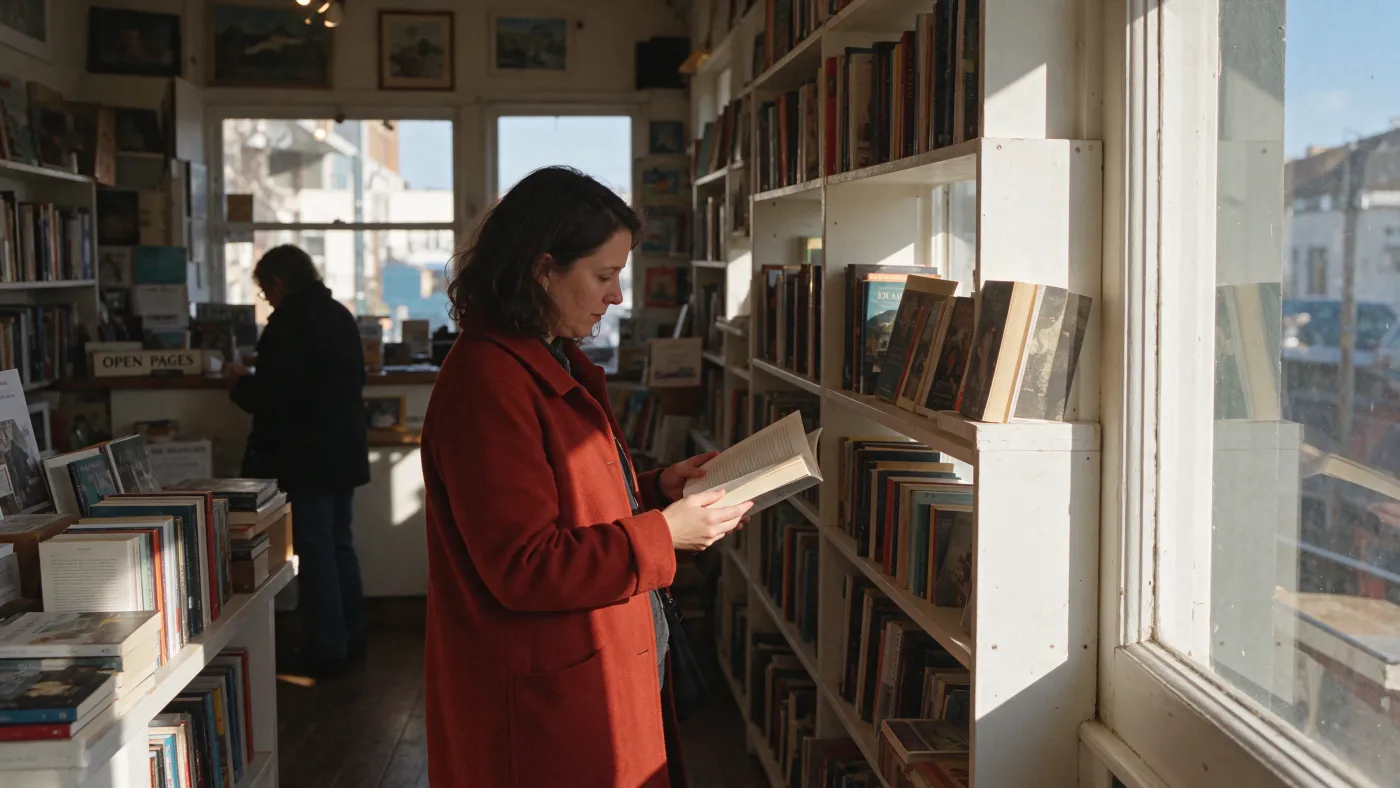
Open the original 2816 × 1584 PNG to inspect the sign, hands, and shelves.
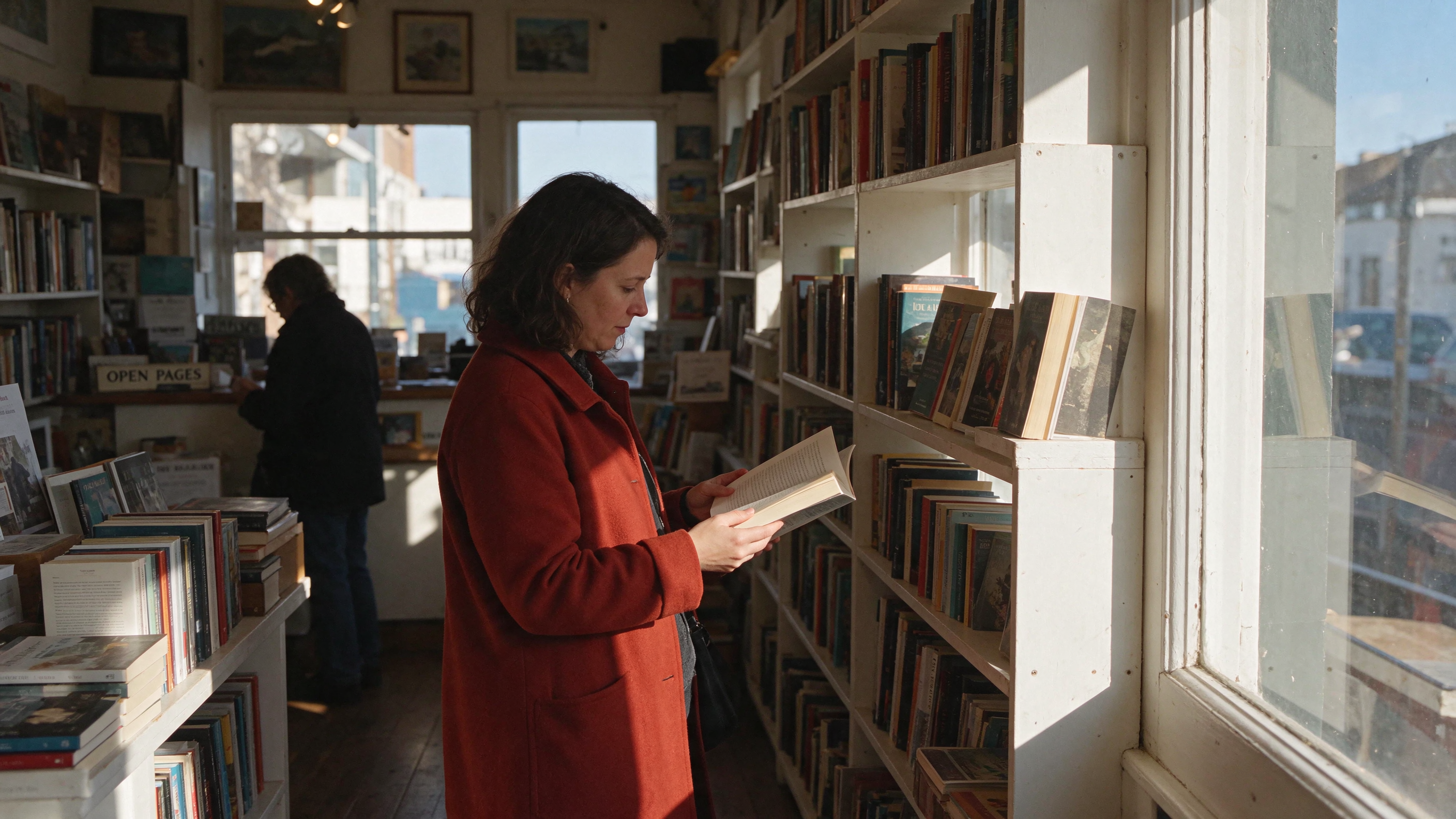
Image prompt — bookstore scene:
Photorealistic editorial image inside a small seaside bookstore in morning sunlight. One woman wearing a rust-red coat studies an open book beside white wooden shelves. A second person browses books in the background. A small sign behind the counter reads exactly OPEN PAGES. Natural hands, believable window reflections, warm daylight, documentary photograph, wide composition. No other readable text.
The 2816 × 1584 export gives room for an editorial crop, but more pixels do not guarantee every book cover, fingertip, or small sign is correct. Check the original PNG at the size in which it will be used.
Image Editing: Change a Coat, Keep the Scene
We used the bookstore image as a local reference and asked for the foreground coat to change from rust red to deep navy. The output changed the coat while keeping the woman’s position, open book, background customer, shelf layout, and “OPEN PAGES” sign close to the source. Lighting and small surface details can still shift between generated images, so we would not treat this as a pixel-locked retouch.
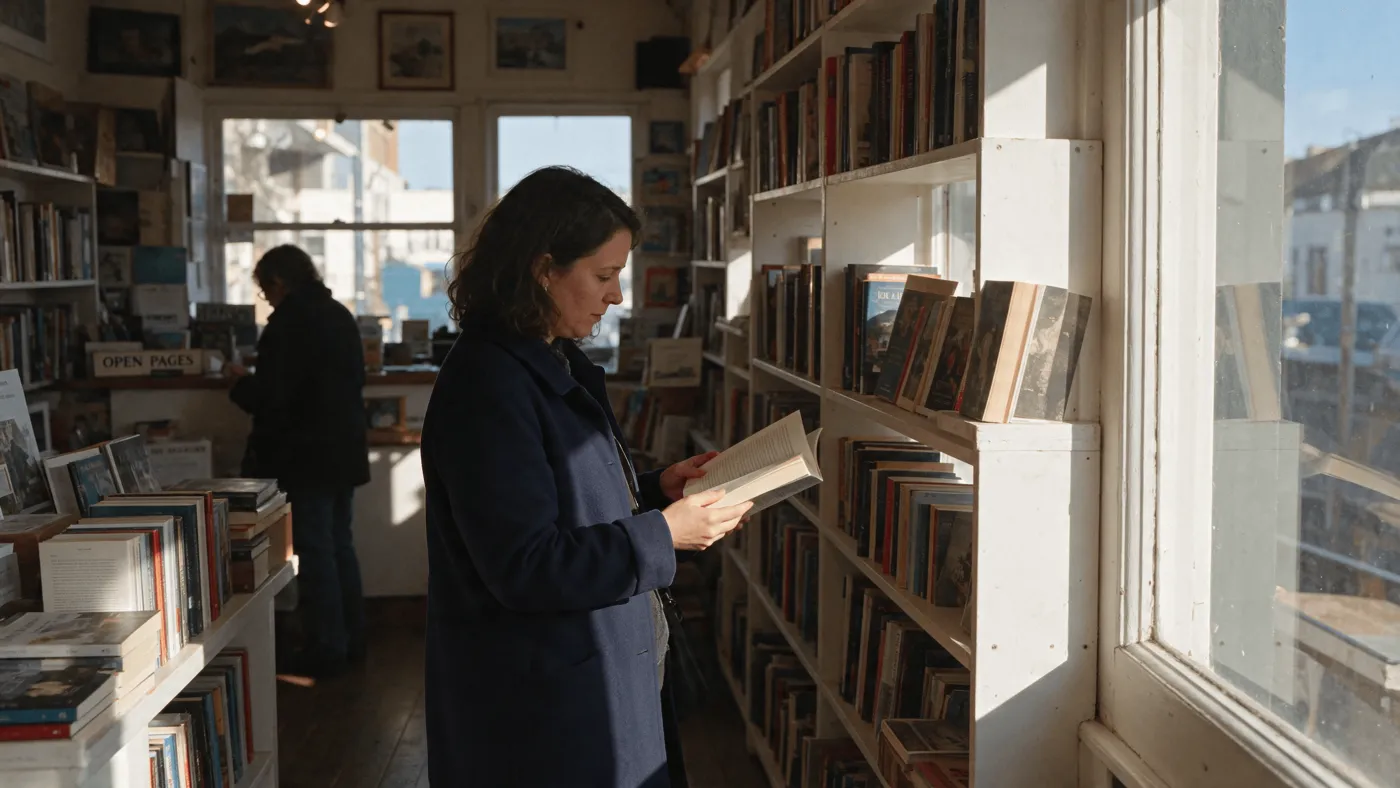
Open the edited 2816 × 1584 PNG and compare it with the source.
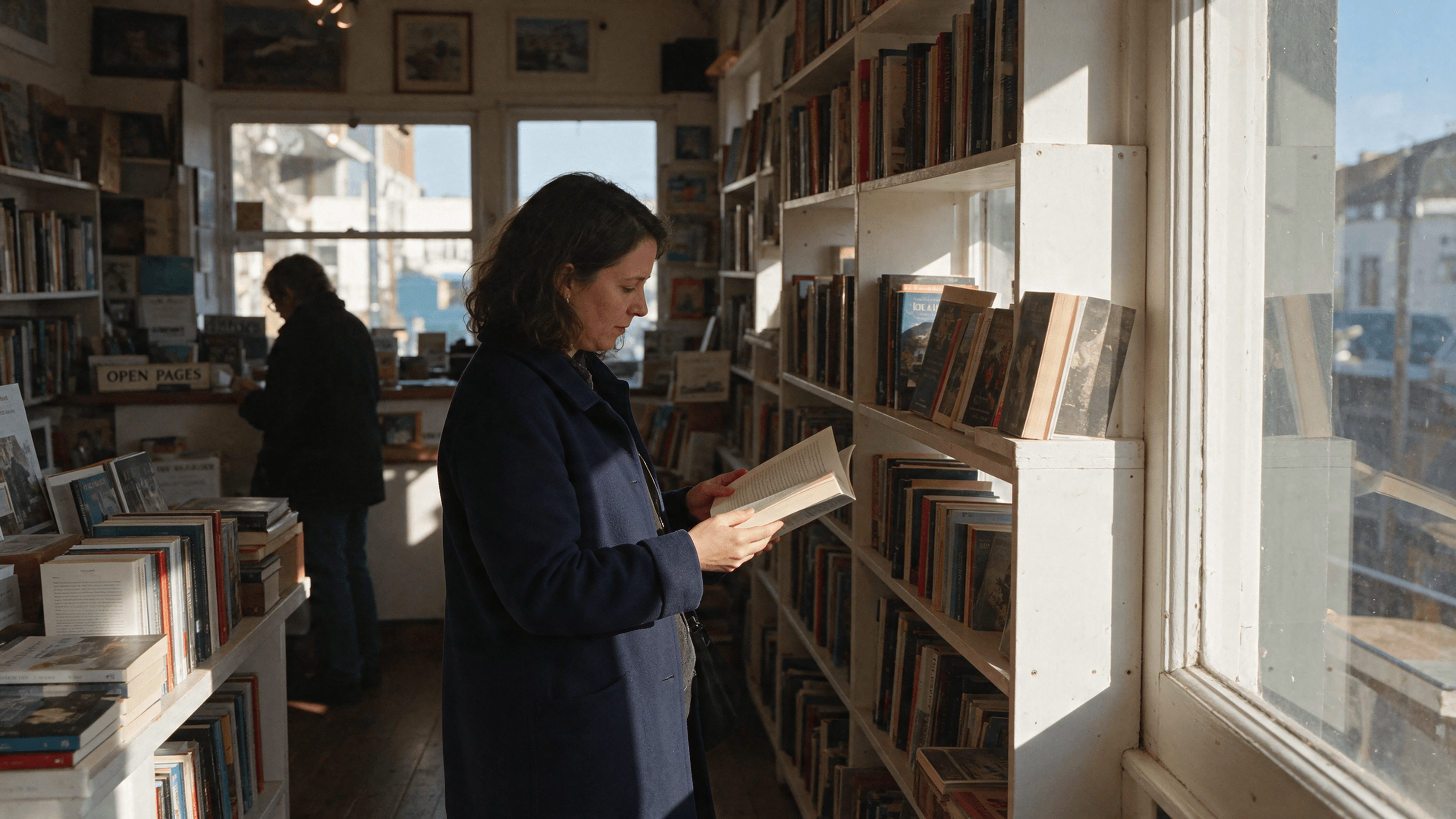
Image prompt — coat color edit:
Edit Image 1 only: change the rust-red coat on the foreground woman to a deep navy-blue coat. Keep her face, pose, open book, the background customer, white bookshelves, window light, camera framing, and the OPEN PAGES sign as close to the source image as possible. Do not add or remove people, objects, or text.
ByteDance reports stronger multi-turn consistency and pixel-level preservation of unedited regions in its own testing. Our one-round review edit shows a successful main change, but it cannot verify that broader claim. For a separate two-round sequence and a close look at retained details, read the Seedream 5.5 image editing guide.
Text and Layout: Graphic Poster
The poster test used a different style and subject. It rendered “NORTH PIER” at the top and “JUNE 12” at the bottom, with three sailboats across coral and teal water. Both requested lines were legible in this run. It also introduced two small birds that the prompt did not request, so the design would still need approval against a strict layout brief.
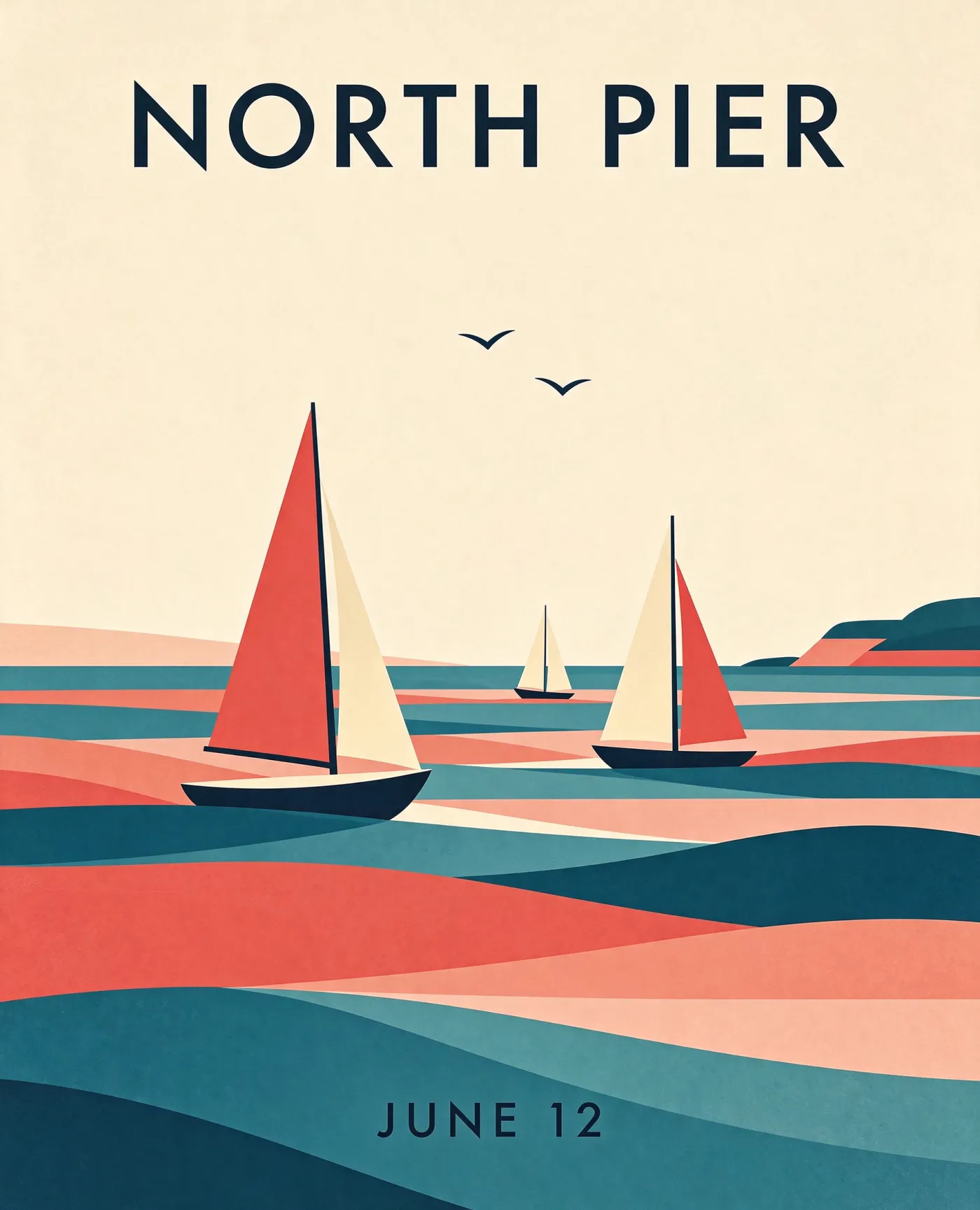
Open the original 1840 × 2272 PNG to inspect the type and layout.
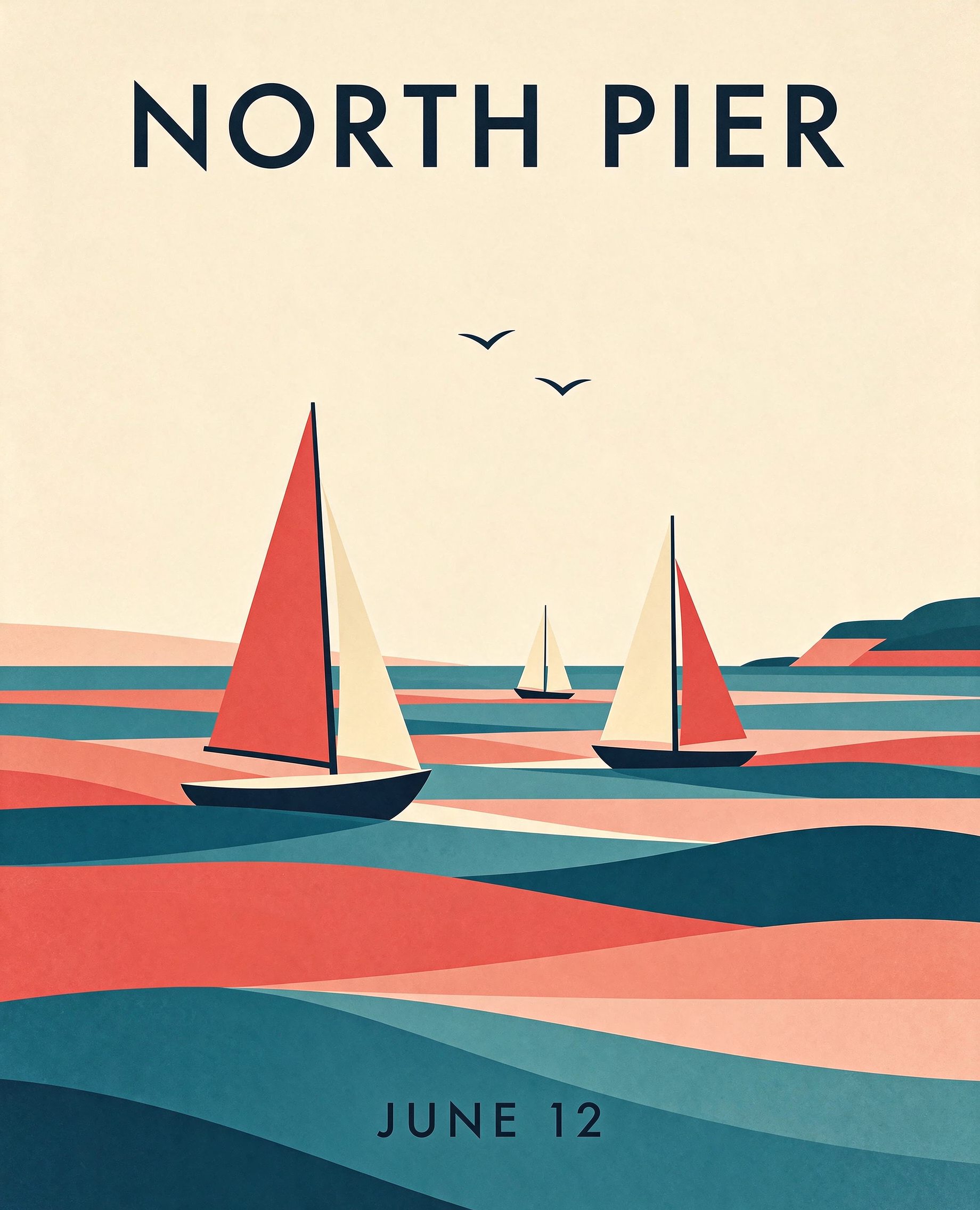
Image prompt — coastal poster:
A clean vertical graphic travel poster for an imaginary coastal festival. At the top, large dark-navy sans-serif letters read exactly NORTH PIER. At the bottom, smaller clear letters read exactly JUNE 12. Between them are three simple geometric sailboats on layered coral and teal waves under a pale cream sky. Strong alignment, generous negative space, crisp edges, print-ready flat illustration. No logos, border, people, or any other words.
Correct short text in one poster does not establish reliability for dense copy, legal labels, or a brand logo. Keep final typography editable when every character and spacing choice must match a design system.
Transparency and Reference Limits
Seedream 5.5 has a --background transparent option in PixVerse CLI and accepts up to ten image references according to its current model settings. The three review images did not test transparent output or the ten-reference maximum; the coat edit used one reference. We tested two distinct RGBA outputs in the Seedream 5.5 transparent PNG guide, while our editing guide tests one reference across two rounds. Those articles include their own prompts and checks.
Our failed higher-resolution CLI request did not produce an image. For a PixVerse project, choose a currently available output size, verify the completed file’s dimensions, and keep the source images and exact prompt with each approved asset.
Verdict: When Seedream 5.5 Fits
Seedream 5.5 is a capable option for creating an initial scene, exploring a targeted edit, or making reusable transparent graphics on PixVerse. In our tests, the bookstore edit retained its main composition and the poster handled two short text lines. The limits are practical: a precise sign location drifted, the poster added minor decorative elements, and one higher-resolution attempt failed without telling us why.
ByteDance announced Seedream 5.5 with more stable editing, realism improvements, and native RGBA output. Treat those as vendor claims until the particular task and account route are tested. On PixVerse, choose the image model that matches the delivery need, keep the original export, and review the full result before using it in a campaign.