MiniMax H3-Image Review: Quality, Editing, Speed and Limits
Read our MiniMax H3-Image review based on five original PixVerse tests, with 4K images, exact prompts, editing results, credit usage, and practical limits.
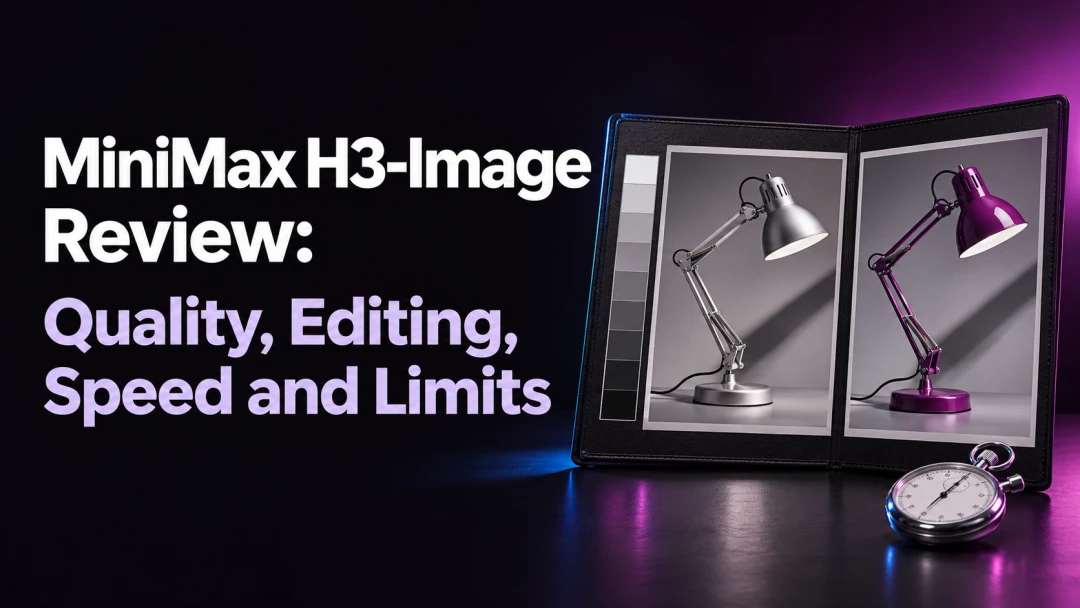
MiniMax H3-Image is a still-image model for generating images from text and editing them with references. It is separate from the MiniMax H3 video model. In our test, it handled a complex 4K street scene, changed one lamp detail from a reference image, and combined a product with a separate room reference. It also showed why generated assets need review: an edit can change more than the requested detail, and a convincing composite is not an exact cut-and-paste.
This MiniMax H3-Image review uses five PixVerse CLI generations made on November 24, 2026. We also checked the MiniMax launch post and model card. Five outputs are enough to describe a practical workflow, not to rank the model statistically against other image tools.
What We Tested
| Task | PixVerse output | What we checked |
|---|---|---|
| Flower market from text | 5472 × 3072 PNG | People, action, sign, reflections, and 4K export |
| Lamp from text | 2048 × 2048 PNG | Material, shape, light, and a clear edit source |
| Empty reading nook from text | 1024 × 1024 PNG | A separate setting reference |
| One-reference lamp edit | 2048 × 2048 PNG | Shade color and preservation elsewhere |
| Two-reference room composition | 2048 × 2048 PNG | Lamp identity, placement, and room cues |
All five used PixVerse’s minimax-h3-image route. The PixVerse CLI reference lists 1K, 2K, and 4K outputs and up to 16 image references for this model. We tested one and two references, so these results do not verify the maximum reference count. Every image displayed below has the exact prompt used to create it.
Image Quality and Prompt Following: A Flower Market
The 4K scene includes the two requested people, red tulips, transparent umbrella, flower buckets, and reflective cobblestones. The small awning reads “AFTER RAIN” correctly in this run. The scene looks cohesive at article size, with cool evening light outside and warmer light at the stall. Open the original PNG to inspect the hands, umbrella edges, and small text before using it in a larger layout.
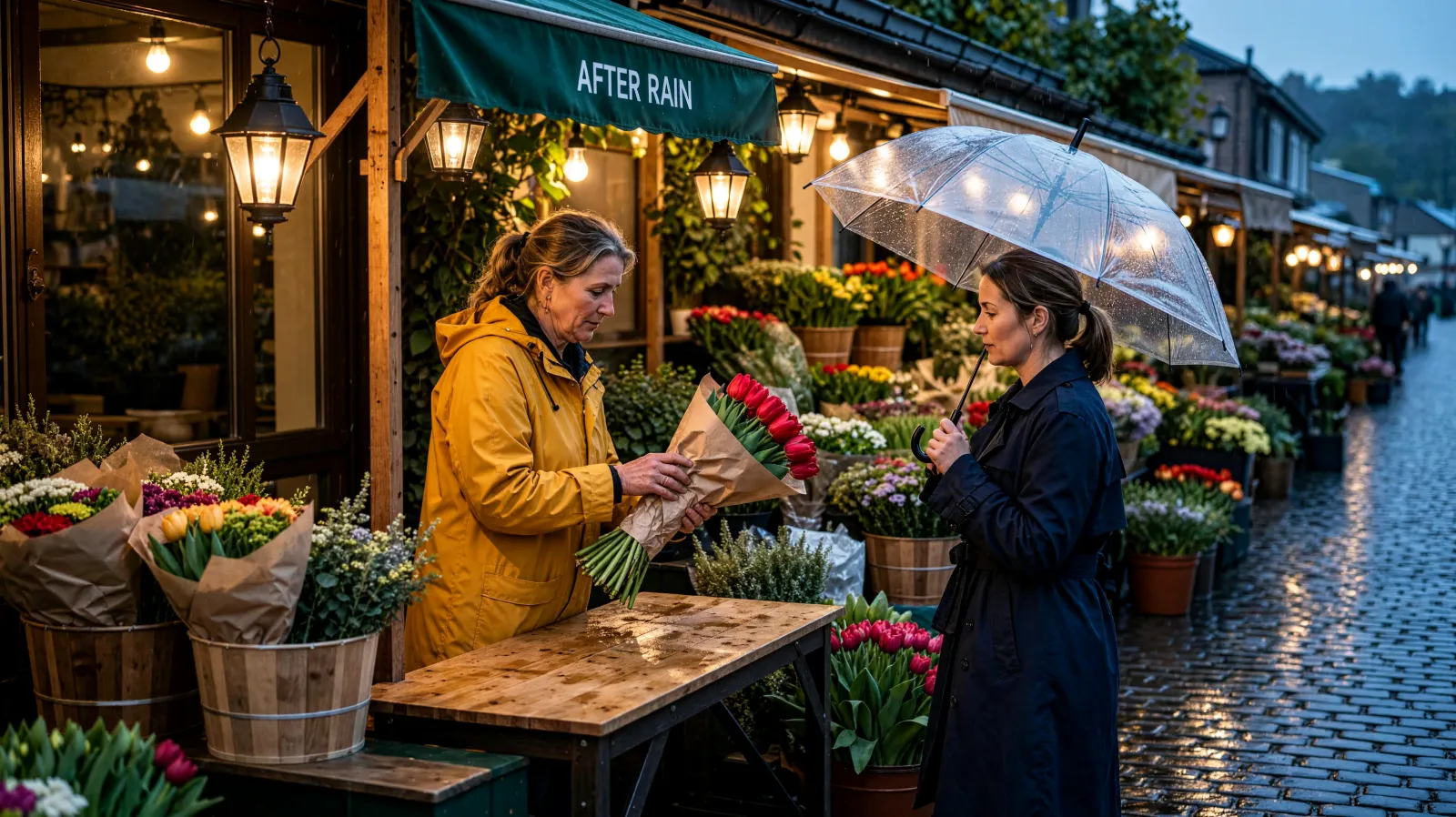
Open the original 5472 × 3072 PNG to inspect the export rather than this smaller WebP preview.
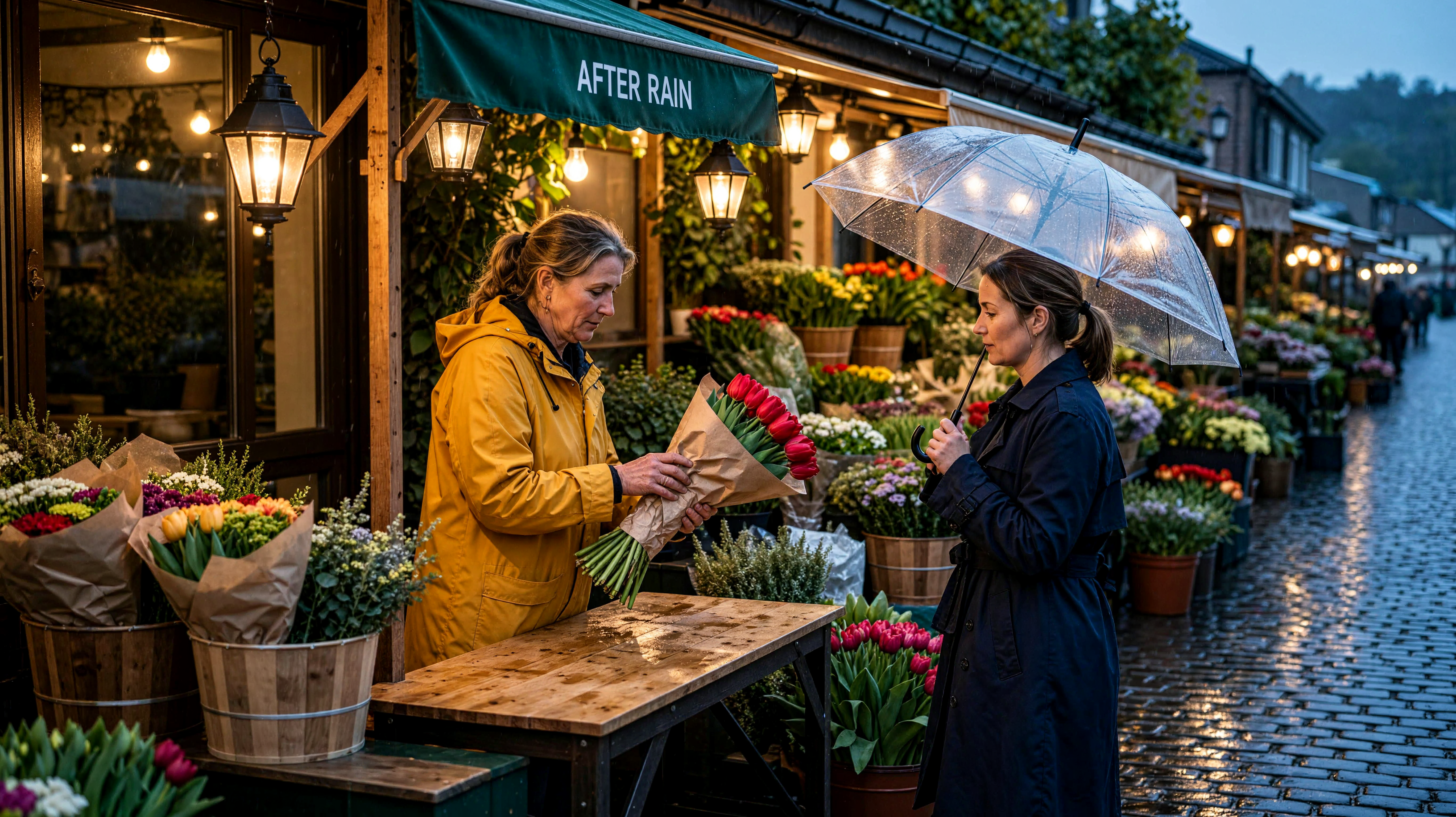
Image prompt — flower market:
A photorealistic wide editorial photograph at a small outdoor flower market just after rain at blue hour. In the foreground, a florist in a mustard raincoat wraps one bunch of red tulips in brown paper while a customer in a navy coat holds a transparent umbrella. Rows of flower buckets, wet cobblestones, and a few warm lanterns recede into the background. A small green awning sign reads exactly AFTER RAIN. Mix cool evening sky light with warm stall light. Natural faces and hands, believable water reflections, documentary 35mm framing. No other readable text.
This is a good result for a story-led blog visual. One correct short sign is a useful observation, but it does not prove that longer copy or a precise logo will render reliably. Our separate 4K guide tests two different subjects when high-resolution product detail matters.
Editing: A Clear Color Change with Minor Drift
For the editing test, we first generated a white ceramic lamp with a mustard-yellow linen shade, one red book, and a walnut sideboard. A simple source gives the edit request an unambiguous target.
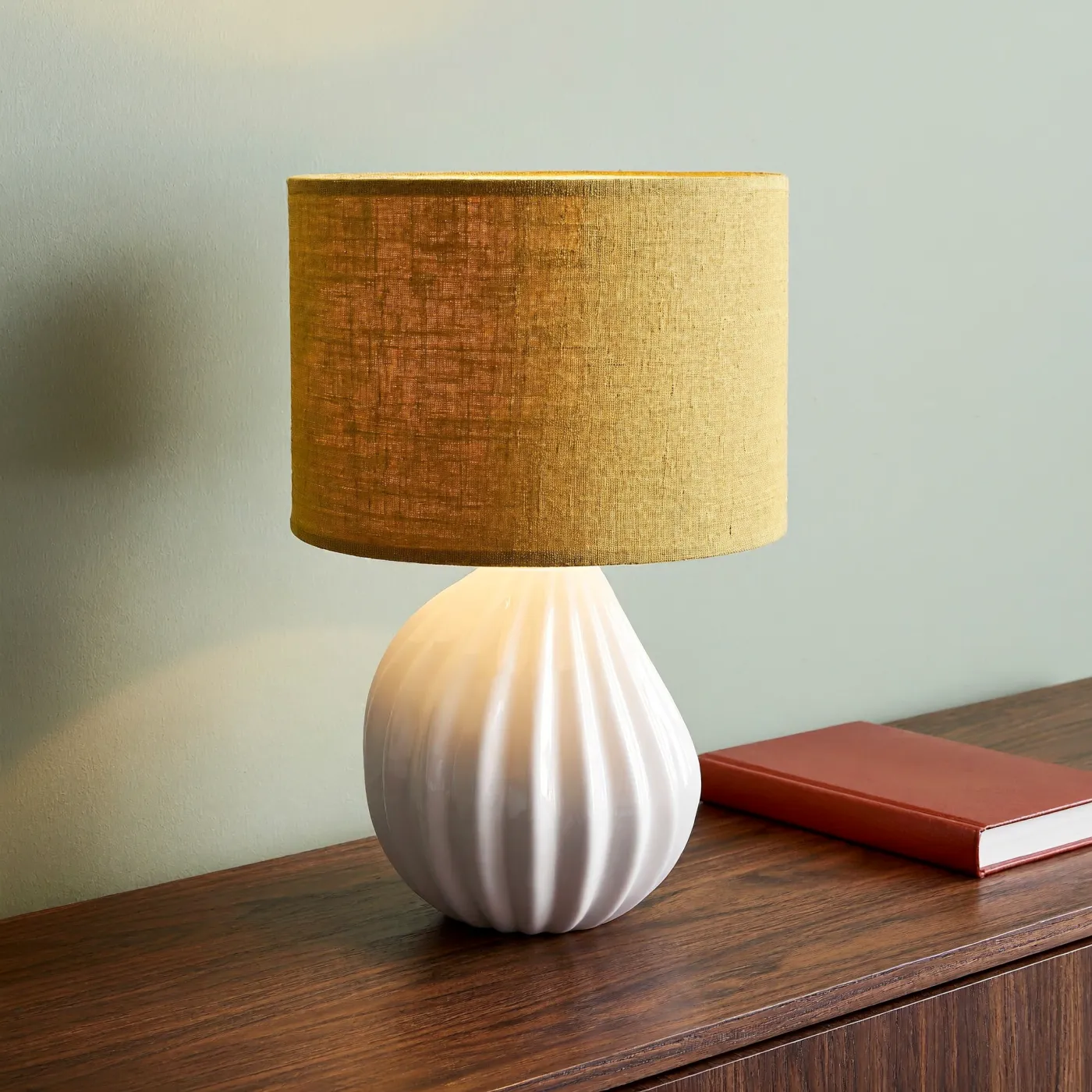
Image prompt — lamp source:
A photorealistic square interior product photograph of one sculptural white ceramic table lamp with a mustard-yellow linen shade on a walnut sideboard against a pale sage wall. The lamp is switched on and casts a soft warm oval pool of light. One closed rust-red book sits to its right. Three-quarter camera view, visible ceramic glaze, fabric weave, realistic shadows, calm minimalist styling. No people, labels, logos, or readable text.
We then used that local image as Image 1 and requested a forest-green shade. The output made the requested change and kept the lamp, book, sideboard, and broad framing recognizable. Small parts of the light and surrounding surfaces shifted too. Treat this as a generated variation, not a pixel-locked retouch.
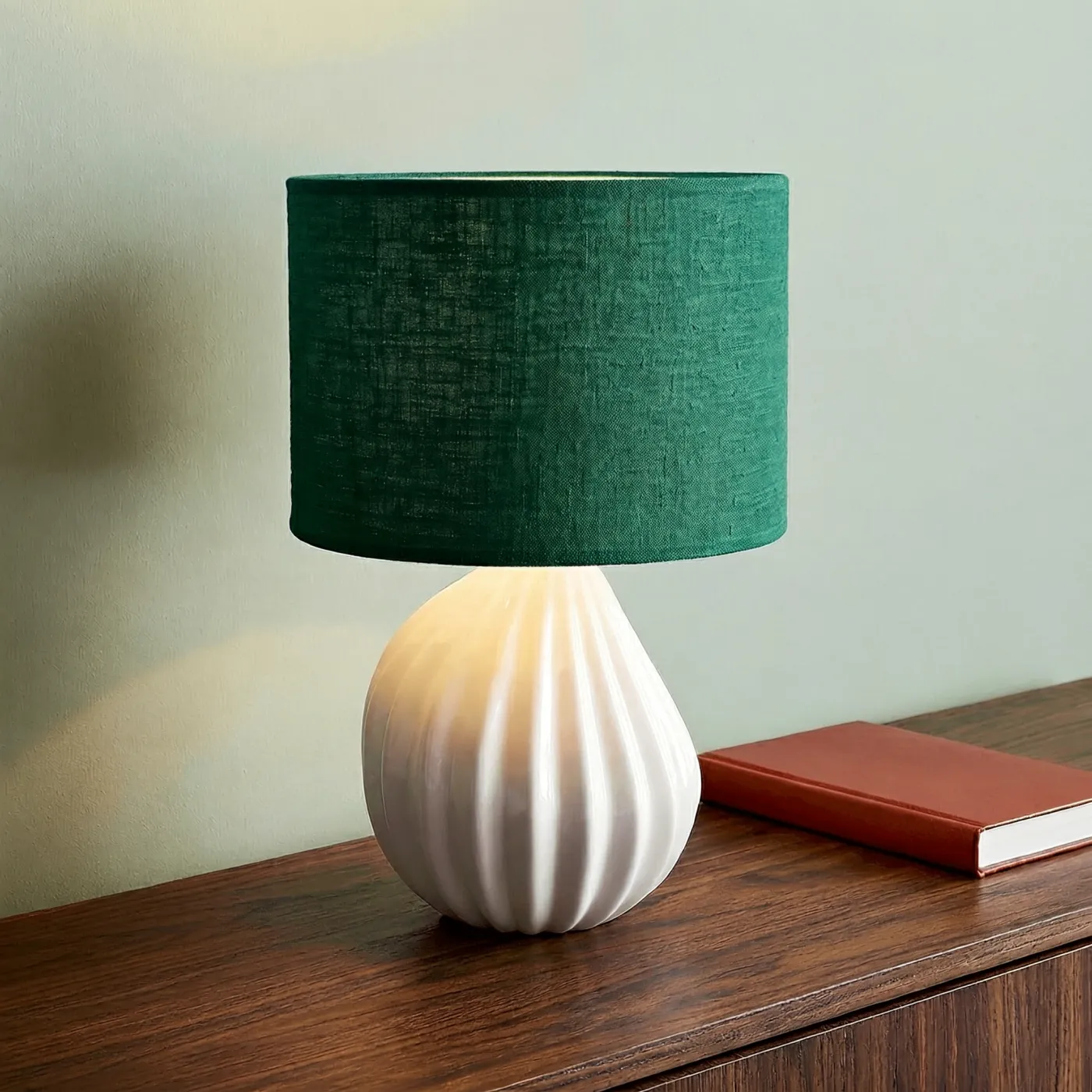
Image prompt — lamp shade edit:
Edit Image 1 only: change the mustard-yellow linen lampshade to a deep forest-green linen lampshade. Preserve the white ceramic lamp base, the rust-red closed book, walnut sideboard, pale sage wall, camera angle, crop, and lighting as closely as possible. Keep one lamp and one book. Do not add objects, labels, or text.
The source PNG measured 2048 × 2048 pixels. We supplied it as a local file; PixVerse CLI can resize oversized local references to fit its input limit. Our step-by-step editing guide explains the related limit we encountered when using a 4K image ID directly.
Two References: Put the Lamp in a New Room
We generated an empty reading nook as a separate scene reference. Its clear side table gave the lamp a specific placement target.
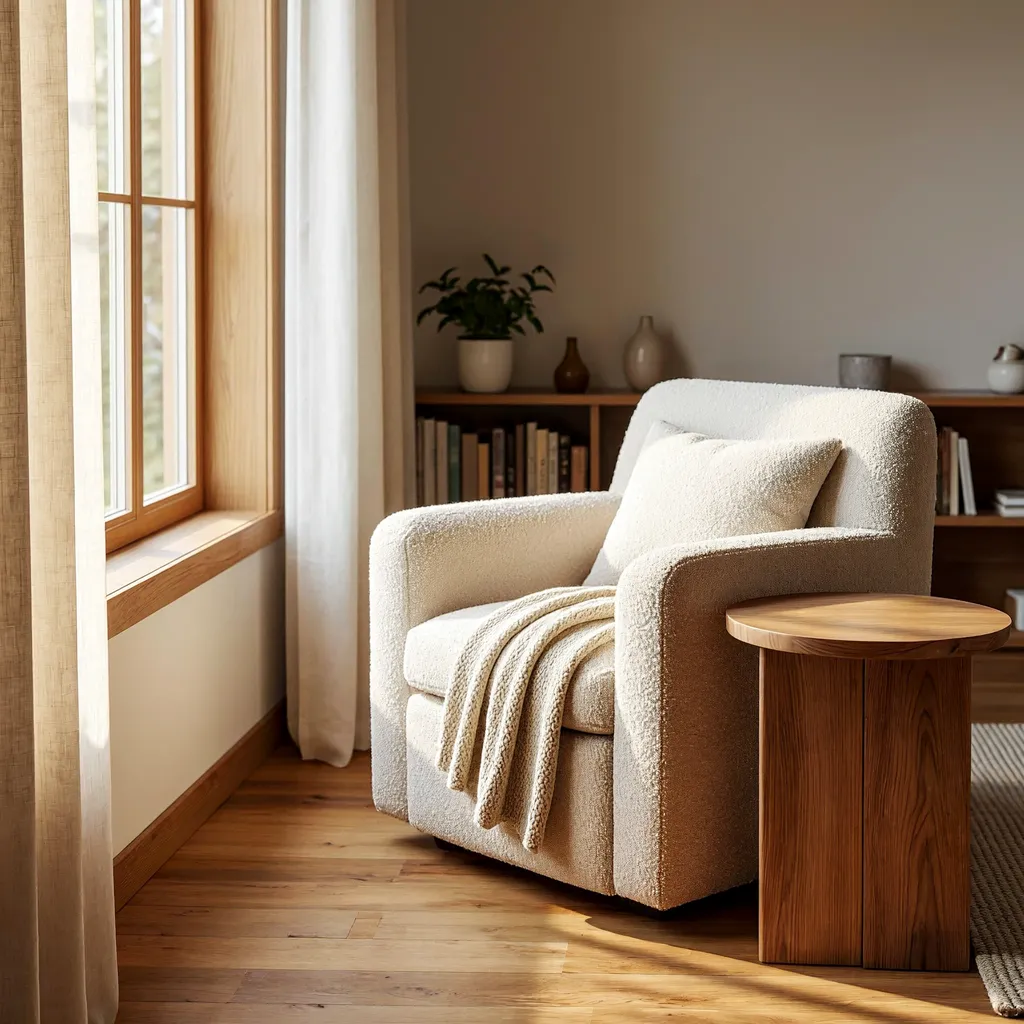
Image prompt — empty reading nook:
A photorealistic square interior photograph of an empty reading nook. A cream boucle armchair sits beside a small round walnut side table. The wall is warm off-white, a tall window on the left brings in soft late-afternoon daylight, and a low bookshelf is in the background. The walnut table surface is clear and large enough for one table lamp. Natural shadows, simple uncluttered composition. No lamp, people, books on the table, text, logos, or labels.
For the composition, the lamp was Image 1 and the nook was Image 2. The result placed a recognizable white ceramic lamp with a warm-colored shade on the side table. It kept the chair, window, and bookshelf, while leaving out the red book and long sideboard from the lamp source. The lamp’s scale and ambient light were adapted to the new room, so approve the whole composition rather than assuming the source object was copied exactly.
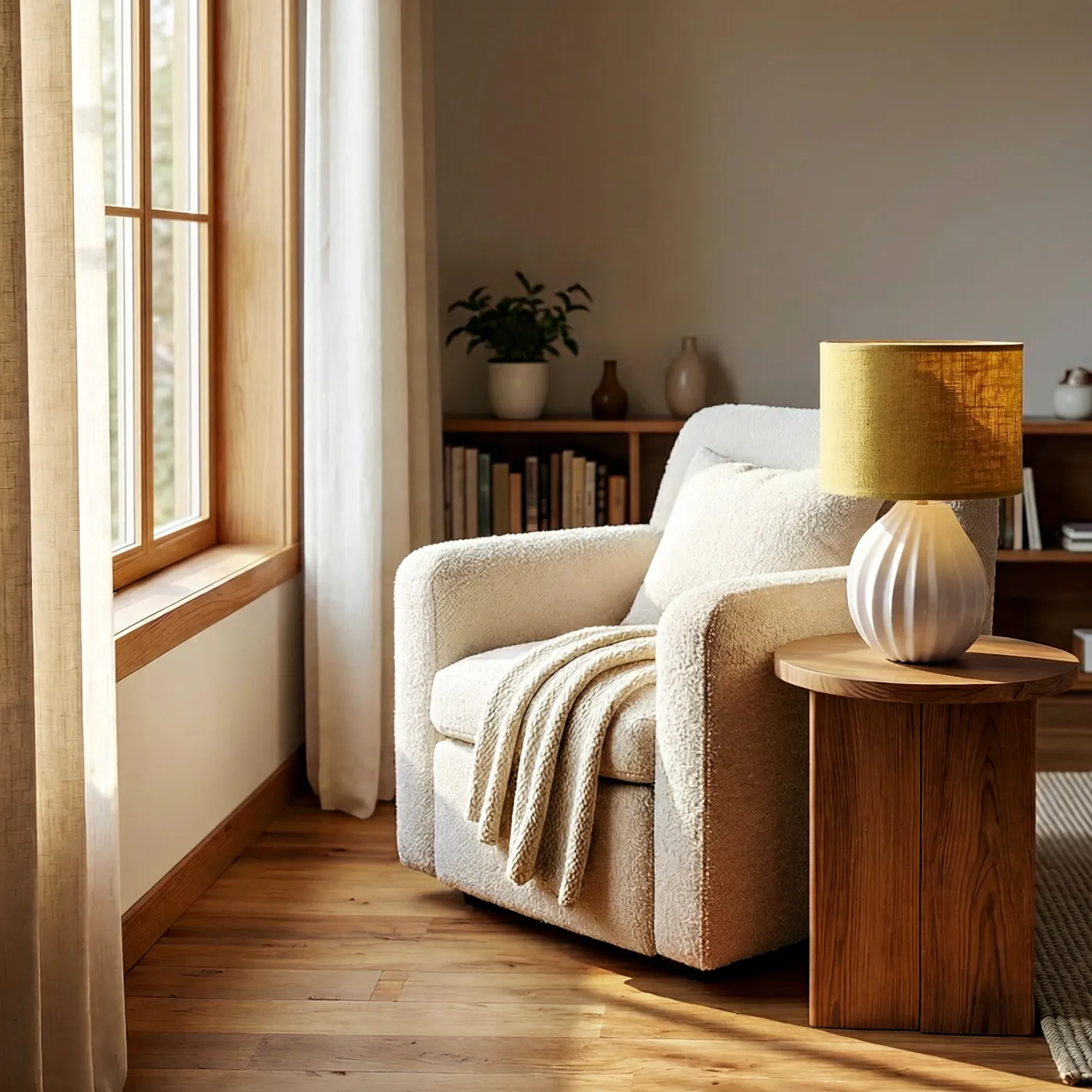
Image prompt — lamp plus reading nook:
Use Image 1 as the lamp design reference and Image 2 as the room reference. Place one white ridged ceramic lamp with a mustard-yellow linen shade from Image 1 on the small round walnut side table beside the cream boucle chair in Image 2. Keep the lamp proportions and materials recognizable. Preserve the chair, window, bookshelf, and late-afternoon daylight from Image 2. Make the lamp an appropriate real-world size with a believable contact shadow. Do not bring the red book or long sideboard from Image 1 into the new scene. No people or text.
This test shows the value of assigning each reference a role in the prompt. It does not prove identity consistency across many references or repeated generations. Start with the smallest reference set that expresses the job, then compare the output with each source.
Speed, Credits, and Practical Limits
In this CLI session, the three text-to-image requests completed in roughly 15–22 seconds each. The two local-reference edits took roughly 30–36 seconds each, including upload and polling. Queue conditions, file size, and network transfer can change those times. MiniMax’s under-10-second claim describes its own generation setting, not our end-to-end PixVerse workflow.
The five successful generations used 47 credits in this account: 18 for the 4K market image, 6 each for the 2K lamp and 1K room, 8 for the shade edit, and 9 for the two-reference composition. This records our test, not a fixed price for every account or future date.
A PixVerse upload limit matters when editing large outputs. In our separate test, a 4096 × 4096 image ID was rejected as a reference because each input side had to be at most 1920 pixels. A resized local copy worked. The current H3-Image CLI capability also does not expose a transparent-background option; check the chosen PixVerse model’s settings if an alpha-channel cutout is required.
Verdict: Where H3-Image Fits on PixVerse
MiniMax H3-Image is a capable option on PixVerse for high-resolution stills, prompt-led scenes, and edits built from a small set of clearly assigned references. Our flower-market image followed a detailed scene brief, the lamp edit achieved its main color change, and the two-reference run built a plausible new room composition. Each still needed a visual check for details outside the requested change.
MiniMax released H3-Image on November 11, 2026 with text-to-image, reference-based generation, and image editing. For production, keep the original export and the exact prompt, inspect small text and objects at full size, and treat edits as new images requiring approval. On PixVerse, an approved still can then become a starting point for a wider creative workflow.