Guía de prompts de video AI para escenas cinematográficas
Aprende a escribir prompts de video AI para escenas cinematográficas con movimiento de cámara, iluminación, flujos de PixVerse y ejemplos para TikTok, YouTube e Instagram.
Los prompts de video AI son instrucciones estructuradas que guían a los sistemas de generación de video AI para crear escenas cinematográficas con movimiento de cámara, iluminación, composición y storytelling visual controlados. Ayudan a convertir la dirección creativa en flujos repetibles basados en prompts para producir videos cinematográficos dinámicos con más eficiencia.
Esta guía explica cómo los prompts de video AI mejoran el storytelling cinematográfico, la eficiencia del flujo de trabajo y la creación de contenido para YouTube, TikTok, Instagram y campañas de paid social. También muestra cómo los creadores pueden usar PixVerse para pasar de ideas de prompt a clips cinematográficos, pruebas de imagen a video y variaciones listas para producción.
Para crear clips nuevos desde instrucciones escritas, prueba el flujo texto a video de PixVerse.
Para una lista más práctica de errores comunes de prompts, consulta la Guía de prompts para video con IA: 7 mejoras probadas.
Para conocer los flujos de creación completos de PixVerse, visita el generador de vídeo con IA.
Técnicas
Los sistemas de generación de video AI dependen de varias técnicas centrales que mejoran la creación de videos cinematográficos. Estos métodos incluyen generación AI en tiempo real, comprensión multimodal y flujos de procesamiento por lotes, que simplifican la producción y mejoran la eficiencia creativa.
Los sistemas modernos pueden combinar texto, imágenes, audio, música, movimiento de cámara y activos visuales en salidas de video unificadas. Los creadores pueden usar prompts estructurados para describir control cinematográfico de cámara, diseño de movimiento, simulación de iluminación y sincronización musical en un mismo flujo.
- Generación de video AI en tiempo real: Esta técnica permite generar contenido de video sobre la marcha, facilitando el prototipado rápido y la iteración.
- Procesamiento multimodal: Al integrar texto, imágenes, audio, música, frames de referencia e instrucciones de movimiento, la AI puede crear narrativas más coherentes y atractivas.
- Generación por lotes: Este método permite crear varios clips de video al mismo tiempo, reduciendo de forma significativa el tiempo de producción.
Estas técnicas no solo mejoran el proceso creativo, sino que también permiten integrar música de fondo, imágenes de escena, referencias de personajes, trayectorias de cámara y activos de campaña en una sola pipeline de generación.
Herramientas
En la creación de video AI, varias herramientas destacan por sus capacidades y soporte de producción. Entre ellas, PixVerse ofrece un conjunto completo de herramientas diseñado para facilitar la producción de videos cinematográficos desde el concepto hasta el clip final.
Los creadores también pueden comparar ecosistemas de modelos como Google Veo, Higgsfield o flujos abiertos de imagen y video como Flux según el caso de uso. Para los creadores de PixVerse, la prioridad práctica es contar con un workspace donde se unan pruebas de prompts, imagen a video, plantillas e iteración de producción.
- Funciones de la plataforma PixVerse: PixVerse ofrece herramientas avanzadas impulsadas por AI que simplifican la creación y edición de video para escenas cinematográficas, campañas sociales, storytelling de marca y experimentación creativa.
- PixVerse CLI: El flujo de trabajo por línea de comandos permite la generación automatizada de video, lo que facilita a desarrolladores y equipos de producción integrar AI en pipelines creativos repetibles.
- Mini Apps: Estas aplicaciones ofrecen funcionalidades especializadas como generación de escenas, animación de personajes y flujos creativos enfocados que mejoran la experiencia de producción.
Usar estas herramientas puede mejorar de forma notable la calidad y eficiencia de la producción de video, lo que las hace útiles para creadores modernos que buscan iterar más rápido sin perder control creativo.
Buenas prácticas
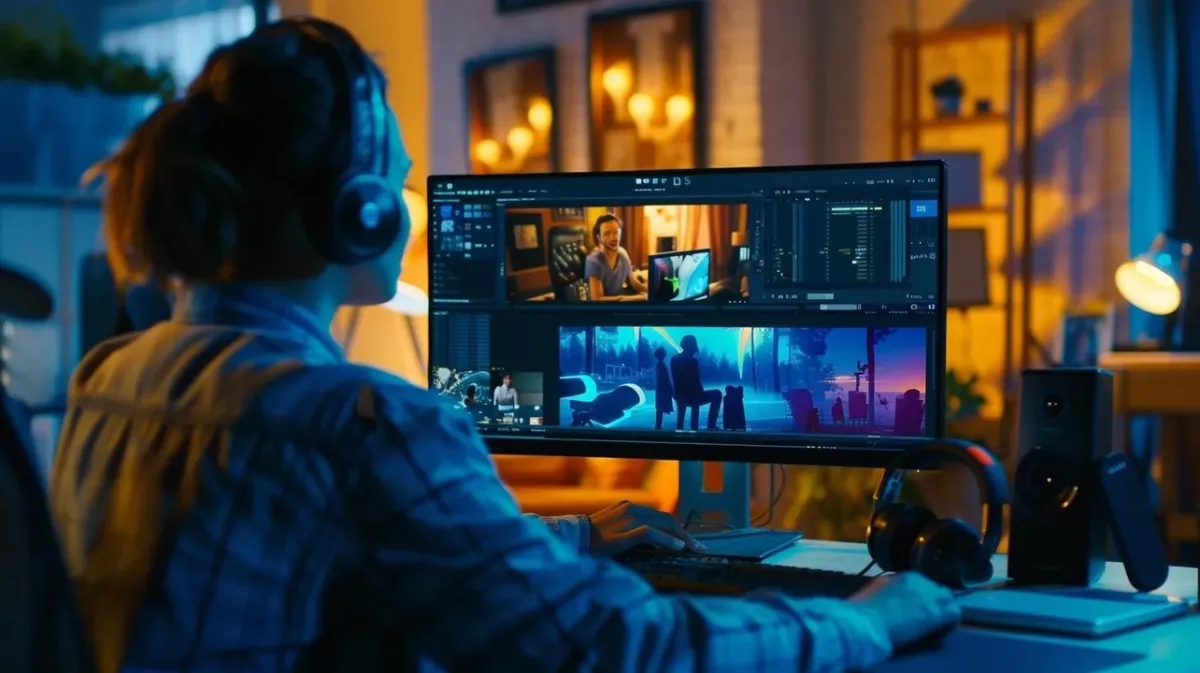
Para optimizar la producción de video AI, es clave seguir buenas prácticas. Estas estrategias ayudan a los creadores a maximizar el potencial de la tecnología AI sin perder estándares de calidad.
- Entradas de alta calidad: Imágenes de alta resolución, frames de referencia claros, prompts de texto precisos y pistas de audio limpias son esenciales para obtener mejores resultados en videos generados por AI.
- Utilizar plantillas: Las plantillas prediseñadas ahorran tiempo y ayudan a mantener consistencia en formatos de campaña recurrentes.
- Personalización: Adaptar el contenido a audiencias específicas aumenta la interacción y mejora el impacto general del video.
Al seguir estas buenas prácticas, los creadores pueden mejorar sus videos cinematográficos y aprovechar mejor la tecnología AI.
¿Qué son los prompts de video AI cinematográficos y cómo mejoran la creación de video?
Los prompts de video AI cinematográficos son instrucciones o sugerencias predefinidas que guían a la AI en la generación de contenido de video. Estos prompts tienen un papel clave al dar forma a la narrativa y a los elementos visuales de una escena cinematográfica, lo que finalmente mejora la calidad del resultado.
Definición de prompts de video AI y su papel en la generación de escenas cinematográficas
Los prompts de video AI son la base para generar escenas cinematográficas. Proporcionan contexto y dirección, permitiendo que la AI entienda el resultado deseado. Al definir elementos específicos como el estado de ánimo, el escenario, el estilo visual, el movimiento de cámara, la iluminación y las acciones de los personajes, los creadores pueden influir en la salida de la AI para acercarla a su visión.
Este enfoque estructurado ayuda a que el contenido generado sea coherente y atractivo. En lugar de pedir un video genérico, un creador puede especificar una calle urbana bajo la lluvia, un dolly-in lento, reflejos de neón cálidos, poca profundidad de campo y un personaje que gira hacia la cámara con un cambio emocional sutil. Cuanto más útil sea el prompt, más fácil será que el sistema AI produzca un resultado cinematográfico que se pueda refinar en lugar de reconstruir desde cero.
Cómo los prompts AI ayudan a creadores de contenido y equipos de marketing
Los prompts AI ayudan a creadores y marketers al simplificar el proceso de producción de video. Reducen el tiempo dedicado a lluvia de ideas y planificación, permitiendo que los creadores se concentren en la ejecución, revisión y ajuste con la audiencia. El contenido generado por AI también se puede adaptar a objetivos de marketing específicos, lo que ayuda a los equipos a producir variaciones para distintos canales y segmentos.
Por ejemplo, los prompts dirigidos pueden generar videos que conecten mejor con los espectadores, impulsen mayor interacción y comuniquen con más claridad el mensaje de campaña. Un creador que trabaja en un teaser de producto, brand film, anuncio corto o video social puede usar variaciones de prompt para probar ganchos, tono visual, ritmo y composición antes de decidir la dirección creativa final.
PixVerse para flujos de generación de video AI
PixVerse es una plataforma de creación de video AI diseñada para ayudar a personas y empresas a producir contenido cinematográfico de alta calidad mediante flujos avanzados basados en prompts. Sus herramientas se alinean con buenas prácticas reales de producción, facilitando probar ideas, refinar escenas e implementar estrategias de video efectivas en un solo workspace.
¿Cómo crear prompts de video AI efectivos para escenas cinematográficas?
Crear prompts de video AI efectivos requiere entender con claridad el resultado deseado y los elementos que forman una narrativa convincente. Con un enfoque estructurado, los creadores pueden lograr que sus prompts produzcan resultados de mayor calidad.
- Identificar elementos clave: Define los componentes esenciales de la escena, como personajes, escenarios, acciones, movimiento de cámara, iluminación y tono emocional.
- Usar lenguaje descriptivo: Utiliza lenguaje vívido y específico para guiar a la AI hacia las imágenes y la narrativa deseadas.
- Iterar y refinar: Prueba y ajusta los prompts de forma continua según la salida de la AI para acercarte al mejor resultado.
Este proceso de ingeniería de prompts es esencial para maximizar la efectividad de la AI en la producción de videos cinematográficos. Un buen prompt no necesita ser largo, pero debe decirle a la AI qué es más importante: qué ve el espectador, cómo se mueve la escena, qué emoción debe transmitir y qué detalles visuales deben mantenerse consistentes.
Buenas prácticas para optimizar iluminación y composición cinematográfica con AI
Optimizar la iluminación y la composición es crucial para crear videos cinematográficos visualmente atractivos. La AI puede ayudar a lograr estos objetivos mediante estructura de prompts, imágenes de referencia y revisión iterativa.
- Técnicas de iluminación: Usa herramientas AI para simular distintas condiciones de luz y mejorar el estado de ánimo y la atmósfera de la escena. Los prompts pueden describir luz de golden hour, luz lateral dura, luz de estudio suave, rim light, luz de velas, reflejos de neón o contraste de luz lunar.
- Consejos de composición: Aplica principios de storytelling visual, como la regla de tercios, líneas guía, profundidad en primer plano y espacio negativo equilibrado, para crear tomas atractivas.
- Bucles de feedback: Implementa mecanismos de revisión para evaluar la efectividad de las decisiones de iluminación y composición, permitiendo una mejora continua.
Al integrar estas buenas prácticas, los creadores pueden elevar la calidad visual de sus videos generados por AI. El objetivo no es solo generar movimiento, sino construir una escena que indique al espectador dónde mirar, qué sentir y por qué la toma importa.
¿Qué técnicas de producción de video AI agilizan la creación de contenido cinematográfico?
Varias técnicas de producción de video AI pueden agilizar de forma significativa el proceso de creación de contenido, haciéndolo más eficiente y efectivo.
- Conversión de imagen a video: Esta técnica permite transformar imágenes estáticas en contenido de video dinámico, ampliando las posibilidades de storytelling.
- Generación en tiempo real: La AI puede generar contenido de video rápidamente, permitiendo ajustes e iteraciones durante el proceso de producción.
- Edición automatizada: Las herramientas de edición impulsadas por AI pueden analizar material y sugerir cortes, transiciones, cambios de ritmo y mejoras de escena, ahorrando tiempo y esfuerzo.
Estas técnicas mejoran la eficiencia y también elevan la calidad general del contenido cinematográfico. Son especialmente útiles cuando los equipos necesitan probar varios conceptos creativos, adaptar videos a diferentes plataformas o pasar rápidamente de referencias estáticas a escenas animadas.
Integrar flujos de edición de video AI para una producción eficiente
Integrar APIs de generación de video AI en flujos de producción permite crear pipelines automatizadas que conectan prompts, activos y sistemas de renderizado. Los desarrolladores pueden usar plataformas como PixVerse para crear sistemas escalables que generen videos a partir de entradas estructuradas, como imágenes, audio, trayectorias de cámara e instrucciones de movimiento.
Al aprovechar herramientas AI, los creadores pueden automatizar tareas repetitivas y concentrarse en los aspectos creativos de la edición.
- Elegir la plataforma adecuada: Seleccionar una plataforma de edición de video AI que se adapte a necesidades específicas es crucial para maximizar la eficiencia. Los creadores pueden consultar la documentación de PixVerse y los recursos de onboarding para empezar.
- Usar funciones automatizadas: Muchas herramientas de edición AI ofrecen funciones como auto-cutting, detección de escenas, soporte de subtítulos y mejora visual, lo que puede reducir mucho el tiempo de edición.
- Herramientas de colaboración: Implementar funciones colaborativas permite que los equipos trabajen juntos con fluidez, aumentando productividad y creatividad.
Con estas estrategias, los creadores pueden simplificar sus flujos de edición de video y producir contenido de alta calidad con mayor eficiencia.
Usar herramientas AI de escenas cinematográficas para mejorar el storytelling visual
Las herramientas AI para escenas cinematográficas cumplen un papel importante al mejorar el storytelling visual, ya que ofrecen a los creadores recursos para construir narrativas convincentes.
- Herramientas de animación de imagen: Permiten dar vida a imágenes estáticas, añadiendo profundidad y movimiento a las historias.
- Funciones multi-shot: La AI puede generar varios ángulos y tomas para una misma escena, dando a los creadores más opciones durante la edición.
- Herramientas de composición de escena: Ayudan a organizar elementos dentro de una escena, asegurando que la narrativa visual sea coherente y atractiva.
Al usar estas herramientas, los creadores pueden mejorar sus capacidades narrativas y producir videos cinematográficos con mayor impacto.
¿Qué casos reales muestran el uso de creación de video AI?
Los casos reales demuestran la efectividad de la creación de contenido de video AI en distintas industrias. Estos ejemplos muestran cómo las técnicas impulsadas por AI pueden apoyar mayor interacción, producción más rápida y planificación creativa más flexible.
Casos que demuestran el impacto de escenas cinematográficas con prompts AI
Varias organizaciones han implementado prompts de video AI para mejorar sus flujos de producción cinematográfica. Por ejemplo, una agencia de marketing podría usar contenido de video generado por AI para crear anuncios personalizados que conecten con diferentes audiencias objetivo, logrando pruebas creativas más relevantes y mayor interacción de campaña. Otro caso es un equipo de producción audiovisual que usa prompts AI para agilizar la preproducción al explorar conceptos de escena, variaciones de mood y direcciones de storyboard antes de cerrar el plan de rodaje.
Estos flujos muestran cómo la producción guiada por prompts puede reducir el tiempo necesario para pasar de una idea a un concepto visual. En lugar de esperar a tener todos los recursos de producción, los equipos pueden generar borradores visuales rápidos, evaluar la dirección creativa y refinar la versión más prometedora.
Cómo las plataformas de video AI impulsan la participación global y la innovación
Las plataformas de video AI están cambiando la forma en que se crea y consume contenido al ayudar a los creadores a producir videos de alta calidad con rapidez y eficiencia. Para equipos globales, la generación basada en prompts puede apoyar localización, pruebas de formato, producción social-first y ciclos de campaña más rápidos. Para creadores individuales, reduce la barrera de entrada al storytelling cinematográfico al hacer más accesible la experimentación visual.
Este cambio resalta el potencial transformador de la AI en el panorama de producción de video. Para explorar más sobre creación de video AI, visita el blog de PixVerse con artículos y tutoriales, sigue las novedades de PixVerse o explora oportunidades de colaboración mediante el programa de afiliados de PixVerse.
FAQ
¿Qué son los prompts de video AI en la generación de video AI?
Los prompts de video AI son instrucciones estructuradas usadas en sistemas de generación de video AI para definir cómo debe verse y moverse un video. Controlan elementos como movimiento de cámara, iluminación, composición, flujo de movimiento, comportamiento del sujeto y estilo cinematográfico.
¿Cómo mejoran los prompts de video AI la calidad cinematográfica?
Los prompts de video AI mejoran la calidad cinematográfica al dar instrucciones claras sobre comportamiento de cámara, diseño de iluminación, composición visual y timing de escena. En lugar de depender de una salida genérica, el creador le da al sistema suficiente dirección para producir movimiento más consistente, mayor realismo y storytelling más claro.
¿Qué hace que un prompt de video AI sea bueno para escenas cinematográficas?
Un prompt cinematográfico sólido incluye sujeto, entorno, acción, movimiento de cámara, estilo de iluminación, composición, timing de movimiento y tono emocional. Por ejemplo, puede especificar un dolly-in lento, reflejos de neón, poca profundidad de campo, lluvia suave y un ambiente tenso para que el sistema entienda tanto el plano como la historia.
¿Qué herramientas AI son útiles para la generación de video AI?
PixVerse es útil para creación rápida de video AI, flujos de imagen a video, pruebas de prompts e iteración de producción. Los creadores también pueden comparar herramientas como Google Veo, Higgsfield y Flux según necesiten realismo cinematográfico, control de personajes, experimentación multimodal o una pipeline creativa más amplia.
¿La generación de video AI se puede usar para contenido en redes sociales?
Sí. La generación de video AI se usa ampliamente para videos cortos, clips de producto, anuncios, hooks cinematográficos y variaciones de campaña para TikTok, Instagram Reels, YouTube Shorts y otras plataformas sociales. Los flujos basados en prompts facilitan probar estilos creativos y adaptar escenas a cada canal.
¿Cómo uso PixVerse para prompts cinematográficos de video AI?
Empieza con un prompt de escena claro, añade movimiento de cámara y detalles de iluminación, sube una imagen de referencia si hace falta y genera un clip corto de prueba en PixVerse. Revisa el movimiento, la composición y la precisión del sujeto, refina el prompt y exporta la versión más sólida para tu campaña o flujo creativo.