PixVerse AI Platform Guide: How to Create and Automate Video Content
Learn how the PixVerse AI platform streamlines video creation, automated editing, and personalization—plus workflows, features, and support resources for teams.
In the rapidly evolving landscape of digital marketing, video content has emerged as an effective tool for engagement and communication. The PixVerse AI video generator platform supports this shift by offering practical solutions for individuals and businesses to create high-quality videos with less friction. This guide explains what the PixVerse AI Platform offers, how it simplifies video creation and automation, and how creators and marketers can get value from personalization and support resources. Many teams still face the complexity of video production; PixVerse focuses on a more streamlined workflow that can save time while supporting creative direction. Below you will find an overview of core features, automated editing, personalization, and where to find documentation and community programs.
What is the PixVerse AI Platform and How Does It Simplify AI Video Creation?
To compare the core generation options in one workspace, read our guide to the best AI video models in one platform.
The PixVerse AI Platform is a tool designed to help teams produce engaging video content through automation and artificial intelligence. By applying advanced AI technology, PixVerse reduces friction in the production process so users can focus on creative decisions rather than every technical step. The platform aims to improve efficiency and can lower the time and cost associated with traditional video production for many workflows. Users can move from ideas to dynamic videos with a more guided experience.
Generative AI continues to shape how digital media is produced and automated at scale.
Understanding AI Video Production Platforms and Their Benefits
AI video production platforms like PixVerse can improve the video creation process in several ways:
- Efficiency in video production: Automated workflows can shorten the path from script or brief to a finished cut.
- Cost reduction: Less reliance on large manual editing passes can help teams stay within budget while keeping quality consistent.
- Room for creative focus: When repetitive tasks are handled by automation, creators can spend more time on story, pacing, and brand voice.
How PixVerse Automates Video Content Generation for Creators and Marketers
PixVerse automates parts of video content generation through models and workflows that respond to user inputs and preferences. That automation can speed up iteration, which helps marketers react to trends and audience signals. Many teams report faster turnaround when they standardize parts of production in a single platform. The interface is built so users with a range of technical backgrounds can get started. You can open the product at PixVerse App.
Which Automated Video Editing Features Does PixVerse Offer?
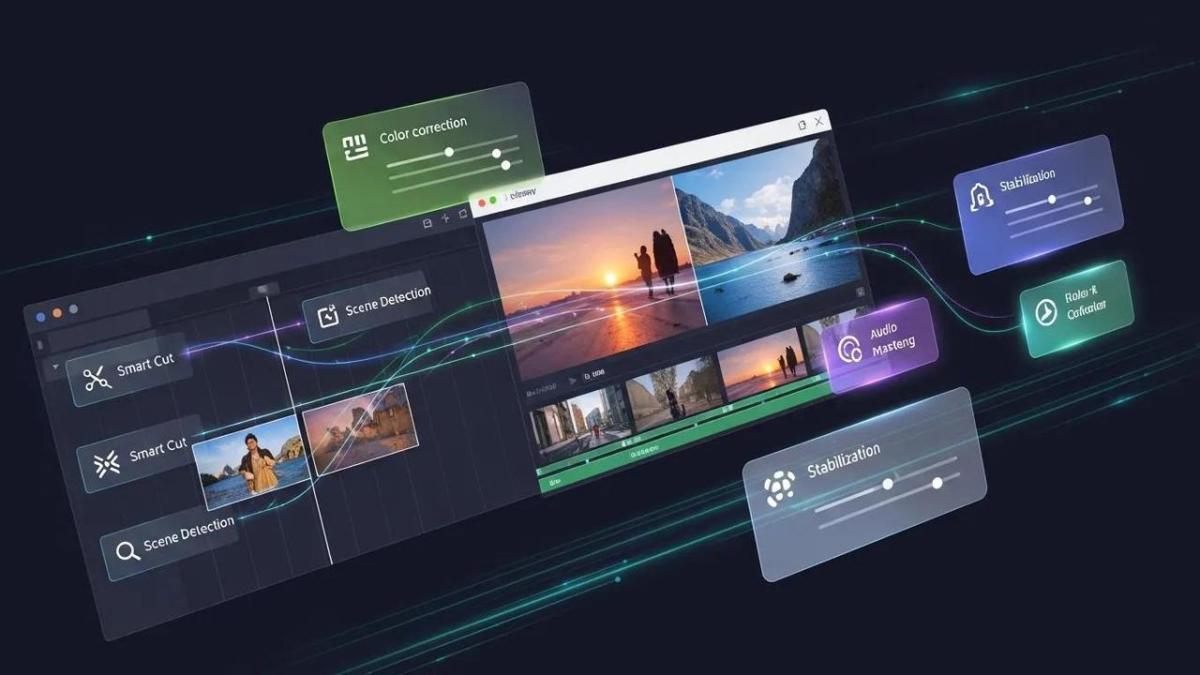
PixVerse includes automated editing features intended to improve both speed and polish. Examples include:
| Feature | Description | Benefit |
|---|---|---|
| Smart Cut | Automatically trims unnecessary footage | Saves time in the editing process |
| Scene Detection | Identifies and segments different scenes | Simplifies the editing workflow |
| Text Overlay | Adds dynamic text to videos automatically | Improves clarity and on-screen context |
These capabilities are meant to reduce manual busywork while keeping outputs consistent.
Automatic editing that learns from common editorial patterns can help teams reach a more consistent baseline quality.
Exploring AI-Powered Editing Tools for Dynamic Video Marketing Solutions
AI-assisted editing in PixVerse is designed for marketing use cases where clarity and pacing matter. For example, Smart Cut can remove long pauses or filler segments so the story moves. Integrations with your broader marketing stack can make it easier to reuse assets across channels and measure performance from a single workflow.
How Automated Workflows Reduce Production Time and Costs
Automated workflows can reduce repetitive editing tasks so teams spend less time on manual trimming and labeling. In some workflows, that can materially shorten production calendars and free capacity for strategy, creative testing, and distribution planning. Teams that centralize production in one platform often report smoother handoffs between brief, edit, and publish.
How Can You Personalize Videos Using PixVerse’s Dynamic Content Capabilities?
Personalization helps videos feel relevant to different audiences. PixVerse supports dynamic content patterns so you can tailor variants for segments, offers, or regions without rebuilding every cut from scratch.
Techniques for AI-Driven Video Personalization to Engage Audiences
AI-driven personalization can combine creative templates with signals about viewer context or campaign goals. For example, you can structure a master narrative and swap hooks, offers, or end cards based on the audience. The goal is to improve relevance without multiplying manual edit workload.
Integrating PixVerse with Marketing Tools for Targeted Video Campaigns
Connecting PixVerse with email, social, or analytics tools helps you align video creative with the rest of your funnel. When creative and measurement live in the same loop, teams can iterate faster on hooks, lengths, and calls to action.
Research on AI-generated video marketing also highlights how faster creative iteration can support conversion-focused programs when paired with clear measurement.
Economic impact of AI video marketing on growth
This line of research looks at how AI-generated video marketing affects entrepreneurial growth, including how automated content workflows connect to conversion-driven marketing systems. It synthesizes literature and empirical work to describe how entrepreneurs can expand reach and build more sustainable growth when creative production scales.
Where Can You Find Support and Resources to Maximize PixVerse AI Platform Usage?
Accessing Tutorials, Case Studies, and Technical Documentation
PixVerse publishes tutorials, case studies, and technical documentation to help users learn the platform and apply proven patterns. These materials are useful for onboarding new teammates and for leveling up from first projects to repeatable pipelines. For a structured first run, use PixVerse Onboarding.
Joining the PixVerse Community and Affiliate Program for Growth
The PixVerse affiliate program is one way to participate in the ecosystem around the product. Community and partner programs can be helpful when you want to compare workflows with other creators or explore growth mechanics that align with your channel strategy.
For product updates and longer reads, see the PixVerse Blog. For announcements, visit PixVerse News.