PixVerse & Tripo: Accelerating Game Asset Pipelines with AI Look-Dev
Connect PixVerse cinematic look-dev with Tripo Studio to prototype game assets faster, from dynamic hero frames to engine-ready 3D meshes.
Introduction
The Bottleneck in Game Art Pipelines
For indie developers and conceptual artists, transforming a mental pitch into a production-ready, interactive game asset is notoriously slow.
The Traditional Concept Gap
Traditional concept art is static. Artists often struggle to pitch how a character or prop reacts to lighting, dynamic framing, and cinematic grading before investing days into full 3D modeling blocks.
The Smart Prototyping Pipeline
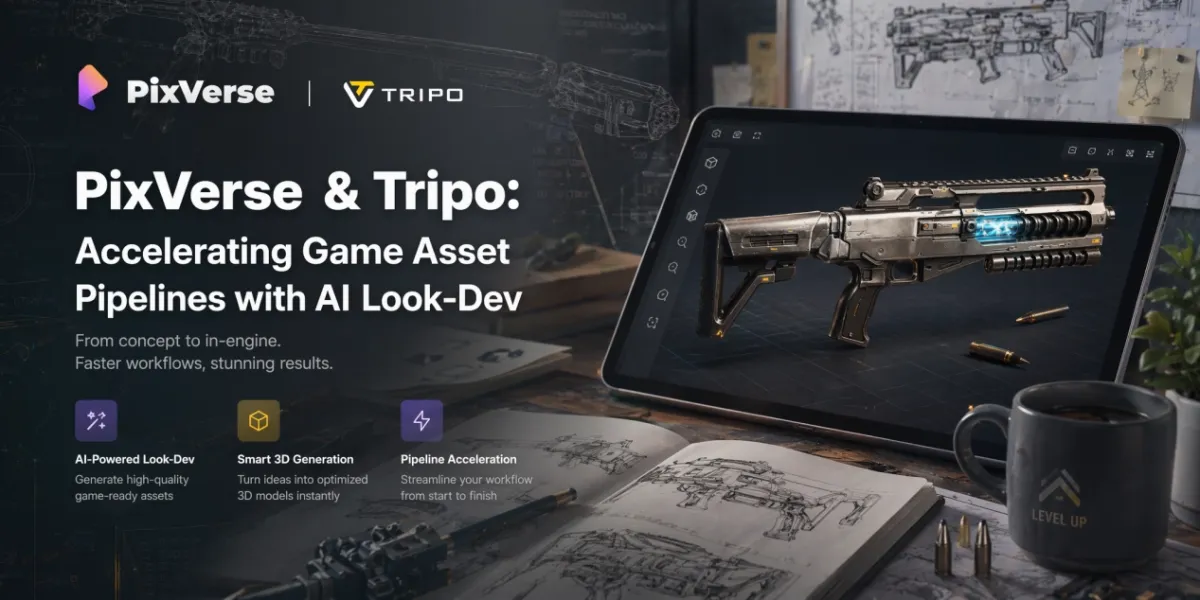
This post introduces a direct, frictionless pipeline connecting PixVerse and Tripo Studio. Instead of a flat image, developers use PixVerse as a rapid, dynamic look-dev engine to establish the asset’s exact visual tone. Once the definitive look is locked, Tripo Studio takes over—instantly turning that single reference into an engine-compatible asset via an advanced AI 3D Model Generator, complete with professional topology control.
Product Overview
PixVerse: High-Fidelity Cinematic Look-Dev Engine
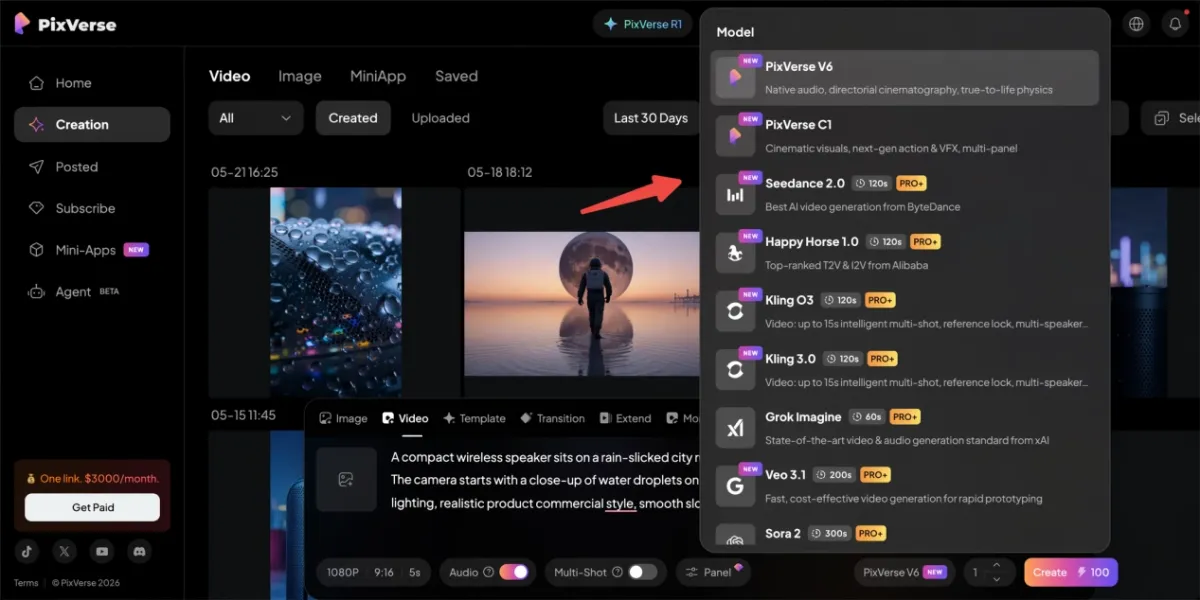
A comprehensive generative video platform built for intense visual continuity and environmental lighting exploration. Unlike single-model platforms, PixVerse aggregates a powerhouse ecosystem of leading AI video models—including its native PixVerse V6 and C1 engines, alongside industry-standard models like Seedance 2.0, Kling 3.0, Veo 3.1, and Sora 2. For game devs, it acts as the ultimate initial concept validator, allowing teams to cross-test and see their target asset under varying camera angles, cinematic lighting, and atmospheric effects across different model strengths.
Tripo Studio: Interactive AI Workstation for Production-Ready Assets
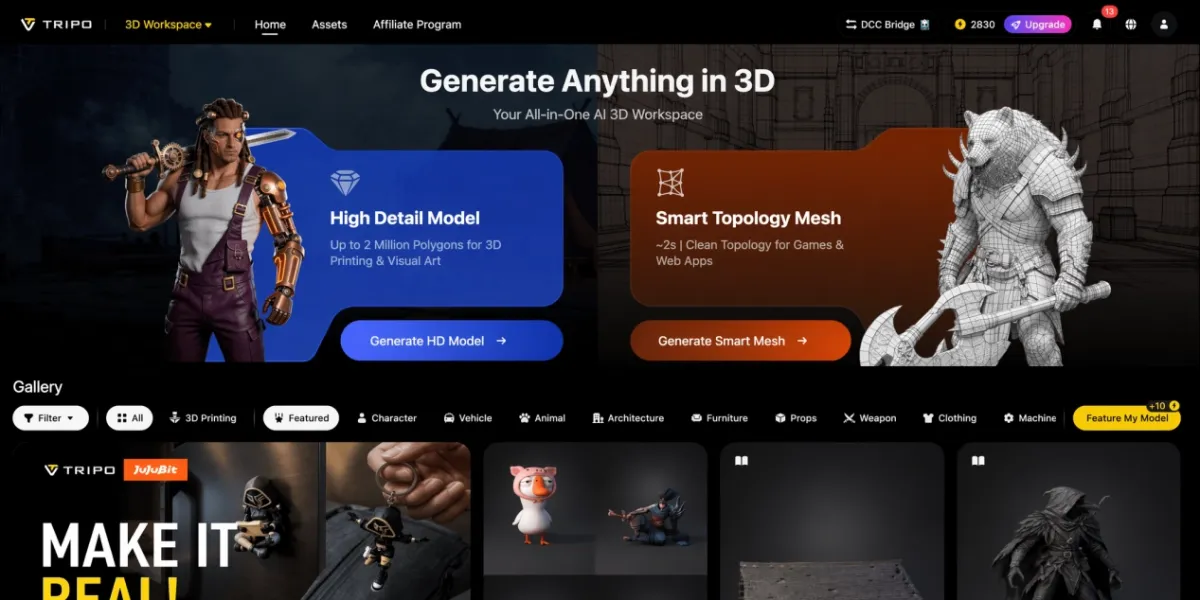
A browser-native 3D foundation model platform. It handles the heavy-duty tech pipeline from a single flat concept through features like Image to 3D Model (generating complete, viewable models from one reference), Smart Mesh (quad-dominant retopology for clean wireframes), and HD Model (baking high-resolution PBR textures for production use).
The 3-Step Game-Ready Asset Workflow
To understand the friction-free transition from screen to engine, let’s walk through a real-world use case: prototyping a Stylized Sci-Fi Plasma Rifle.
Step 1: Cinematic Look-Dev and Concept Validation via PixVerse
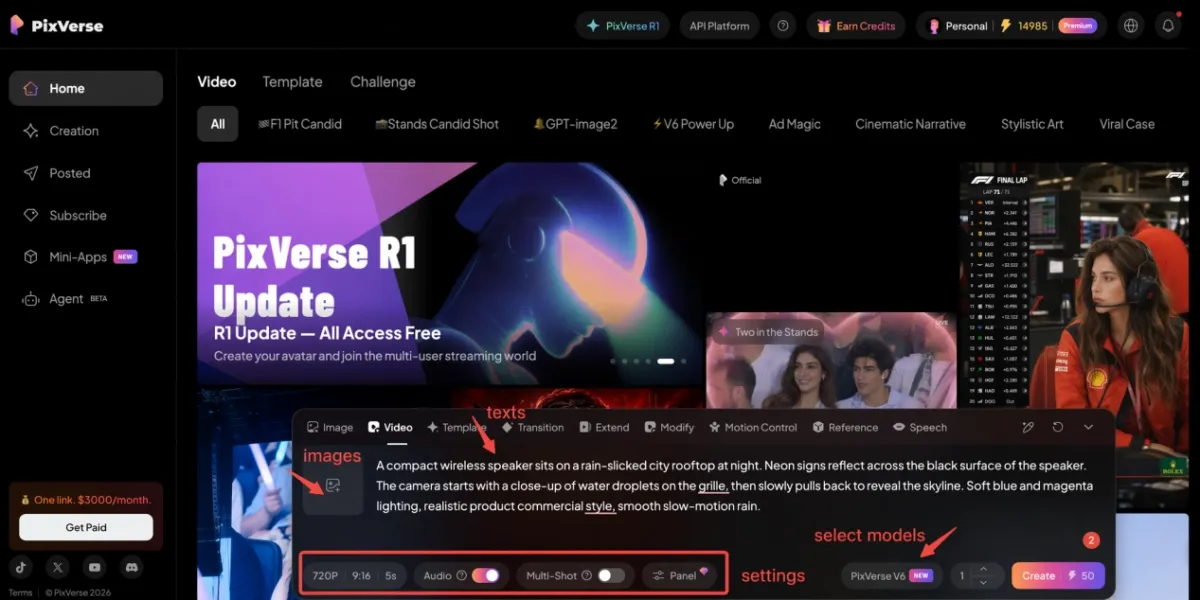
Action: The art team inputs a highly detailed text prompt into PixVerse (utilizing the PixVerse V6 engine) to generate a high-fidelity, 5-second cinematic video clip of the asset.
Prompt:
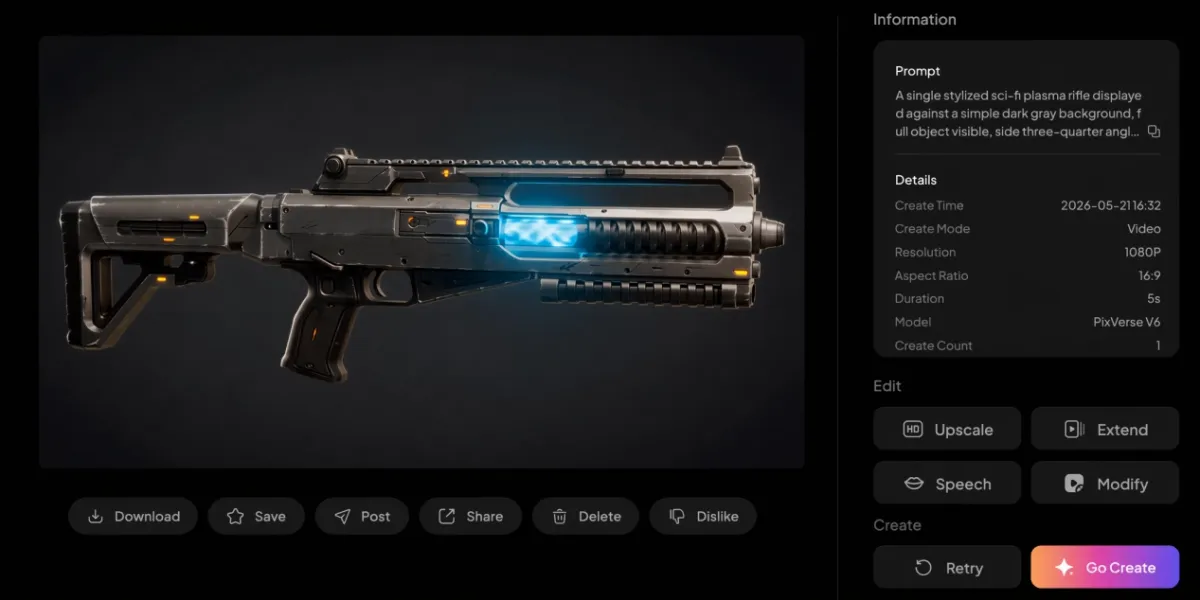
A single stylized sci-fi plasma rifle displayed against a simple dark gray background, full object visible, side three-quarter angle, clean silhouette, brushed gunmetal body, black carbon fiber grip, glowing blue plasma core, small orange warning lights, subtle scratches and edge wear, minimal smoke, minimal motion blur, soft cinematic studio lighting, slow camera push-in, sharp focus, high detail, game asset look-dev video, no hands, no character, no text, no logo.
Value: Instead of guessing how the gun’s emissive blue plasma core or brushed gunmetal body reacts to environmental changes, the team observes the asset under dynamic shadows, volumetric lighting, and a slow camera push-in. This step ensures the visual styling holds up to game-level cinematic standards before any 3D meshes are built. Once approved, the artist extracts the cleanest, most stable “hero frame” from the video to serve as the definitive 3D reference.
Step 2: Instant 3D Prototyping via Tripo Studio
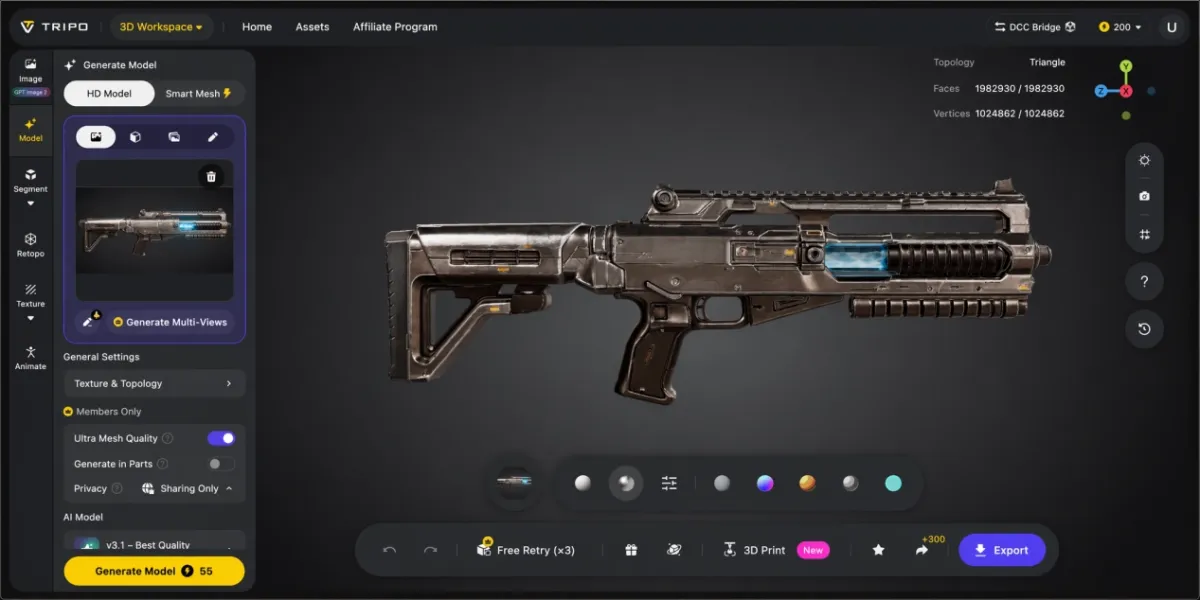
Action: The creator takes the definitive look-dev “hero frame” generated in Step 1 and drops it directly into Tripo Studio’s Image to 3D Model panel.
Value: Tripo Studio analyzes the single plasma rifle reference, instantly generating a complete, 360° viewable 3D prototype in just a few seconds. This eliminates the tedious process of manual multi-angle blueprint alignment and front/side matching. The studio can immediately inspect the gun’s overall proportions, thickness, and silhouette from every angle directly in the browser.
Step 3: Topology Control and Engine-Ready Export via Tripo Studio
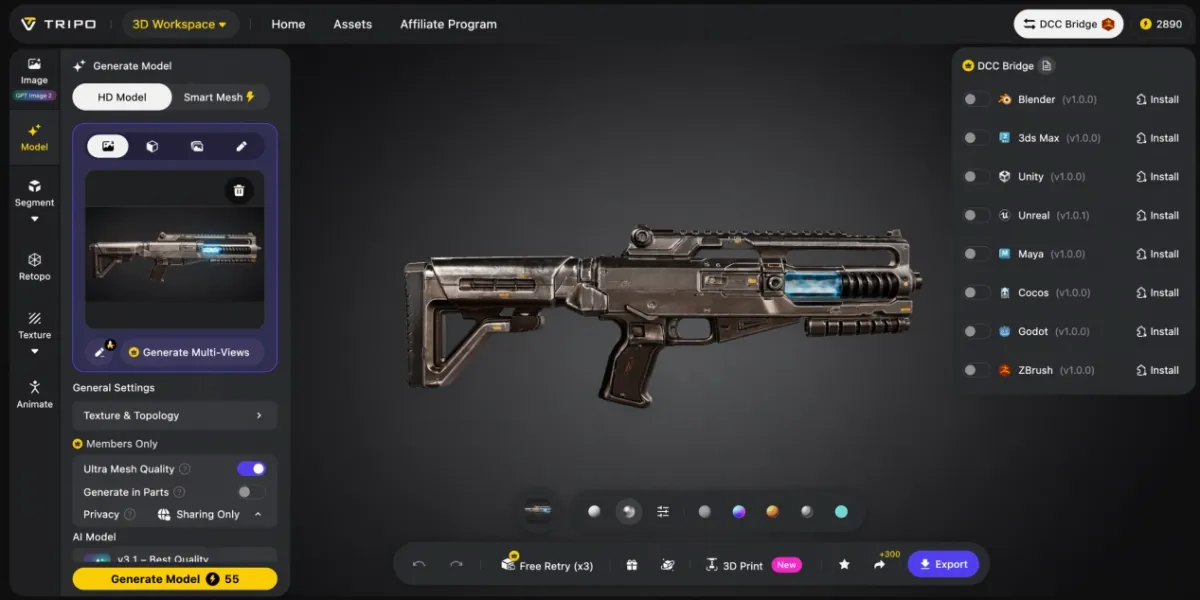
Action: Inside the interactive Tripo Studio workspace, the developer uses the HD Model feature to refine the rifle’s geometric details and bake clean PBR textures (matching the brushed gunmetal and glowing plasma materials from PixVerse), and then applies Smart Mesh for quad-dominant retopology.
Value: The raw AI-generated asset is instantly optimized into a lightweight, quad-dominant wireframe structure. This bypasses hours of manual retopology, meaning the weapon retains its sharp hard-surface silhouettes while remaining fully optimized for downstream rigging, weapon-reload animations, or direct placement into Blender, Unity, or Unreal Engine.
Key Benefits for Game Developers
- Zero Asset Redos: PixVerse locks down the atmospheric look-dev and materials in motion first, preventing developers from wasting days modeling assets that don’t fit the final game’s lighting and art direction.
- Instant 360° Viewable Prototypes: Tripo Studio’s Image to 3D Model turns a single reference into a complete, viewable model in seconds, allowing you to inspect geometry and proportions from every angle.
- Production-Ready Topology (Smart Mesh): Bypasses manual retopology constraints, outputting organized quad meshes that are ready for immediate downstream rigging, animation, or engine deployment.
Conclusion
The intersection of PixVerse and Tripo Studio crafts a hyper-efficient bridge from dynamic ideation to game-ready asset. PixVerse secures the aesthetic and cinematic intent, while Tripo Studio provides the raw 3D engineering horsepower to bake those pixels into functional, production-ready meshes.
Shape cinematic asset visuals via PixVerse, and create production-standard 3D models seamlessly using Tripo AI.