How to Make a Promo Video in 2026: The Ultimate AI Generator Guide
Beat ad fatigue and duplication with an AI promo video maker. Scale e-commerce creatives for about $2 per video and keep ads fresh on TikTok and Reels.
Creating a viral e-commerce video is no longer the hardest part of marketing. The real challenge is surviving the duplication algorithms. On platforms like TikTok and Instagram Reels, a successful ad creative might only last three to five days. Ad fatigue sets in quickly. When you reuse the same footage with minor visual tweaks, the platform flags it as duplicated content. The algorithm then restricts your reach.
In the past, solving this required expensive reshoots. You had to pay hundreds of dollars for new clips or spend hours manually editing timelines. Today, an AI promo video maker shifts this paradigm completely. We are moving from a manual editing workflow to an automated generation pipeline. This technology allows you to produce publish-ready marketing videos for roughly $2 per output (based on current Promo Mix pricing). You can scale your best creatives without hitting the duplication wall.
The Shift to AI: Finding the Best Promo Video Maker Software
When searching for the best promo video maker software, many marketers still default to traditional timeline editors. These legacy platforms focus entirely on static templates. They require heavy manual work. You must arrange clips, select background music, and sync audio perfectly. This approach is slow and resource-heavy.
Traditional editing also fails against modern duplication algorithms. Changing a visual filter or swapping a background track does not trick the ad platform. The algorithm recognizes the identical base footage and restricts your traffic.
The industry standard has shifted. The most effective software today is an integrated generative AI agent. You do not need to manage multiple tools or hire professional editors. The system analyzes viral video structures automatically. It then generates a complete script and video layout matched precisely to your product category. This complete automation is what separates legacy software from modern production pipelines.
Why the PixVerse AI Promo Video Generator Outperforms Legacy Tools
The PixVerse ecosystem includes a dedicated toolkit known as Mini Apps. Promo Mix serves as the flagship marketing tool within this environment. It is not just another basic editing software. It functions as an intelligent production agent tailored specifically for e-commerce and media buying.
Here is exactly how the Promo Mix agent redefines the standard marketing workflow:
- All-in-One Automation: The agent handles the entire production cycle. It manages scriptwriting, storyboard sequencing, voiceovers, and background music in a single automated run.
- Viral Structure Analysis: You do not need to hire a senior creative director. The system analyzes proven ad structures in your specific niche and automatically generates high-converting video layouts.
- Anti-Duplication Technology: The agent inserts dynamic AI generated shots seamlessly into your original product photos. This hybrid approach creates over 100 unique video variations from one asset pile. It effectively prevents ad platform shadowbans.
- Cost-Efficient Scaling: Traditional video production costs hundreds of dollars. Promo Mix reduces this expense to roughly $2 per video. E-commerce platforms using these automated assets report an average sales boost of 24 percent.
Comparison: Promo Mix vs. Legacy Promo Makers
| Dimension | Legacy template or timeline tools | Promo Mix (PixVerse Mini Apps) |
|---|---|---|
| Workflow | Manual: arrange clips, music sync, heavy timeline work | One automated run: script, storyboard, voiceover, and background music |
| Creative structure | Static templates; you supply most layout decisions | Analyzes common structures in your niche and proposes layouts |
| Duplication risk | Reused base footage plus small edits still triggers flags | Inserts AI-generated shots alongside your product assets; many variations from one asset set |
| Typical cost | Often hundreds of dollars per traditional-style production | About $2 per video in current Promo Mix pricing (see in-app rates) |
| Team input | Constant manual edits for each new variation | Product images and selling-point prompts; agent builds publish-ready cuts |
The data in the comparison table reveals a clear operational shift. Template-based and timeline-based tools force your team to do the heavy lifting. They require constant manual input and still leave you vulnerable to platform duplication penalties. Promo Mix within the PixVerse Mini Apps removes these exact bottlenecks. You provide the raw product images and the AI agent builds the final converting assets. This system allows marketing teams to stop editing videos manually and start scaling their ad campaigns immediately.
3 Simple Steps to Make a Promo Video with Promo Mix
You do not need video editing experience to use this tool. The workflow requires minimal input. The agent handles the complex production tasks automatically. Follow these three steps to build high-converting assets.
We ran a real-world test to validate this workflow. We used a pair of wired headphones for the experiment. We first asked an AI text model to brainstorm a brand name and core selling points. The AI suggested the name “SkyFuse”. It also drafted text highlighting the sleek blue design and a stable wired connection for zero lag. We then fed these exact assets into the Promo Mix interface.
Step 1: Prepare Your Core Assets
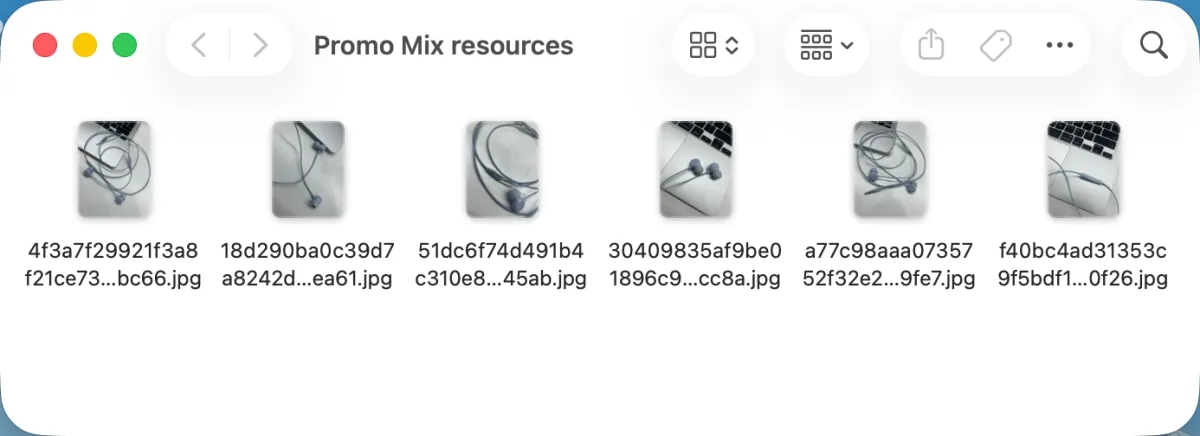
Upload at least five product photos or videos. Include different angles and detail shots to give the AI enough visual data. You can optionally add live-action video clips. Keep these video clips under three minutes each. Input your core selling points as text prompts. List specific functions, material details, or your target demographic.
Step 2: Automate the Generation
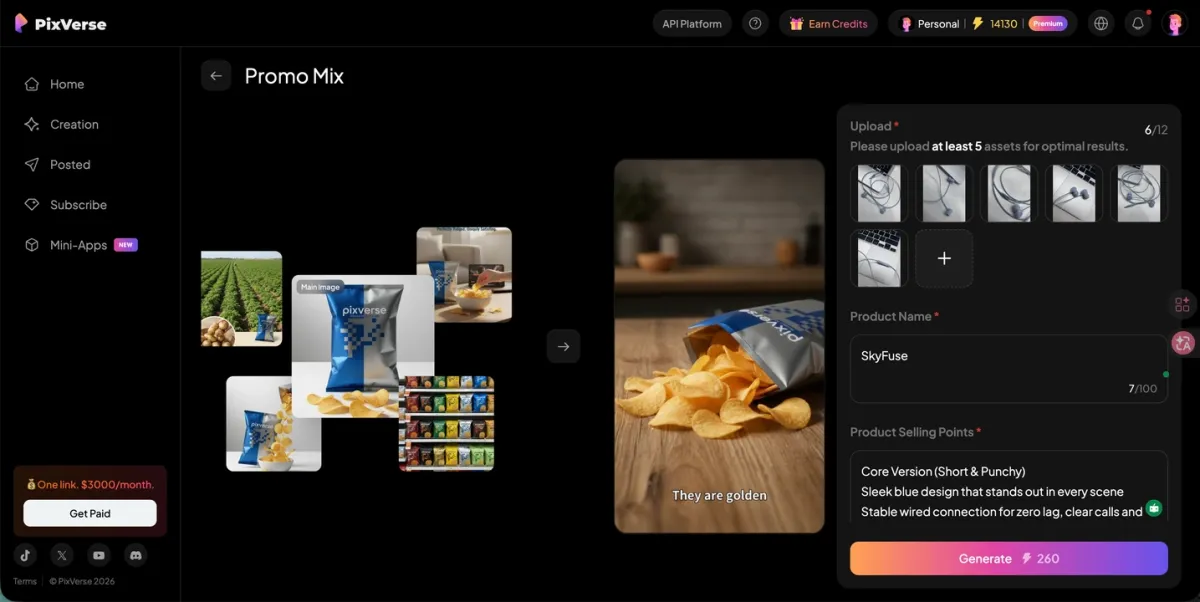
Submit your assets to the Promo Mix agent. The system immediately analyzes your inputs. It structures the marketing script, arranges the visual storyboard, and adds the voiceover. We recommend generating a 20-second test version first. This short test allows you to validate the creative direction and script structure before spending more credits.
Step 3: Customize and Export
Review the generated video. Select either 720p or 1080p resolution for your final export. You have complete modular control over the output elements. You can easily turn the background music, subtitles, brand logo, and end cards on or off. This flexibility ensures your final asset matches specific ad network requirements perfectly.
Output Evaluation: The SkyFuse Test Results
We reviewed the final generated video against professional advertising standards. The output proved the effectiveness of the generative agent. The system successfully translated static photos and text prompts into a cohesive marketing asset. We evaluated the final video across five specific criteria.
- Visual Clarity: The main product remains in high definition throughout the entire video. The visual hierarchy is extremely clear. The focus stays firmly on the headphones rather than the background.
- Contextual Setting: The AI established a distinct office environment. This specific background setting matches the work-related selling points perfectly.
- Human Elements: The human demonstration sequences look highly authentic. The agent generated realistic close-up shots of an ear wearing the earbud. This builds immediate trust with the viewer.
- Style Consistency: The overall color grading remains completely unified. The visual tone stays consistent across both the uploaded static photos and the AI-generated dynamic shots.
- Audio and Text Mix: The generated subtitles are crisp and easy to read on mobile screens. The system balanced the audio mix perfectly. The explanatory voiceover sits harmoniously above the background music.
Is a Free Promo Video Maker Enough? Understanding ROI and AI Boundaries
Many marketers begin their search looking for a free promo video maker. We must address the reality of these zero-cost tools. A free AI promo video generator often creates hidden operational debts. True return on investment requires a predictable pipeline. You also need to understand current technological limits to scale successfully.
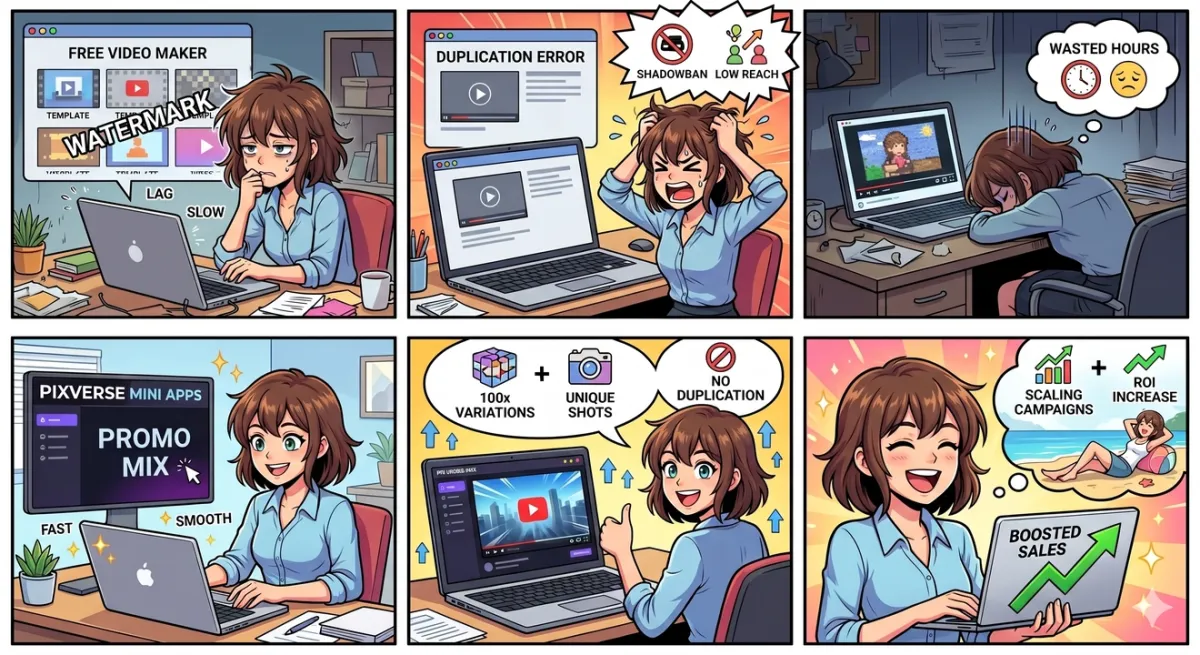
The Hidden Cost of “Free” Templates
Free tools rely on limited static templates. You might save initial subscription fees. However, thousands of other users download those exact same layouts daily.
- The Duplication Trap: You use a popular free template for a cosmetics ad. You swap the background music and change the title text. The TikTok algorithm still recognizes the core video structure as duplicate content. The platform restricts your traffic. You wasted hours of manual labor for a shadowbanned asset.
Understanding Current AI Limitations
Objective marketers prioritize honest system capabilities over universal promises. An advanced AI promo video maker excels with apparel, home appliances, and beauty products. Generative video models still struggle with specific fine details. You must plan your inputs around these boundaries.
- Complex Packaging Text: You upload a photo of a skincare bottle with small ingredient lists. The generated video might warp those tiny letters during a dynamic camera pan. We highly recommend using clean product shots and adding product information via the built-in subtitle features of a professional promo video creator.
- Exact Physical Proportions: Highly detailed accessories can experience slight shape shifting. The intricate laces on a running shoe or the thin straps of a luxury bag might drift slightly in motion.
The ROI Conclusion
You must conduct localized A/B testing within your specific product category. Free tools often guarantee shadowbans and waste your advertising budget. You should invest in a dedicated promo video maker software that solves the duplication problem directly. This approach delivers high-converting assets at a minimal per-unit cost without risking your account health.
FAQs
Q1: How much does it cost to generate one video with Promo Mix?
Our agent reduces video production costs significantly. The approximate cost is around $2 per video based on our current data. This is a 95 percent reduction compared to traditional 150-dollar studio shoots.
Q2: What are the input requirements for Promo Mix?
You should upload between four and ten high-quality product photos for optimal results. The system supports up to 12 visual uploads. You can optionally include up to two live-action video clips. Each clip must be under three minutes.
Q3: Which product categories work best with Promo Mix?
The AI performs best with apparel, home appliances, beauty products, and cleaning supplies. Generative models excel at visualizing these distinct physical objects and settings.
Q4: Can I remove the background music or logo from the final video?
Yes. You have full modular control during the export step. You can easily turn the background music, subtitles, brand logo, and end cards on or off. This allows you to meet specific platform requirements perfectly.
Q5: Can Promo Mix handle complex packaging text?
Maintaining absolute stability in tiny texts remains an industry-wide challenge. The system might slightly warp intricate product labels during dynamic motion. We recommend using clean product shots and relying on the built-in subtitle features for detailed product information.
Conclusion
True marketing efficiency requires a scalable system. Legacy tools trap your team in repetitive manual work and expose your campaigns to duplication bans. Promo Mix changes this reality entirely. It operates as an autonomous agent. The system automatically merges your original photos with dynamic AI sequences. This workflow scales one creative asset into hundreds of unique variations. You completely eliminate platform shadowbans. You drop production costs to roughly $2 per video (see current in-app pricing for your region). Media buyers can stop fighting algorithms and start focusing on strategy. Stop editing manually. Build a high-ROI automated marketing engine today.