Hướng dẫn Gemini Omni YouTube Shorts: AI Remix, watermark và PixVerse
Tìm hiểu Gemini Omni hoạt động trong YouTube Shorts Remix ra sao, ai dùng được, watermark và creator controls nghĩa là gì, và khi nào nên dùng PixVerse để tạo Shorts 9:16 gốc.
Google đang đưa Gemini Omni trực tiếp vào chuỗi sáng tạo YouTube Shorts. AI video không còn chỉ là bước bên ngoài trong một generator riêng. Trong Shorts Remix, creator có thể dùng prompts và images để biến đổi eligible Shorts ngay trong YouTube, đồng thời giữ các tín hiệu nền tảng như watermark, metadata, link video gốc, creator opt-out và likeness controls.
Với creator, quyết định đầu tiên không phải công cụ nào mạnh hơn, mà là ý tưởng bắt đầu từ đâu. Nếu nó bắt đầu từ một eligible Short bạn muốn remix trong YouTube, Gemini Omni là công cụ native phù hợp nhất. Nếu nó bắt đầu từ brief, ảnh sản phẩm, script, concept quảng cáo hoặc format kênh của bạn, PixVerse phù hợp hơn để tạo video asset 9:16 gốc trước khi đăng lên Shorts hoặc nền tảng khác.
Bài viết này tập trung vào use case YouTube Shorts: ai có thể dùng Gemini Omni Remix, điều gì khiến một Short là eligible, watermark và metadata nghĩa là gì, vì sao Remix có thể không hiển thị, Gemini Omni Shorts có an toàn cho thương mại không, và khi nào tạo Shorts asset gốc trong PixVerse là workflow sạch hơn.
Google đã công bố gì cho YouTube Shorts
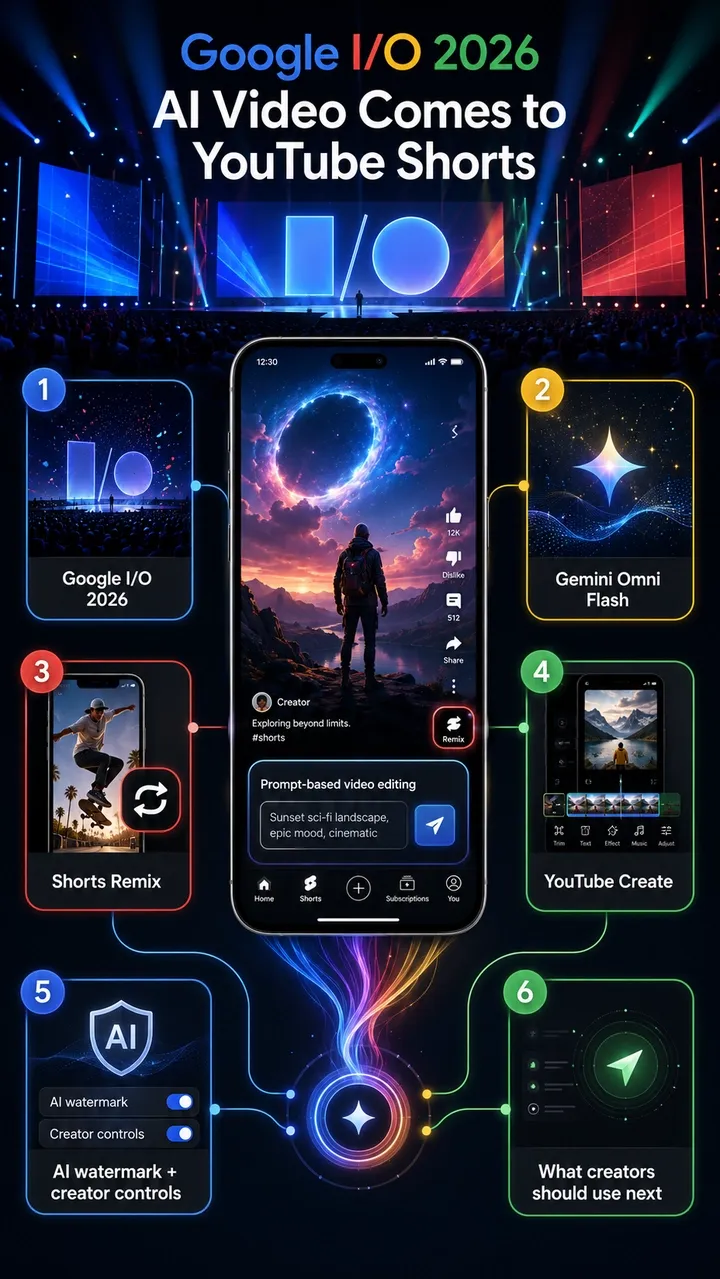
Bài viết chính thức trên YouTube Blog ngày 19 tháng 5 năm 2026 xác nhận cập nhật cốt lõi: Gemini Omni đang rollout trong YouTube Shorts Remix và YouTube Create app. Google mô tả đây là cách remix một eligible Short bằng prompts và images để tạo góc nhìn mới, trong khi vẫn giữ bối cảnh của video gốc.
Tổng hợp công bố Google I/O 2026 cũng xác nhận vai trò của Gemini Omni trong YouTube Shorts Remix và YouTube Create. Với YouTube, thay đổi quan trọng không chỉ là năng lực mô hình. Đó là distribution: Gemini Omni bước vào workflow native của Shorts, nơi creator đã phản hồi trends, audience feedback và remix culture.
Các điểm YouTube xác nhận:
- Gemini Omni Flash vào YouTube Shorts Remix.
- Gemini Omni cũng vào YouTube Create app.
- Người dùng có thể remix eligible Shorts bằng prompts, images hoặc references.
- YouTube đưa ví dụ như biến Short thành cảnh phong cách thập niên 90 hoặc đưa bạn đứng cạnh một creator.
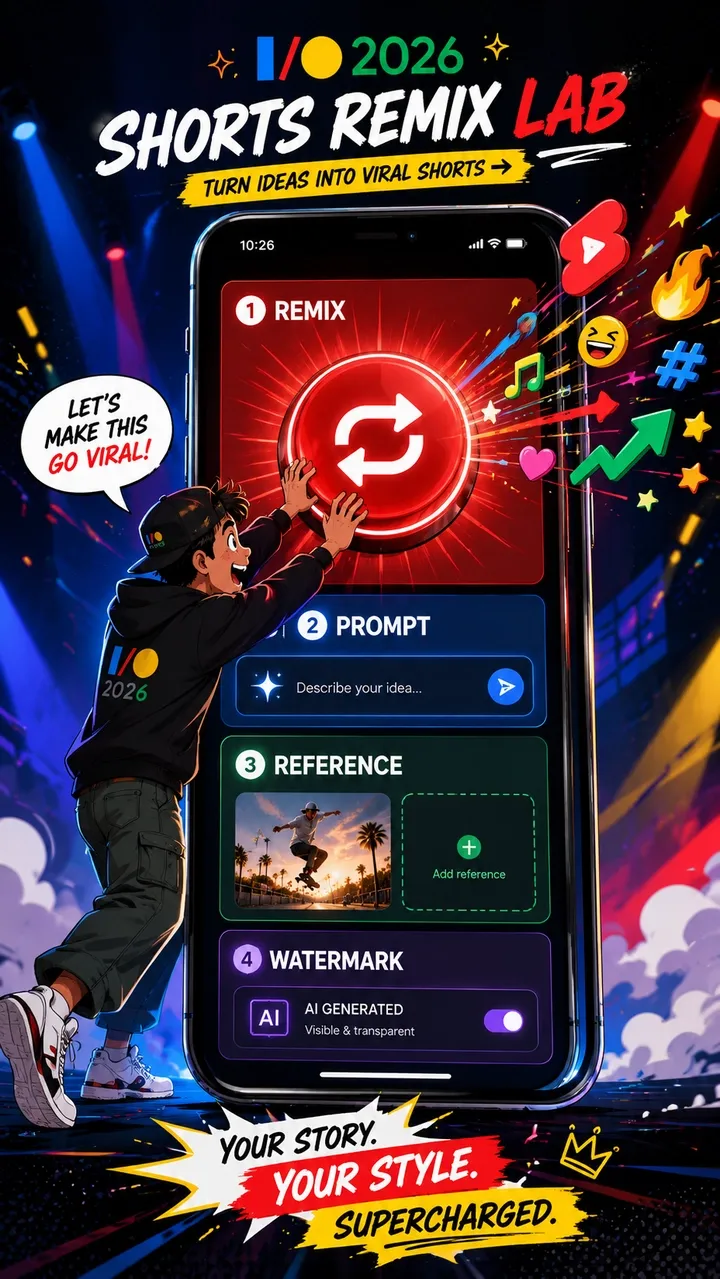
- Omni-remixed Shorts có digital watermarks, identifying metadata và link về video gốc.
- Original creators có thể opt out visual remix trong Shorts.
- YouTube nói likeness detection mở rộng tới toàn bộ creators từ 18 tuổi trở lên.
- YouTube nói Remixing with Omni rollout miễn phí trong Shorts Remix và YouTube Create, AI Playground support sẽ đến sau.
Ai có thể dùng Gemini Omni trong YouTube Shorts?
YouTube nói Gemini Omni đang rollout miễn phí trong Shorts Remix và YouTube Create, nhưng free rollout không có nghĩa mọi tài khoản sẽ thấy tính năng cùng ngày. Availability có thể phụ thuộc rollout timing, account eligibility, region, app version, age settings và việc Remix surface có khả dụng cho Short bạn đang xem hay không.
Trong thực tế, người dùng có thể cần:
- Tài khoản YouTube eligible có quyền truy cập Shorts Remix surface hiện tại.
- Region được hỗ trợ và YouTube app bản mới nhất.
- Tài khoản đáp ứng age và platform requirements, đặc biệt với công cụ identity và likeness.
- Eligible Short nơi original creator và platform rules cho phép visual remix.
- AI remix hoặc reimagine option đã rollout tới tài khoản.
Nếu Gemini Omni Remix không hiển thị, thường không phải do bạn thao tác sai. Lý do có thể là rollout timing, giới hạn region/account, app version cũ, creator opt-out hoặc Short đó không eligible cho AI Remix.
Cách dùng Gemini Omni trong YouTube Shorts Remix
Workflow native của YouTube là remix-first. Bạn không bắt đầu từ timeline sản xuất trống; bạn bắt đầu từ eligible Short rồi dùng Gemini Omni để reimagine.
- Mở YouTube app và tìm một eligible Short.
- Nhấn Remix trên Short.
- Chọn AI remix, restyle hoặc reimagine khi tài khoản có tùy chọn.
- Nhập prompt rõ ràng hoặc chọn suggested prompt nếu YouTube cung cấp.
- Thêm reference image từ gallery nếu công cụ hỗ trợ và bạn có quyền dùng ảnh đó.
- Generate remixed clip và preview kết quả.
- Dùng Shorts tools cho final edits, captions, music hoặc publishing checks.
Để có kết quả tốt hơn, hãy viết prompts với subject, action, visual style, camera direction và audio expectation rõ ràng. Nếu một người, vật thể hoặc sản phẩm cần giữ nhận diện, hãy dùng reference phù hợp và kiểm tra permission. Với commercial hoặc branded work, đừng xem một remix thành công là quyền sử dụng đã được clearance tự động.
Eligible Short là gì?
YouTube dùng cụm “eligible Short” vì không phải Short nào cũng remix được theo cùng cách. Eligibility có thể thay đổi theo account, region, content type, creator settings, copyright status, music rights và platform safety systems.
Nói chung, eligible Short là Short có Remix option khả dụng trong app và account của bạn. Một Short có thể không eligible nếu original creator tắt visual remix, nếu content bị YouTube rules hạn chế, hoặc nếu copyright, music, Content ID, age, Made for Kids, privacy hay policy settings giới hạn reuse. YouTube Help cũng nói Remix options có thể khác nhau theo content và creators có controls đối với cách Shorts của họ được reuse.
Quy tắc an toàn nhất rất đơn giản: nếu Remix hoặc AI Remix không hiện, đừng vội cho rằng tính năng bị lỗi. Short có thể không eligible, creator có thể đã opt out, account của bạn chưa được rollout, hoặc content bị ảnh hưởng bởi rights và platform restrictions.
Watermark, metadata, original links và creator controls
Trong YouTube Gemini Omni, watermarking và attribution không phải chi tiết phụ. Chúng là một phần của platform-native workflow. YouTube cố gắng cho phép remix nhanh mà vẫn giữ tín hiệu về AI generation, original context và creator control.
| Cơ chế | YouTube nói gì | Ý nghĩa với creator |
|---|---|---|
| Digital watermark | Omni remixes include digital watermarks. | AI generation có thể được nhận diện dù video được chia sẻ lại hoặc review sau đó. |
| Identifying metadata | Omni remixes include identifying metadata. | Platform có thể giữ AI-generation signals ngoài những gì người xem thấy trên màn hình. |
| Original video link | Remixes link back to the original video. | Source context và attribution vẫn là một phần của remix experience. |
| Visual remix opt-out | Original creators can opt out of visual remix in Shorts. | Creator kiểm soát tốt hơn việc người khác có thể biến đổi hình ảnh Shorts của họ hay không. |
| Likeness detection | YouTube says likeness detection is expanding to creators aged 18 and older. | Real-person identity và creator likeness đang trở thành safety layer chính thức. |
Với creator dùng Gemini Omni, điều này có hai nghĩa. Thứ nhất, AI Remix không vô hình; nó mang provenance signals. Thứ hai, remix workflow không xóa context hay rights của original creator. Nếu strategy của bạn cần brand ownership rõ ràng, reusable assets hoặc cross-platform publishing, hãy bắt đầu từ original assets thay vì Short của người khác.
Gemini Omni thay đổi gì cho Shorts creators
Tác động với creator lớn hơn một nút mới. Shorts luôn thưởng cho tốc độ: phản hồi trend, thêm twist, publish, học từ retention và lặp lại. Gemini Omni rút ngắn khoảng cách giữa việc thấy trend và tạo một phiên bản mới.
Thay đổi lớn nhất là Remix trở thành generative workflow. Creator có thể dùng prompt để đổi setting, style, subject hoặc action của một eligible Short. Reference images và self-insertion cũng kéo identity, objects và style vào cùng creation loop. Prompting trở thành kỹ năng sáng tạo native của Shorts, không chỉ là việc trong một AI tool riêng.
Điều này không có nghĩa mọi Short nên là AI-generated. Nó nghĩa là creative options trong Shorts đang mở rộng. Lợi thế là speed và trend response. Rủi ro là sameness, rights confusion và AI output chất lượng thấp nếu creator remix mà không có ý tưởng rõ, rights review hoặc editorial filter.
Gemini Omni Shorts có dùng thương mại được không?
Có thể, nhưng đừng giả định free access đồng nghĩa commercial clearance. YouTube nói Gemini Omni Remix rollout miễn phí không có nghĩa mọi output tự động an toàn cho ads, sponsorships, ecommerce, brand campaigns hoặc cross-platform reuse.
Commercial risk phụ thuộc source Short, music rights, creator opt-out settings, third-party copyright, Content ID, real-person likeness, brand logos, product claims, platform policies, AI disclosure và terms áp dụng cho account/use case của bạn. Một remix có thể phù hợp với trend participation nhẹ, nhưng không phù hợp paid product campaign.
Với brand ads, product videos, UGC-style ad variants hoặc cross-platform campaigns, workflow an toàn hơn là bắt đầu từ original brief. Dùng product images của bạn, owned brand assets, approved copy, licensed audio và original characters hoặc scenes. Đây là nơi PixVerse phù hợp tự nhiên: tạo original 9:16 Shorts assets trước, rồi upload lên YouTube khi rights, format và review đã sẵn sàng.
YouTube Gemini Omni Remix vs AI Shorts Generator
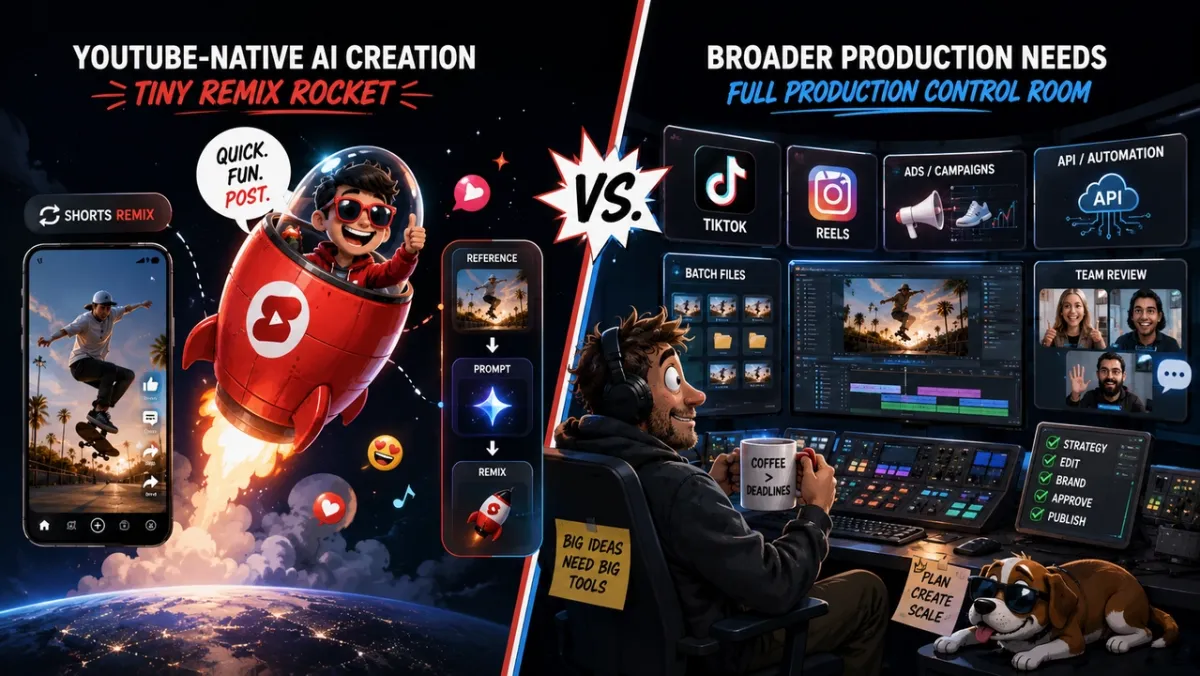
Quyết định thực tế không phải “YouTube hay PixVerse”. Nó là phần cụ thể này của Shorts workflow nên xảy ra ở đâu. Dùng YouTube Gemini Omni cho Remix trong Shorts. Dùng PixVerse hoặc standalone nền tảng sáng tạo video AI khi công việc bắt đầu từ original brief, product asset, script hoặc ad objective.
| Nhu cầu | YouTube Gemini Omni | PixVerse / standalone AI video generator |
|---|---|---|
| Remix existing Short | Mạnh | Không phải core use case |
| Original 9:16 video | Trung bình | Mạnh |
| Product ad / UGC ad | Trung bình | Mạnh |
| Batch hook testing | Yếu | Mạnh |
| Cross-platform reuse | Trung bình | Mạnh |
| API workflow | Yếu | Mạnh |
| Creator trend response | Mạnh | Trung bình |
| Brand safety control | Trung bình | Mạnh |
Với trend participation, công cụ native của YouTube rất mạnh vì nằm ngay trong culture loop. Với planned production, standalone AI video generator cho nhiều quyền kiểm soát hơn trước khi video tới YouTube.
PixVerse nằm ở đâu trong Shorts workflow
PixVerse không thay thế YouTube Shorts Remix. Nó phù hợp với phần khác của workflow: tạo original AI video assets trước khi đăng lên Shorts, Reels, TikTok hoặc ad platforms.
Với YouTube Shorts creators, PixVerse hữu ích khi công việc bắt đầu từ brief chứ không phải remix. Text-to-video và image-to-video có thể tạo original vertical assets. PixVerse V6 docs liệt kê 9:16 là supported aspect ratio, với generation 1-15 giây trong supported workflows và các tùy chọn 360p, 540p, 720p, 1080p. Audio generation, transition, extension và multi-clip options cũng được document cho supported V6 flows.
Điều đó làm PixVerse hữu ích cho original Shorts concepts, product visuals, branded hooks, faceless channel scenes và multi-version tests. Transition và Extend workflows hỗ trợ khi creator cần hơn một shot. PixVerse pricing docs cũng giúp team cần production lặp lại lên kế hoạch API và credits minh bạch hơn.
Workflow rõ ràng rất đơn giản: dùng YouTube Gemini Omni khi muốn remix trong Shorts, và dùng PixVerse khi muốn tạo original video assets trước khi publish tới nơi có audience của bạn.
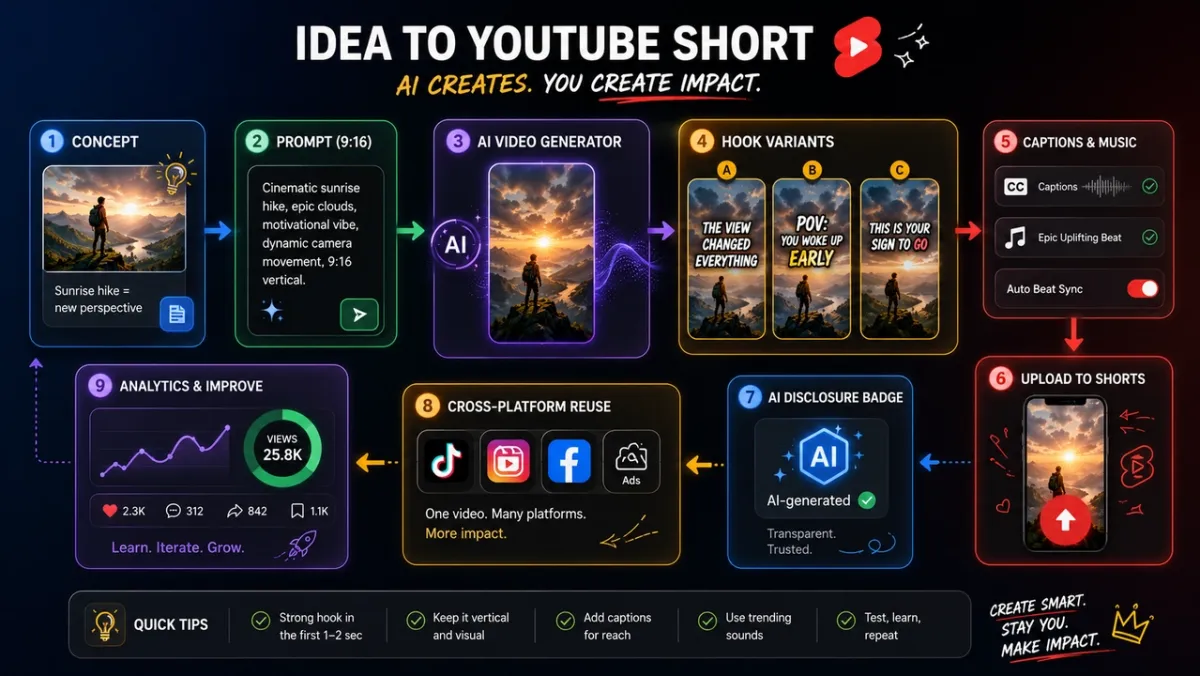
Workflow tạo Shorts 9:16 gốc với PixVerse
Dùng workflow này khi bạn muốn tạo original assets trước khi upload lên YouTube Shorts:
- Chọn Shorts objective: trend response, product hook, education clip, faceless channel scene, creator bit hoặc social ad.
- Viết prompt 9:16 với subject, action, camera, style, motion, sound và final frame.
- Chỉ thêm product images, brand assets hoặc reference images khi bạn có quyền dùng.
- Generate core video asset trong PixVerse.
- Tạo nhiều hook variations để test 1-3 giây đầu.
- Thêm captions, title, music, sound effects hoặc voiceover.
- Review rights, formatting, AI disclosure, product claims và platform fit.
- Upload lên YouTube Shorts, rồi reuse phiên bản tốt nhất trên TikTok, Reels, ads hoặc landing pages khi rights và format cho phép.
Đây là đường tốt hơn khi bạn cần original product clips, ad variants, faceless Shorts, social-first brand concepts hoặc reusable assets. Remix rất tốt để tham gia platform conversation. Original 9:16 generation tốt hơn để xây asset library.
Xử lý lỗi Gemini Omni Shorts Remix
Vì sao Gemini Omni Remix không hiển thị?
Lý do phổ biến là rollout timing, unsupported region, account eligibility, app version, age settings hoặc Remix surface chưa tới tài khoản của bạn. Hãy cập nhật YouTube app, thử eligible Short khác và nhớ rằng rollout có thể diễn ra dần.
Vì sao tôi không remix được Short này?
Short có thể không eligible. Original creator có thể opt out visual remix, content có thể bị ảnh hưởng bởi copyright hoặc music restrictions, hoặc YouTube có thể giới hạn Remix vì policy, age, privacy, Made for Kids hoặc yếu tố Content ID.
Vì sao Short được generate có watermark hoặc metadata?
YouTube nói Omni-remixed Shorts có digital watermarks và identifying metadata. Các tín hiệu này giúp nhận diện AI-generated content và giữ platform context. Đây là hành vi bình thường, không phải bug.
Creator có thể tắt AI Remix không?
YouTube nói original creators có thể opt out visual remix trong Shorts. Controls cụ thể có thể phụ thuộc YouTube Studio settings, account type và rollout hiện tại. Nếu bạn là creator, hãy kiểm tra YouTube settings và Help documentation trước khi cho rằng content của mình remixable.
Gemini Omni Remix có hoạt động ngoài YouTube không?
Gemini Omni trong Shorts Remix là YouTube-native workflow. Với cross-platform Shorts, TikTok, Reels, ads hoặc reusable vertical assets, hãy tạo original 9:16 videos trong PixVerse hoặc standalone AI video generator trước khi upload.
FAQ
Gemini Omni trong YouTube Shorts là gì?
Gemini Omni trong YouTube Shorts là AI video creation layer của Google cho Shorts Remix và YouTube Create. Nó cho phép remix eligible Shorts với prompts, images hoặc references, đồng thời thêm watermarking, metadata và link về original video.
Cách dùng Gemini Omni trong YouTube Shorts Remix?
Mở eligible Short trong YouTube app, nhấn Remix, chọn AI remix hoặc reimagine nếu có, nhập prompt, thêm reference image nếu được hỗ trợ, generate clip, preview và hoàn tất final Shorts edits trước khi publish.
Gemini Omni có miễn phí cho YouTube Shorts không?
YouTube nói Remixing with Omni rollout miễn phí trong YouTube Shorts Remix và YouTube Create app. Availability vẫn có thể phụ thuộc rollout timing, account eligibility, region, app version, age requirements và supported surfaces.
Vì sao Gemini Omni Remix không hiện trong YouTube app của tôi?
Nó có thể chưa rollout tới account, region, app version hoặc Remix surface của bạn. Short cụ thể cũng có thể ineligible vì creator opt-out, copyright, music, Content ID, age, privacy hoặc policy restrictions.
Eligible Short cho Gemini Omni Remix là gì?
Eligible Short là Short mà Remix option khả dụng cho account và app của bạn. Eligibility có thể phụ thuộc original creator settings, visual remix opt-out, copyright/music restrictions, platform policy, region, age settings và rollout timing.
Creator có thể opt out Gemini Omni visual remix không?
Có. YouTube nói original creators có thể opt out visual remix trong Shorts. Creator nên kiểm tra YouTube Studio và Help settings hiện tại vì controls có thể thay đổi khi rollout.
Gemini Omni remixes có watermark không?
Có. YouTube nói Omni-remixed Shorts có digital watermarks, identifying metadata và link về original video.
Gemini Omni Shorts có dùng thương mại được không?
Có thể, nhưng đừng giả định automatic commercial clearance. Hãy review source Short, copyright, music, likeness, trademarks, platform rules, AI disclosure và terms của account. Với brand campaigns, product ads hoặc cross-platform reuse, original 9:16 assets tạo trong PixVerse thường là điểm bắt đầu an toàn hơn.
YouTube Gemini Omni khác YouTube Create thế nào?
YouTube Gemini Omni là AI model capability đi vào Shorts Remix và YouTube Create. Shorts Remix là remix surface native của YouTube. YouTube Create là app của Google để tạo và chỉnh sửa video bằng YouTube tools.
Khi nào nên dùng PixVerse thay vì YouTube Gemini Omni?
Dùng PixVerse khi bạn cần original 9:16 Shorts, product clips, UGC-style ads, hook variants, faceless channel assets, batch tests, API workflows hoặc reusable videos cho Shorts, TikTok, Reels và ads.
AI video generator tốt nhất cho original YouTube Shorts là gì?
Để remix eligible Shorts trong YouTube, dùng YouTube Gemini Omni. Với original Shorts assets, PixVerse là lựa chọn mạnh để test vì workflows được document hỗ trợ 9:16 generation, text-to-video, image-to-video, audio options, transition, extension và API workflows.
AI-generated YouTube Shorts nên dùng aspect ratio nào?
YouTube Shorts được thiết kế cho vertical viewing, nên 9:16 là aspect ratio chuẩn cho phần lớn Shorts production. Nếu generate ngoài YouTube, hãy chọn 9:16 khi có thể để tránh cropping khó chịu.
Kết luận
Gemini Omni vào YouTube Shorts là thay đổi workflow thật sự, không chỉ là một AI effect nữa. Shorts Remix đang trở thành generative surface nơi prompts, images, references, watermarking, metadata, original links và creator controls đi vào platform-native creation loop.
Với creator, cách tốt nhất là tách remix khỏi original production. Dùng YouTube Gemini Omni khi muốn tham gia Shorts trends từ trong YouTube. Dùng PixVerse khi cần original 9:16 assets, product videos, hook variations, faceless Shorts, cross-platform reuse hoặc API-driven production. Workflow Shorts thắng trong 2026 sẽ không phải một công cụ, mà là chọn đúng công cụ cho từng giai đoạn của ý tưởng.