สร้างวิดีโอภาพยนตร์ด้วย PixVerse และ GPT-6 Astra: คู่มือและกรณีใช้งานสำหรับครีเอเตอร์
สร้างวิดีโอภาพยนตร์ โมชันกราฟิก และประสบการณ์อินเทอร์แอกทีฟด้วย PixVerse และ GPT-6 Astra ผ่านเวิร์กโฟลว์ AI Video ที่ควบคุมได้
GPT-6 Astra และ PixVerse รวมการวางแผน เครื่องมือสร้างสรรค์ในเครื่อง และการสร้างวิดีโอ AI ไว้ในเส้นทางการผลิตเดียวกัน ผ่าน PixVerse with GPT-6 Astra ครีเอเตอร์สามารถเริ่มจากบรีฟที่มีโครงสร้างใน ChatGPT เตรียมแอสเซ็ต 3D หรือแอสเซ็ตตัดต่อในเครื่อง และใช้ปลั๊กอิน PixVerse เปลี่ยนเรฟที่อนุมัติแล้วให้เป็นวิดีโอภาพยนตร์ โมชันกราฟิก หรืองานครีเอทีฟอินเทอร์แอกทีฟ
เวิร์กโฟลว์นี้เหมาะสำหรับครีเอเตอร์ที่ต้องการการควบคุมมากกว่าพรอมป์ตวิดีโอแบบข้อความอย่างเดียว: ผู้กำกับที่ทดสอบเส้นทางกล้อง ศิลปิน 3D ที่สร้าง previs แบบแก้ไขได้ ทีมที่ต้องรักษาเลย์เอาต์ตัวละครหรือผลิตภัณฑ์ และเอดิเตอร์ที่เตรียมงานขั้นสุดท้าย Astra ช่วยจัดระเบียบและดำเนินงานครีเอทีฟในสภาพแวดล้อมเดสก์ท็อป ส่วน PixVerse คือขั้นตอนการสร้างที่เปลี่ยนเรฟซึ่งกำหนดเจตนาไว้ให้เป็นผลลัพธ์ภาพที่เสร็จสมบูรณ์
ประเด็นสำคัญ
- ใช้ Astra เปลี่ยนบรีฟครีเอทีฟให้เป็นงานผลิตที่มีโครงสร้าง แล้วใช้ PixVerse สำหรับขั้นตอน AI video ขั้นสุดท้าย
- ให้พรีวิววิดีโอควบคุมการเคลื่อนไหว กล้อง และเลย์เอาต์ ส่วนภาพนิ่งควบคุมรูปลักษณ์ วัสดุ และแสง
- เริ่มจากช็อตสั้นที่ตรวจสอบได้ และเก็บซีนที่แก้ไขได้ เรฟต้นฉบับ และเอาต์พุตที่อนุมัติไว้สำหรับการปรับแก้
GPT-6 Astra กับ PixVerse คืออะไร?
หน้า PixVerse Astra นำเสนอ GPT-6 Astra ในฐานะวิธีสร้างสรรค์ร่วมกับ PixVerse ผ่านแอป ChatGPT บนเดสก์ท็อป แนวคิดหลักเรียบง่าย: ใช้บรีฟการผลิตที่ละเอียดเพื่อกำหนดซีน สร้างหรือเตรียมเรฟภาพ แล้วส่งอินพุตที่เกี่ยวข้องไปยัง PixVerse ผ่านปลั๊กอินที่ติดตั้งไว้
สำหรับงานวิดีโอ วิธีนี้แบ่งหน้าที่ได้อย่างมีประโยชน์ พรีวิว 3D หรือวิดีโออ้างอิงสามารถกำหนดเลย์เอาต์เชิงพื้นที่ จังหวะแอ็กชัน องค์ประกอบภาพ และการเคลื่อนกล้องได้ ขณะที่เรฟรูปลักษณ์แยกต่างหากสามารถกำหนดวัสดุ แสง สภาพแวดล้อม สี และการออกแบบตัวแบบได้ จากนั้น PixVerse จึงสร้างวิดีโอสุดท้ายโดยอ้างอิงสัญญาณครีเอทีฟที่แยกบทบาทไว้อย่างตั้งใจ
สิ่งนี้มีคุณค่าอย่างยิ่งเมื่อโปรเจกต์ต้องการการส่งต่องานที่ทำซ้ำได้ระหว่างคอนเซปต์ previs การสร้าง และการรีวิว ไม่ได้หมายความว่าทุกเทคที่สร้างจะเหมือนเรฟทุกประการ ทีมควรตรวจผลลัพธ์ เก็บเวอร์ชันที่อนุมัติ และสร้างใหม่เฉพาะช็อตที่ข้อกำหนดสำคัญไม่เป็นไปตามต้องการ
เหตุใดจึงใช้ PixVerse ในเวิร์กโฟลว์ Astra?
PixVerse คือเลเยอร์การสร้างวิดีโอ AI ของเวิร์กโฟลว์นี้ แทนที่จะมองการสร้างเป็นขั้นตอนสุดท้ายที่แยกขาด มันสามารถใช้วัสดุภาพที่เตรียมจากกระบวนการครีเอทีฟได้ เช่น แอนิเมชัน gray-model สำหรับการเคลื่อนไหว และภาพอ้างอิงสำหรับลุคที่ต้องการ
วิธีนี้ช่วยให้ครีเอเตอร์ทำงานกับซีนซับซ้อนได้อย่างมีเจตนามากขึ้น:
- วางแผนการเคลื่อนกล้องและเฟรมก่อนเข้าสู่ขั้นตอนสร้างสุดท้าย
- เก็บซีน 3D แอนิเมชัน หรือโปรเจกต์ตัดต่อไว้สำหรับการแก้ไขภายหลัง
- กำหนดบทบาทของเรฟแต่ละชิ้นให้ชัด แทนการขอให้พรอมป์ตเดียวแก้เลย์เอาต์ จังหวะ รูปลักษณ์ และการเคลื่อนไหวพร้อมกัน
- ตรวจทุกช็อตเรื่องความต่อเนื่อง กายวิภาค การบังวัตถุ จังหวะ และข้อบกพร่องก่อนรวมเป็นงานตัดต่อที่ยาวขึ้น
สำหรับตัวเลือกการสร้างที่กว้างขึ้น PixVerse ยังรองรับ การสร้างวิดีโอ AI, text-to-video และ image-to-video เวิร์กโฟลว์ Astra มีประโยชน์ที่สุดเมื่องานครีเอทีฟได้ประโยชน์จากแผนที่มีโครงสร้างและแอสเซ็ตการผลิตภายนอก
วิธีเริ่มต้นใช้ GPT-6 Astra และ PixVerse
การตั้งค่าบน หน้า PixVerse Astra อย่างเป็นทางการ มีสามขั้นตอน:
- ดาวน์โหลดและลงชื่อเข้าใช้ แอป ChatGPT บนเดสก์ท็อป
- ติดตั้ง ปลั๊กอิน PixVerse สำหรับ ChatGPT
- เริ่มจาก use case ของ Astra ปรับบรีฟการผลิตให้เข้ากับซีนของคุณ แล้วสร้างด้วย PixVerse
ก่อนสร้าง ให้ตัดสินใจว่าแอสเซ็ตแต่ละชิ้นมีไว้ควบคุมอะไร การวางแผนเล็กน้อยนี้ช่วยป้องกันปัญหาที่พบบ่อย: ขอให้พรีวิวรายละเอียดต่ำเพียงชิ้นเดียวกำหนดทุกอย่างของภาพสุดท้าย
| อินพุต | เหมาะสำหรับควบคุม | ควรโฟกัสที่ |
|---|---|---|
| วิดีโอ gray-model หรือ white-model | เส้นทางกล้อง จังหวะ เลย์เอาต์เชิงพื้นที่ แอ็กชัน เฟรม | เรขาคณิตและการเคลื่อนไหว ไม่ใช่วัสดุขั้นสุดท้าย |
| ภาพนิ่งอ้างอิง | รูปลักษณ์ แสง พื้นผิว พาเลตสี อัตลักษณ์ตัวแบบ | ทิศทางภาพขั้นสุดท้าย |
| ไฟล์ซีนหรือโปรเจกต์ตัดต่อ | การปรับแก้ ริกกิง การเปลี่ยนเลย์เอาต์ การส่งต่อ | งานต้นฉบับที่แก้ไขได้ |
| บรีฟการสร้าง PixVerse | สิ่งที่ต้องคงที่และสิ่งที่ปรับเสริมได้ | ข้อจำกัดและเกณฑ์รีวิวที่ชัดเจน |
วงจรการผลิตที่เชื่อถือได้
เริ่มจากซีเควนซ์สั้นที่ทดสอบได้แทนการทำทั้งภาพยนตร์ สร้าง blocking การเคลื่อนกล้อง หรือแอ็กชันในเครื่องมือที่เหมาะกับงาน ส่งออกพรีวิวที่สะอาด เตรียมเรฟรูปลักษณ์ และสร้างหนึ่งงาน PixVerse ต่อหนึ่งช็อตเมื่อความต่อเนื่องมีความสำคัญ
จากนั้นรีวิวทั้งเทคที่ความเร็วเล่นปกติ ตรวจข้อกำหนดที่สำคัญที่สุดของซีน เช่น การไหลของกล้อง ลำดับวัตถุ ตำแหน่งตัวแบบ แอ็กชันที่อ่านออก การสัมผัสมือหรือล้อ การสัมผัสพื้น และการไม่มีคัตหรือการเปลี่ยนเลย์เอาต์ที่ไม่ต้องการ หากช็อตมีปัญหา ให้ระบุว่าต้นเหตุมาจากพรีวิว เรฟรูปลักษณ์ หรือทิศทางการสร้าง ก่อนเปลี่ยนเฉพาะส่วนที่ได้รับผลกระทบ
เวิร์กโฟลว์ Astra สี่แบบตามหมวดการผลิต
ตัวอย่างทั้งสี่ครอบคลุมความต้องการการผลิตที่แตกต่างกัน บทความนี้เน้นผลลัพธ์และเส้นทางการผลิตที่นำกลับใช้ได้ โดยไม่แสดงแอสเซ็ตอ้างอิงต้นทาง
| หมวด | ตัวอย่าง | เหมาะสำหรับ |
|---|---|---|
| Film previs | จำลองการชนรถแข่ง 3D | วางแผนแอ็กชันรถเร็ว การตามกล้อง และความต่อเนื่องของช็อต |
| 3D modeling | สร้างซีนไล่ล่าด้วยรถตำรวจ | เปลี่ยนการจัดฉาก gray-model ให้เป็นซีเควนซ์แอ็กชันสมจริง |
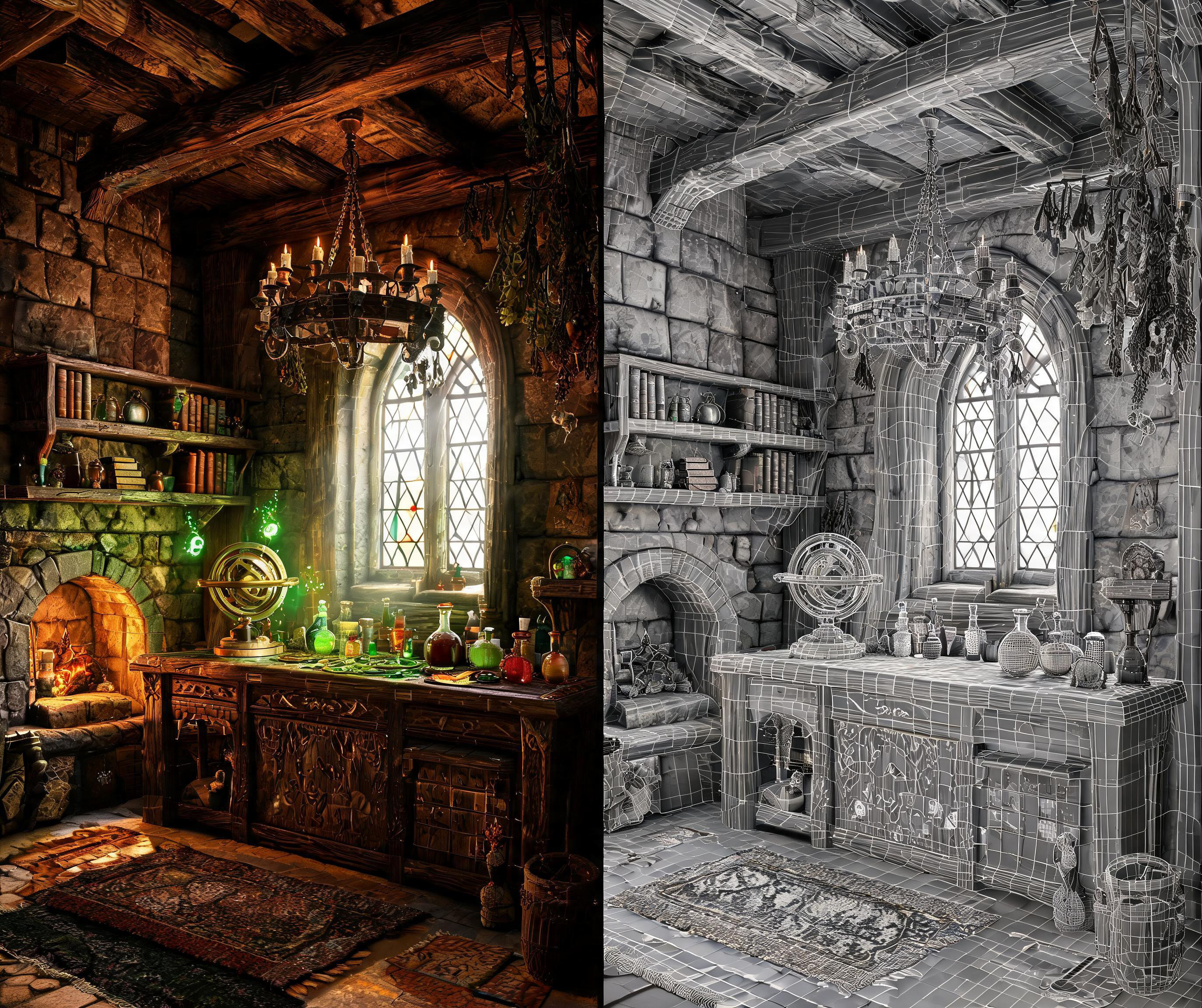
| Game development | สร้างโต๊ะทำงานพ่อมด 3D แบบ POV | สร้างซีนอินเทอร์แอกทีฟมุมมองบุคคลที่หนึ่งที่ควบคุมได้ |
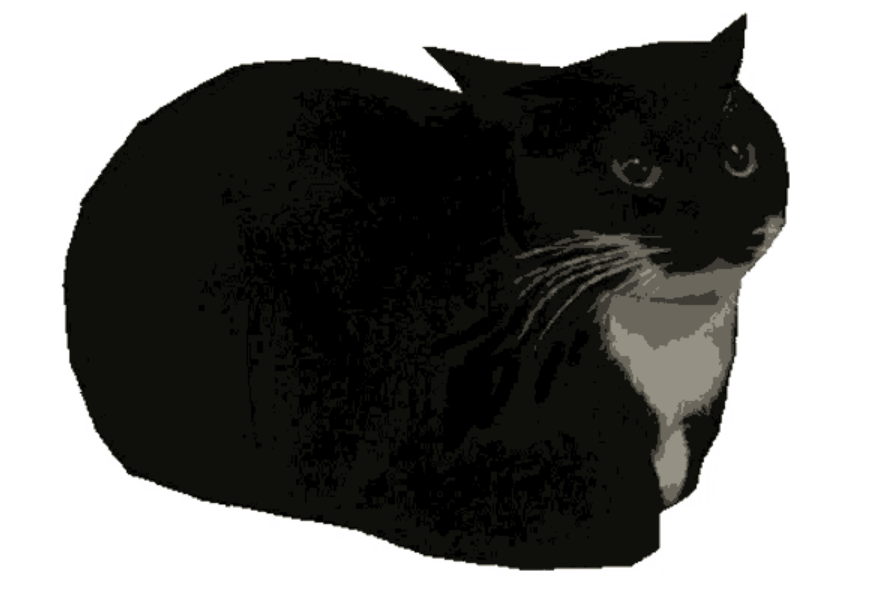
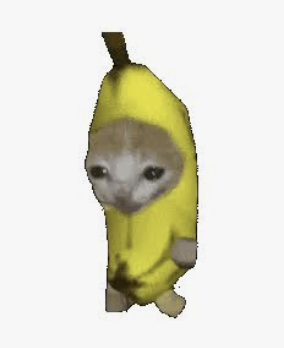
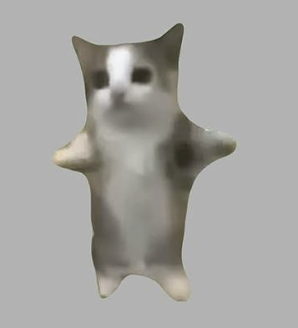
| Internet culture | สร้างเวที Live Cat Meme | ผลิตการแสดงมีมที่ขับเคลื่อนด้วยตัวละครพร้อมอัตลักษณ์คงที่ |
Film previs: จำลองการชนรถแข่ง 3D
เวิร์กโฟลว์นี้ออกแบบมาสำหรับฉากไล่ล่ารถสไตล์ลายเส้น ซึ่งต้องรักษาให้การเคลื่อนไหว ลำดับรถ และทิศทางกล้องอ่านออกได้ก่อนขั้นตอน PixVerse สุดท้าย
วิดีโอสุดท้าย
พรอมป์ตเวิร์กโฟลว์ฉบับเต็ม
Create an original GTA-inspired cartoon car chase using this workflow: Design: Define one main driver, one getaway car, one pursuing car, and one urban environment. Keep their designs consistent. Plan three 4-second shots: rear tracking pursuit, side tracking through a sharp turn, and a wide exit shot. Build in Blender: Create clean gray models and functional character and vehicle rigs. No textures or UV unwrapping are required. Animate and test: Animate the driver, steering, wheel rotation, vehicles, and cameras. Maintain coherent travel direction and vehicle order. Fix clipping, floating wheels, sliding tires, broken poses, and hands losing contact with the steering wheel. Render in Blender: Render frames 1–288 at 1280×720, 24 fps. Assemble actual Blender-rendered frames into a complete 12-second gray-model master. Export each shot separately and render matching gray stills as shape and composition references. Video prompt: Use Seedance 2.5 at 720p, processing each shot separately. Use the Blender clips as motion references and the gray stills as shape references. Define a consistent cartoon color palette. Preserve camera movement, action timing, character and vehicle designs, and vehicle count. Review and deliver: Inspect both complete videos for visual defects and continuity. Repair Blender issues and regenerate only failed Seedance shots, with at most two retries per shot. Deliver the editable .blend, the native 720p Blender gray-model video, the separately labeled 720p Seedance version, and a brief assessment of remaining limitations.
3D modeling: สร้างซีนไล่ล่าด้วยรถตำรวจ
กรณีนี้เหมาะเมื่อซีนแอ็กชันต้องการลุคสมจริง แต่ยังต้องเก็บแผน 3D ที่แก้ไขได้สำหรับองค์ประกอบภาพ วิถีรถ และจังหวะ
วิดีโอสุดท้าย
พรอมป์ตเวิร์กโฟลว์ฉบับเต็ม
Create an original GTA-inspired car chase with a photorealistic, live-action cinematic finish, using this workflow: Design: Define the driver, two cars, and urban environment. Plan three 4-second shots: rear tracking pursuit, side tracking through a sharp turn, and a wide exit shot. Keep identities and vehicle order consistent. Build in Blender: Create clean gray models and functional character and vehicle rigs. No textures or UV unwrapping are required. Animate and test: Animate the vehicles, wheel rotation, steering, driver, and cameras. Fix clipping, floating wheels, sliding tires, broken poses, and hands losing contact with the steering wheel. Render in Blender: Render the complete 12-second gray-model video at 1280×720, 24 fps, using actual Blender-rendered frames. Export each 4-second shot separately and extract its first frame. Image prompt: Transform each shot’s gray first frame into a photorealistic cinematic reference image in PixVerse. Preserve composition, perspective, subject positions, and vehicle count. Replace simplified gray geometry with realistic people, detailed cars, believable architecture, natural materials, and cinematic lighting. Keep the same driver, car designs, colors, and lighting across all three images. Avoid cartoon, toy-like, low-poly, or clay-render styling. Video prompt: Use Seedance 2.5 at 720p, supplying the cinematic reference image together with its corresponding gray-model video. The image defines appearance and realism; the video defines camera movement, spatial layout, vehicle trajectories, and action timing. Generate each shot separately. Review and deliver: Check realism, identity consistency, vehicle count, motion, and shot continuity. Repair faulty shots, with at most two retries per shot. Deliver the editable .blend, native 720p Blender gray-model video, cinematic reference images, separately labeled 12-second Seedance version, and a brief assessment of remaining limitations.
Game development: สร้างโต๊ะทำงานพ่อมด 3D แบบ POV
ตัวอย่างมุมมองบุคคลที่หนึ่งนี้เน้นความชัดเจนแบบเกมเพลย์: มือหนึ่งข้าง พร็อพหนึ่งชิ้น การเคลื่อนกล้องต่อเนื่อง และเลย์เอาต์ห้องที่คงที่
วิดีโอสุดท้าย
พรอมป์ตเวิร์กโฟลว์ฉบับเต็ม
Create a 12-second, single-take white-model animation in Blender based on the attached reference image https://media.pixverse.ai/asset/media/WizardRoom.jpg, then use PixVerse with Seedance 2.5 to transform the exported animation into a cinematic, Witcher-3-inspired wizard workshop sequence. In Blender, use the reference image to guide the room layout, architecture, furniture, and props. Build an editable low-poly scene with clean meshes and UVs, using simple white or light-gray materials. Include stone walls, wooden shelves, an arched window, a fireplace, books, an astronomical instrument, and an alchemy table filled with potion bottles. Keep the silhouettes readable and the room proportions believable. Animate a low first-person viewpoint with exactly one right hand holding one potion. Begin with the bottle resting near the lower-right edge while the character looks around the workshop and toward the window. Raise the potion naturally, pause to examine it, shift focus onto the bottle, then lower it while turning toward the fireplace and glowing reagents. Leave a small gap between the palm and bottle while maintaining believable fingertip contact. Use smooth changes in speed, gentle curved head movements, subtle breathing, and slight arm lag. Check the complete action at normal playback for clipping, awkward grip, abrupt turns, and excessive shaking. Keep the Blender fireplace simple: use logs, low embers, and flickering light. Avoid solid cones or flame-shaped meshes, which can be interpreted as glowing rocks. Prepare a separate fireplace detail from the reference image to guide the final appearance. Video prompt: Export the complete white-model MP4. Generate a 12-second video with PixVerse, using the Blender-exported white-model video as the camera, action, and spatial reference, the attached image as the scene appearance reference, and the fireplace detail as the fire reference. Preserve the continuous shot, low viewpoint, single-hand potion action, room layout, and timing. Enrich the scene with weathered stone, carved wood, worn leather, iron fittings, and realistic glass. Combine cool window light and drifting dust with warm fireplace illumination and softly glowing magical liquids. Create natural wood fire with thin, irregular flames curling between charred logs, glowing embers, occasional sparks, and subtle smoke. Keep the hand anatomy, bottle shape, fire movement, and focus transitions consistent throughout. Review the full generated video, especially the hand action and fireplace. Deliver the white-model MP4, the PixVerse-rendered MP4, and the editable Blender project.
Internet culture: สร้างเวที Live Cat Meme
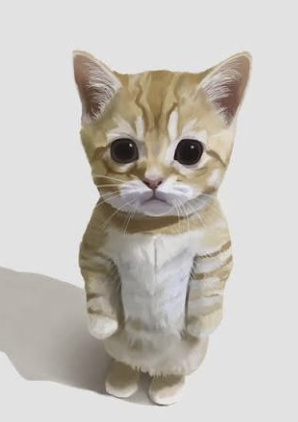
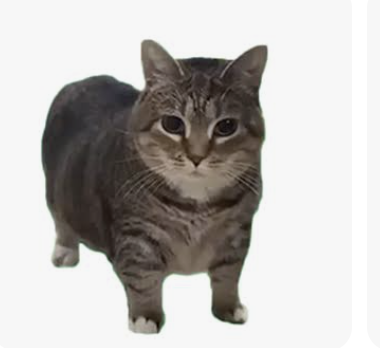
เวิร์กโฟลว์นี้ใช้ทีมนักแสดงมีมห้าตัวที่จดจำได้ในรูปแบบการแสดงบนเวที จึงเหมาะเป็นเทมเพลตสำหรับคอนเทนต์โซเชียลที่ขับเคลื่อนโดยครีเอเตอร์และต้องรักษาอัตลักษณ์ตลอดซีเควนซ์ที่ยาวขึ้น
วิดีโอสุดท้าย
พรอมป์ตเวิร์กโฟลว์ฉบับเต็ม
First download these five reference images: https://media.pixverse.ai/asset/media/CATMEME3.png, https://media.pixverse.ai/asset/media/CATMEME1.png, https://media.pixverse.ai/asset/media/CATMEME0.png, https://media.pixverse.ai/asset/media/CATMEME4.png, and https://media.pixverse.ai/asset/media/CATMEME2.png. Inspect their contents and arrange the characters from left to right as the banana-suit cat, black tuxedo loaf, brown tabby, gray-white happy cat, and orange kitten. Build an editable Blender neon concert stage with a glossy black floor, LED side walls, a raised center platform, and the exact backdrop text “MEME LIVE / PixVerse.” Preserve the reference appearances using shallow photo-textured models with the same character photograph visible on both front and back. Keep all five cats bouncing on separate fixed marks; only the black tuxedo loaf and brown tabby continuously spin. Create a 15-second, 24fps animation with flashing concert lights, a wide opening, individual cat close-ups, and a circling crane ending. Inspect and fix the scene, then export the editable project, a Cycles-rendered color video, a matching gray model video, and the exact color first frame. Image prompt: Use PixVerse to redraw that first frame with strong photographic realism, dramatic cyan–magenta lighting, and realistic stage materials while preserving the layout, characters, and text. Video prompt: Use Seedance 2.5 in PixVerse to generate the final video using the redrawn scene as the appearance reference, all five downloaded character images as identity references, and the gray video as the motion and camera reference. Validate upload requirements and proportionally resize reference copies when necessary. Inspect character consistency, spinning reverse textures, lighting, and camera cuts; deliver exactly 15 seconds at 1080p and 24fps without audio. Save and package all final assets and editable sources locally, move superseded versions to Trash after verification, and open the final Blender project in its animated camera view with playback running.
เคล็ดลับเพื่อผลลัพธ์ Astra-to-PixVerse ที่ดีขึ้น
ใช้แนวทางเหล่านี้ก่อนส่งซีนซับซ้อนไปสร้าง:
- ระบุผู้มีอำนาจตัดสินใจด้านครีเอทีฟ บอกให้ชัดว่าภาพใดควบคุมรูปลักษณ์ และพรีวิวใดควบคุมการเคลื่อนไหวกับเลย์เอาต์
- ให้แต่ละช็อตสั้นและมีเป้าหมายชัดเจน การเคลื่อนกล้องเฉพาะจุดตรวจสอบง่ายกว่าซีเควนซ์ยาวที่มีแอ็กชันแข่งขันกันหลายอย่าง
- ระบุสิ่งที่เปลี่ยนไม่ได้ กล่าวถึงตัวละคร รถ พร็อพ สถาปัตยกรรม จำนวนวัตถุ หรือการเคลื่อนกล้องที่ต้องไม่เปลี่ยน
- บรรยายกรณีที่ล้มเหลว ระบุคัตที่ไม่ต้องการ แสงกะพริบ ตัวแบบเกิน การบังวัตถุ วัตถุลอย การเปลี่ยนเลย์เอาต์ หรือกายวิภาคไม่เสถียรเมื่อมีผลต่อช็อต
- รีวิวที่ความเร็วปกติ ซีนเร็วอาจดูน่าเชื่อถือในภาพนิ่งแต่ล้มเหลวเมื่อเคลื่อนไหว
- เก็บแอสเซ็ตต้นทาง เก็บซีนที่แก้ไขได้ ภาพอ้างอิง พรีวิว การตั้งค่าการสร้าง และเอาต์พุตที่อนุมัติไว้ด้วยกันเพื่อรอบแก้ไขที่เร็วขึ้น
คำถามที่พบบ่อย: GPT-6 Astra และ PixVerse
ฉันต้องมีซีน 3D เพื่อสร้างงานด้วย Astra และ PixVerse หรือไม่?
ไม่จำเป็น ซีน 3D มีประโยชน์ที่สุดเมื่อคุณต้องการควบคุมพื้นที่ การเคลื่อนกล้อง จังหวะ หรือการโต้ตอบอย่างตั้งใจ คุณอาจเริ่มจากภาพอ้างอิงและบรีฟครีเอทีฟที่กระชับได้เช่นกัน สำหรับแอ็กชัน สถาปัตยกรรม หรือการเล่าเรื่องหลายช็อตที่ซับซ้อน พรีวิวแบบแก้ไขได้จะมอบเรฟการเคลื่อนไหวและเลย์เอาต์ที่ชัดเจนกว่าแก่กระบวนการสร้าง
เหตุใดจึงใช้ทั้งพรีวิววิดีโอและภาพอ้างอิง?
ทั้งสองแก้ปัญหาคนละอย่าง พรีวิววิดีโอสามารถกำหนดการเคลื่อนกล้อง องค์ประกอบภาพ เลย์เอาต์เชิงพื้นที่ และจังหวะแอ็กชัน ภาพอ้างอิงสามารถกำหนดวัสดุ แสง สี และรูปลักษณ์ของตัวแบบ การแยกบทบาทนี้ทำให้อธิบายได้ง่ายขึ้นว่าองค์ประกอบใดต้องคงที่ และองค์ประกอบใดที่ PixVerse ควรเสริม
ฉันควรตรวจอะไรบ้างก่อนอนุมัติช็อต PixVerse?
ตรวจทั้งช็อต ไม่ใช่เพียงเฟรมแรก ตรวจความต่อเนื่องของกล้อง เฟรม อัตลักษณ์ตัวแบบ จำนวนวัตถุ กายวิภาคหรือกลไก การสัมผัสพื้น การบังวัตถุ จังหวะการเคลื่อนไหว ข้อบกพร่องทางภาพ และเสียงเมื่อเกี่ยวข้อง บันทึกทั้งวิดีโอที่อนุมัติและเรฟต้นทาง เพื่อให้การแก้ไขภายหลังมีจุดเริ่มต้นที่ชัดเจน
เวิร์กโฟลว์นี้รองรับ post-production ได้หรือไม่?
ได้ มอง post-production เป็นขั้นตอนเก็บรายละเอียดและควบคุมคุณภาพ: เก็บโปรเจกต์ต้นทางและสเปกการส่งมอบ ประเมินแต่ละช็อตด้วยสโคปและการรีวิวภาพที่เหมาะสม และแยกปัญหาเกรดที่แก้ได้ออกจากปัญหาการสร้างที่ต้องใช้ต้นทางหรือเทคใหม่
สร้างเวิร์กโฟลว์ AI video แบบควบคุมได้ของคุณต่อไป
GPT-6 Astra x PixVerse มีประโยชน์ที่สุดเมื่อไอเดียต้องการมากกว่าพรอมป์ตข้อความเพียงหนึ่งข้อ ใช้ Astra เพื่อกำหนดงานผลิต สร้างหรือจัดระเบียบเรฟที่สำคัญ และใช้ PixVerse เพื่อสร้างผลลัพธ์ภาพที่เสร็จสมบูรณ์ เริ่มจากหนึ่งซีนสั้น กำหนดหน้าที่ให้ทุกเรฟอย่างชัดเจน และสร้างวงจรรีวิวรอบองค์ประกอบที่โปรเจกต์ของคุณยอมสูญเสียไม่ได้
พร้อมทดลองแล้วหรือยัง? เปิด หน้า PixVerse GPT-6 Astra ติดตั้งปลั๊กอิน PixVerse ใน ChatGPT และเลือก use case เพื่อนำไปสร้างซ้ำหรือปรับใช้กับโปรเจกต์ถัดไปของคุณ