AI Sound Effect Generator Terbaik 2026: 9 Tool
Pilih AI sound effect generator untuk video sync, text-to-SFX, Adobe workflow, social clip, game audio, dan penggunaan komersial.
Pembuatan video makin cepat, tetapi audio post-production masih sering memperlambat creator. Masalahnya bukan sekadar bisa membuat suara, tetapi apakah workflow cocok dengan video, platform, hak penggunaan, dan timeline editing.
Panduan ini membandingkan sembilan AI sound effect generator berdasarkan use case, input method, video sync, pricing, rights, dan workflow friction.
Jika karya kreatif dimulai dari lagu, bukan video yang sudah ada, Vibe MV adalah alur kerja yang lebih berfokus pada audio. Untuk edit promosi yang menggabungkan video jadi dengan pengemasan bergaya kampanye, Promo Mix merupakan opsi pelengkap. Untuk melihat alur kerja kreatif PixVerse secara lengkap, kunjungi generator video AI.
Cara memilih AI Sound Effect Generator
AI sound effect generator terbaik adalah tool yang paling banyak mengurangi pekerjaan dari audio workflow nyata Anda.
Sebelum membandingkan tool, tanyakan lima hal ini:
- Text-to-sound atau video-to-audio? Gunakan text-to-sound jika suara bisa dideskripsikan; gunakan video-to-audio jika suara harus mengikuti action visual.
- Apakah suara harus cocok dengan motion? Jika hit, footstep, transition, atau impact harus jatuh di frame tertentu, prioritaskan video upload atau editor-native sync.
- Apakah hak komersial jelas? Gunakan hanya jika terms saat ini mencakup plan, jenis proyek, dan channel distribusi Anda.
- Butuh WAV, MP3, loop, atau duration control? Game, ads, dan pro editing butuh downloadable audio dan timing controls; social post cepat bisa cukup dengan in-app audio.
- Apakah tool dekat dengan workflow? Social pakai CapCut/Canva, Adobe pakai Firefly, developer lihat AudioCraft, clip yang perlu sync pakai video-to-audio tools.
Text-to-Audio vs Video-to-Audio
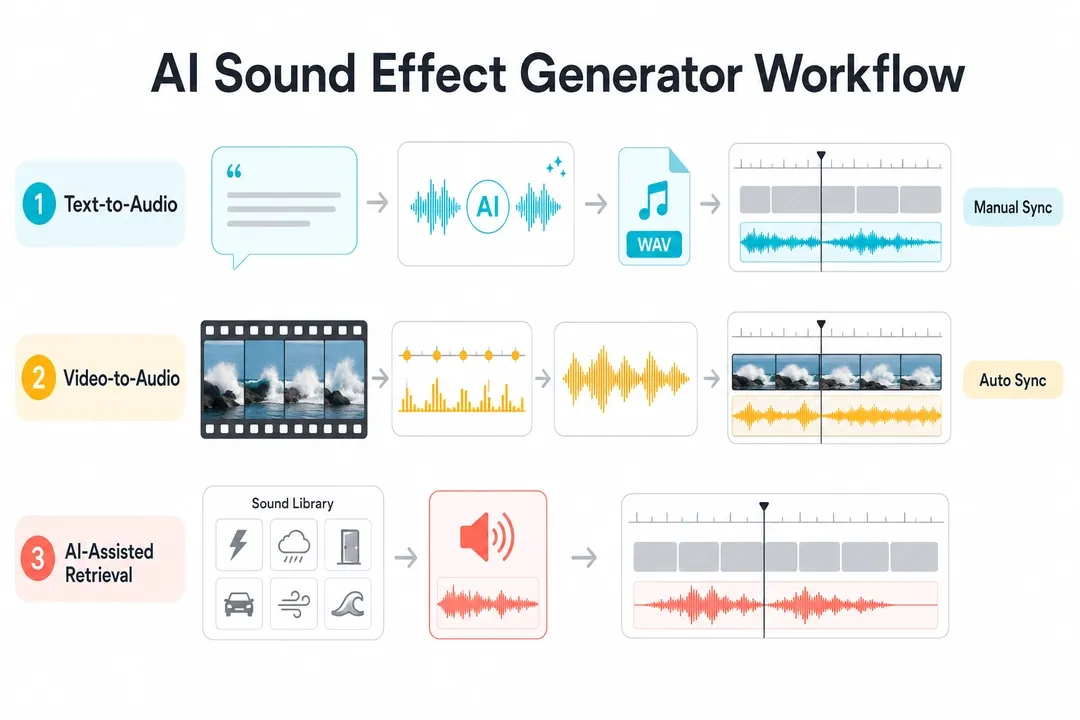
Singkatnya: text-to-audio lebih cocok untuk sound design mandiri, sedangkan video-to-audio lebih cocok saat timing terhadap clip penting.
- Text-to-audio dimulai dari prompt dan cocok untuk Foley, ambience, UI sounds, game audio, dan fantasy effects, tetapi biasanya perlu sync manual.
- Video-to-audio dimulai dari video clip atau timeline dan cocok untuk footsteps, impacts, transitions, product demos, dan AI videos yang butuh sync.
- AI-assisted retrieval dimulai dari sound library atau editor project, cepat untuk swipes, clicks, whooshes, dan ambience, tetapi kurang unik.
Tool mana yang sebaiknya dicoba dulu?
- Video sync: bandingkan PixVerse dan CapCut.
- Cinematic text-to-SFX: bandingkan ElevenLabs, Adobe Firefly, dan LoudMe.
- Adobe workflows: mulai dari Adobe Firefly.
- Social creators: mulai dari CapCut atau Canva.
- Open-source: mulai dari Meta AudioCraft.
- Quick browser tasks: bandingkan Canva, MyEdit, dan LoudMe.
- Games and apps: bandingkan ElevenLabs, LoudMe, dan Meta AudioCraft.
Perbandingan cepat AI Sound Effect Generator
| Tool | Terbaik untuk | Input | Video sync | Harga / akses |
|---|---|---|---|---|
| PixVerse Sound Effect Generator | Video-to-audio sync for clips, ads, and AI videos | Video upload; optional text hint | Aligns sound to motion; can keep original audio | Credit-based; 6s test used 14 credits |
| ElevenLabs Sound Effects | Detailed text-to-SFX prompts and variations | Text prompt | Manual sync after download | Free tier; Starter listed at $6/month on 2026-06-23 |
| Adobe Firefly Generate Sound Effects | Adobe workflows with prompt, reference, or mic | Text, reference audio, mic | Can add to media, still needs placement choices | Depends on Adobe plan and credits |
| Canva AI Sound Effect Generator | Quick social and design projects | Text, duration, intensity | Inside Canva projects | One free custom SFX credit listed |
| LoudMe AI Sound Effect Generator | Browser SFX for creators and game/audio projects | Text | Download and place manually | Free entry; commercial use depends on paid terms |
| CapCut AI Sound Effects Generator | Short-form editors in CapCut | Project analysis, library | CapCut says it can add matching effects | Free entry; Pro/AI varies |
| Pika video workflow | Pika-native video workflow | Pika workflow | Audio stays inside Pika | Basic $0; paid yearly from $8/month |
| Meta AudioCraft | Developers and researchers | Text prompt through code | Manual sync after export | Open-source; hardware and ops cost |
| MyEdit AI Sound Effect Generator | Quick browser tasks | Text | Manual sync after download | Freemium; check limits |
Cara kami memilih tool
Kami menilai dari sudut produksi video, bukan hanya kualitas audio terpisah. Kriterianya use case, input method, video sync, output control, rights/pricing clarity, dan workflow friction.
1. PixVerse Sound Effect Generator: terbaik untuk video-to-audio sync
PixVerse Sound Effect Generator cocok untuk creator yang ingin membuat efek suara dari video dan menyelaraskannya dengan motion. Alih-alih meminta deskripsi panjang untuk setiap suara, tool memakai video yang di-upload sebagai sumber. PixVerse Platform Docs juga menyediakan API endpoint dengan source video ID, original sound switch, dan optional SFX content.
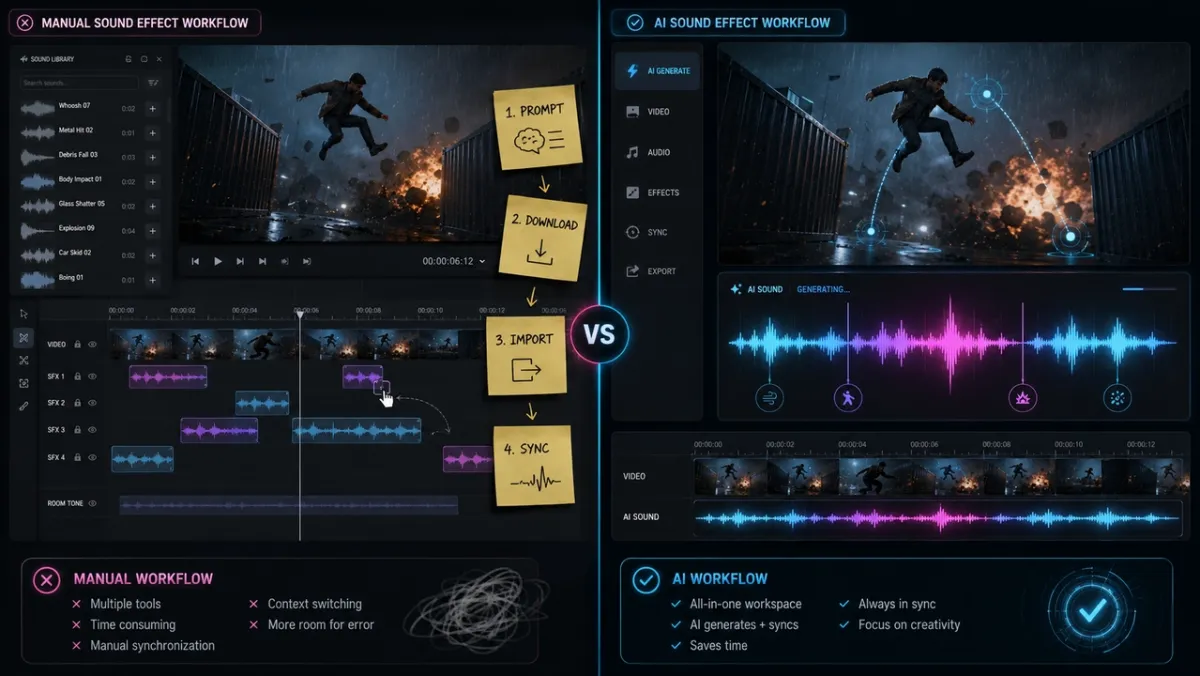
Dalam tes dengan pintu kayu berat yang menutup, PixVerse menghasilkan thud dalam pada titik impact visual. Dengan “Keep original audio”, suara baru bisa bercampur dengan room tone asli. Nilai utamanya adalah menghilangkan siklus search, download, import, dan manual alignment.
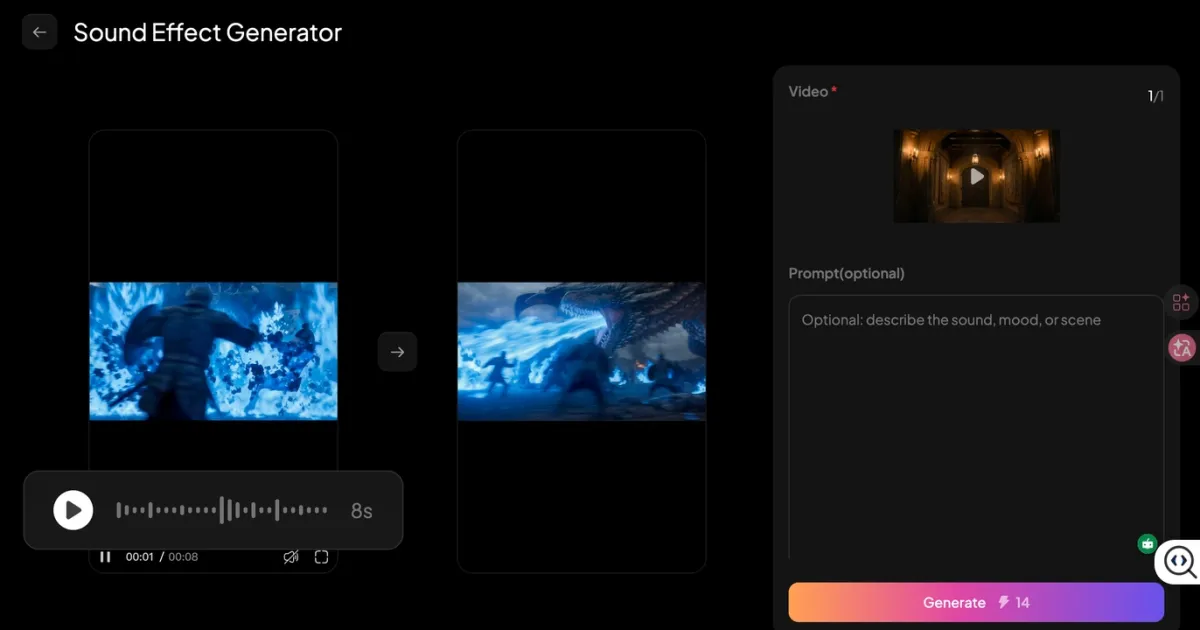
PixVerse kuat untuk short clips, social video, dan AI video workflows. Tool ini bukan pengganti multitrack film mix, tetapi sangat cepat untuk melengkapi audio klip pendek.
2. ElevenLabs Sound Effects: terbaik untuk cinematic text-to-SFX
ElevenLabs Sound Effects berbasis text-to-audio. Dokumentasinya mencantumkan duration, looping, dan prompt influence controls; setiap generation membuat empat variasi.
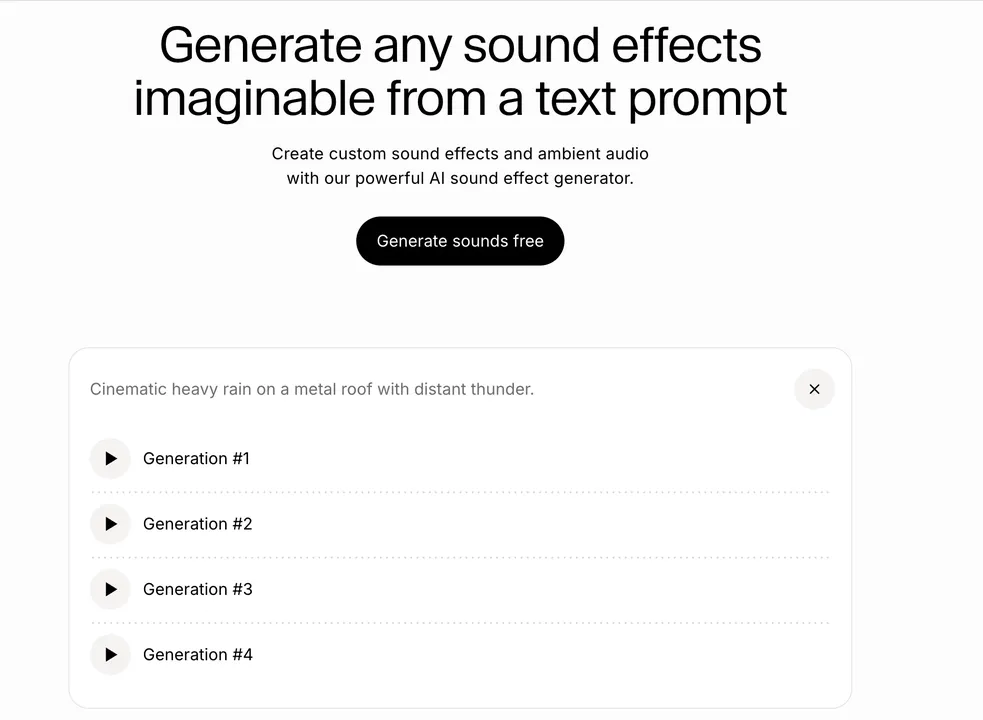
Prompt “Cinematic heavy rain on a metal roof with distant thunder” menghasilkan ambience yang berguna dengan cepat. Namun setelah download, thunder masih harus digeser manual di Premiere Pro agar cocok dengan lightning.
3. Adobe Firefly Generate Sound Effects: terbaik untuk Adobe workflow
Adobe Firefly Generate Sound Effects menerima text, reference audio, dan microphone performance. Ini membantu mengarahkan timing dan intensity.
Tool ini berguna jika Anda sudah bekerja di ekosistem Adobe, tetapi untuk klip eksternal tetap membutuhkan keputusan placement dan layering.
4. Canva AI Sound Effect Generator: terbaik untuk social/design cepat
Canva AI Sound Effect Generator cocok untuk social posts, presentations, product explainers, dan editing ringan. Pengguna memasukkan prompt, duration, dan intensity, lalu menggunakan hasilnya dalam Canva project.
Tool ini mudah, tetapi bukan audio workstation profesional dan tidak khusus untuk menganalisis video motion.
5. LoudMe AI Sound Effect Generator: terbaik untuk browser SFX
LoudMe menekankan text prompts, downloads, sharing, dan royalty-free use. Cocok untuk nature, urban, machinery, creature, game, dan production effects, tetapi workflow-nya tetap generate, download, dan manual placement.
6. CapCut AI Sound Effects Generator: terbaik untuk short-form editing
CapCut AI Sound Effects Generator unggul karena nyaman di editor. CapCut menyatakan aplikasinya dapat menganalisis proyek dan menambahkan efek yang cocok dengan motion, transitions, dan scene changes.
Pada klip berjalan di hutan, pencarian “crunchy autumn leaves footsteps” memberi opsi yang usable dengan cepat. Bagus untuk pengguna CapCut, tetapi kurang portable untuk asset dari banyak platform.
7. Pika Pikaformance: terbaik dalam Pika workflow
Pricing page Pika mencantumkan Pikaformance dengan audio hingga 10 detik pada free access dan hingga 30 detik pada paid access, 3 credits per second. Cocok jika video dan audio tetap berada di Pika.
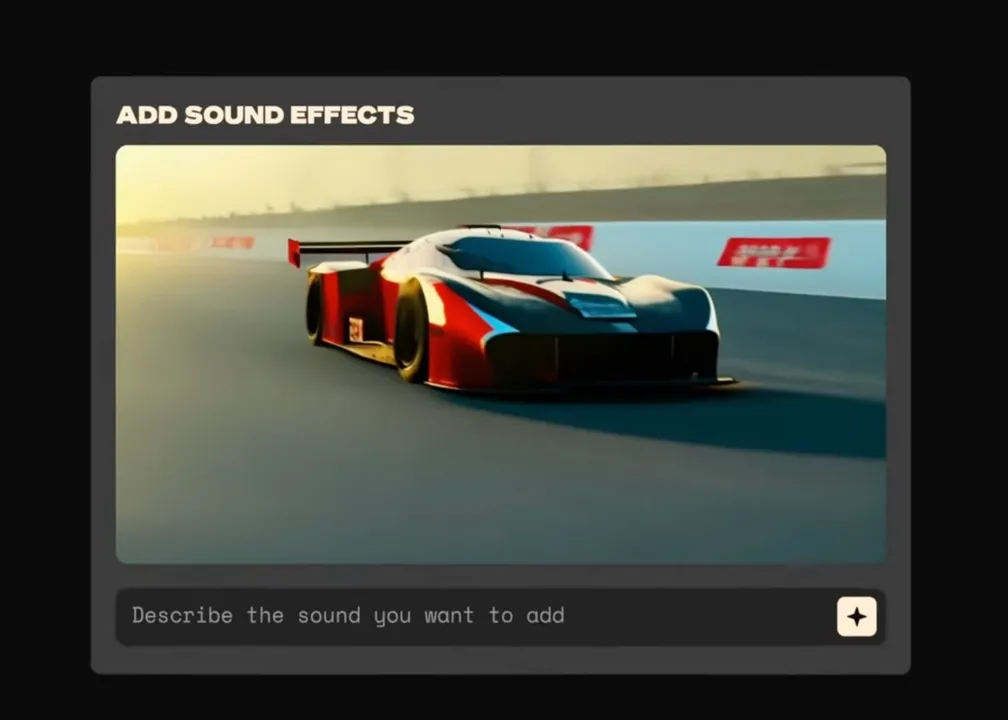
Untuk klip eksternal apa pun, workflow ini tidak seopen dedicated video-to-audio.
8. Meta AudioCraft: terbaik untuk developer
Meta AudioCraft adalah open-source library untuk audio processing dan generation. Ada AudioGen dan MusicGen, cocok untuk tim teknis yang ingin membangun pipeline sendiri.
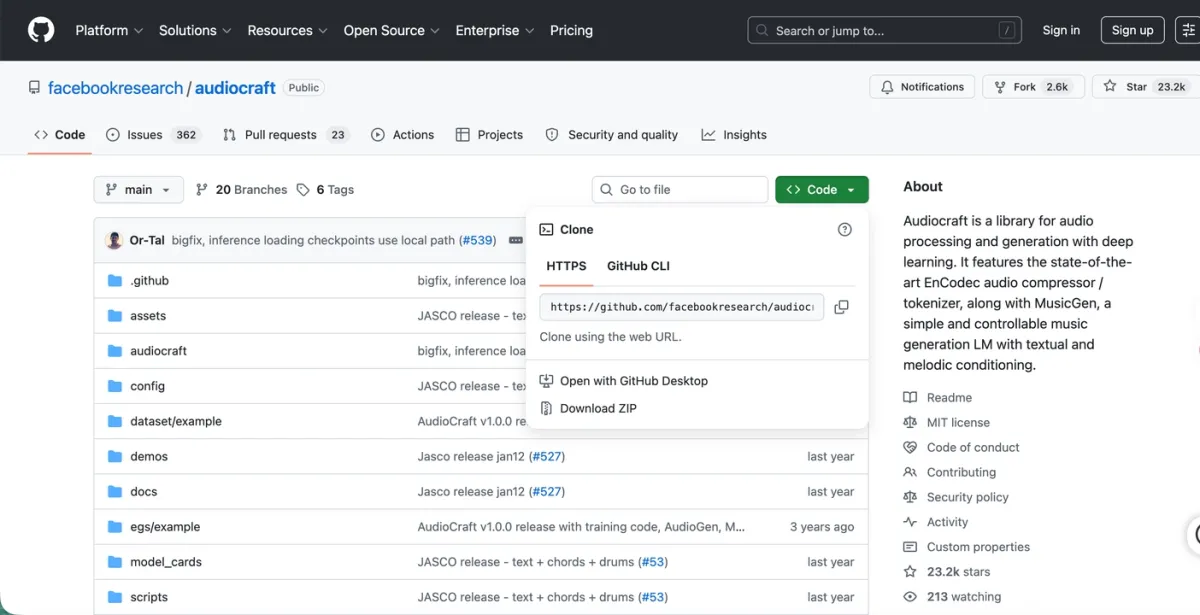
Kelebihannya local control. Biaya nyata adalah GPU, engineering, dan operations. Sinkron dengan video setelah export tetap manual.
9. MyEdit AI Sound Effect Generator: terbaik untuk browser tasks
MyEdit adalah browser tool ringan untuk beep, pop, transition, whoosh, dan ambience pendek.
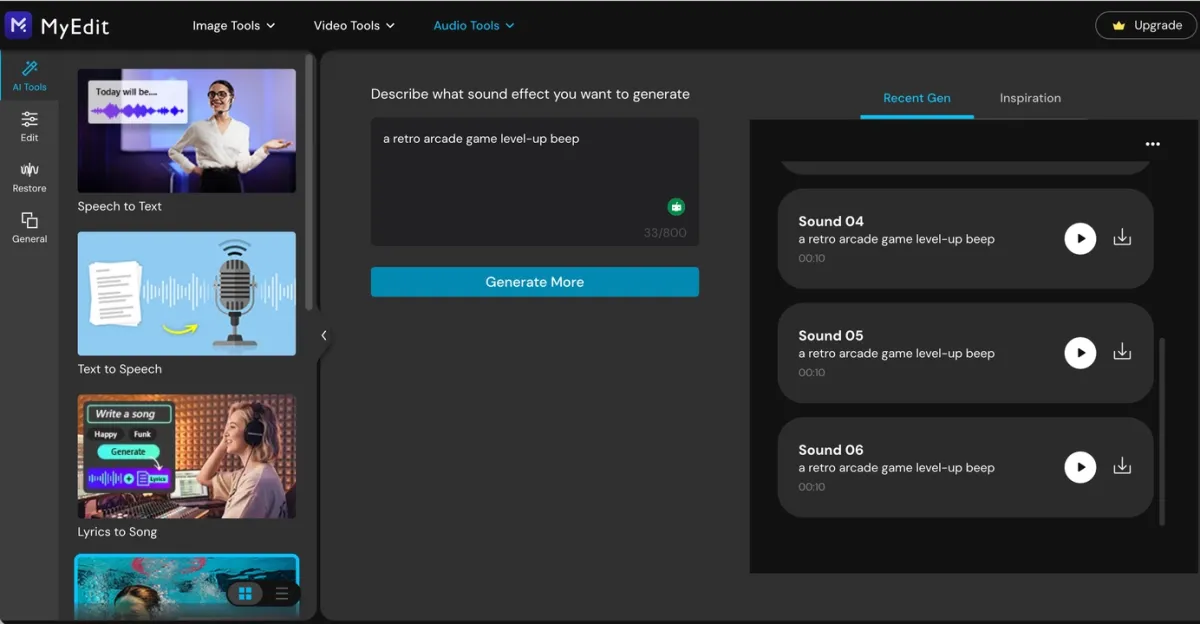
Karena tidak berpusat pada video analysis, hasilnya perlu di-download dan disinkronkan manual.
AI sound effect generator from video terbaik
Jika intent-nya “AI sound effect generator from video”, cari tool yang menerima clip sebagai input, bukan hanya text prompt. Dalam perbandingan ini, PixVerse adalah salah satu pilihan paling jelas untuk video-to-audio workflow; CapCut juga relevan jika Anda sudah edit di CapCut.
Berguna untuk door slams, footsteps, object drops, transitions, silent AI videos, dan automation lewat source video ID. Film mix kompleks, game audio system, atau layered sound design tetap membutuhkan DAW, NLE, atau audio workflow khusus.
Contoh prompt
| Use case | Prompt |
|---|---|
| Product video | “soft magnetic snap of a premium cosmetic compact closing, clean studio sound, short and satisfying” |
| Cinematic impact | “heavy wooden door slamming shut in a stone hallway, deep thud, subtle room echo” |
| UI | “bright futuristic interface confirmation beep, tiny sparkle tail, under one second” |
| Nature | “light rain on leaves in a quiet forest, gentle wind, no thunder, seamless loop” |
| Action | “motorcycle tire skid on wet asphalt, close perspective, sharp start, short fade” |
| Game | “retro arcade level-up chime, playful 8-bit energy, two seconds” |
Masalah AI audio umum dan cara memperbaikinya
Suara tidak pas di frame yang tepat
Klip mungkin punya terlalu banyak aksi yang bisa dianggap sumber suara. Potong ke 2-3 detik aksi utama dan tambahkan petunjuk singkat seperti “door slam” atau “soft object drop”.
Audio terdengar keruh
Efek yang dibuat bisa bertabrakan dengan musik, dialog, atau noise asli. Matikan original audio, turunkan track lama, atau buat efek yang lebih pendek dan bersih.
Tool membuat suara yang salah
Jelaskan material, action, dan intensity dengan lebih spesifik. “Impact” terlalu umum; “small ceramic cup tapping a wooden table” lebih jelas.
Suara yang dibuat terlalu panjang
Masukkan durasi langsung di prompt: “under one second”, “short hit”, atau “two-second loop”.
Workflow masih terasa lambat
Jika waktu habis untuk download, import, dan geser audio manual, Anda mungkin memakai text-to-audio untuk masalah video sync. Coba video-to-audio atau editor-native sync lebih dulu.
FAQ
AI sound effect generator terbaik untuk video apa?
Jika suara harus mengikuti aksi visual, prioritaskan PixVerse karena bisa upload video dan membuat efek tersinkron. Jika Anda mengedit di CapCut, CapCut juga perlu dibandingkan.
Apakah AI sound effect generator bisa membuat suara dari video?
Bisa. Tool video-to-audio memakai klip sebagai input, memperkirakan aksi utama dan timing, lalu membuat efek yang sesuai.
Apa beda text-to-audio dan video-to-audio?
Text-to-audio membuat audio dari prompt. Video-to-audio mulai dari klip dan memakai gambar untuk menentukan jenis suara serta timing.
Tool gratis mana yang terbaik?
Developer bisa melihat Meta AudioCraft. Creator umum bisa membandingkan akses gratis atau freemium Canva, ElevenLabs, CapCut, Pika, LoudMe, dan MyEdit.
Apakah efek suara AI royalty-free?
Tidak selalu. Meski platform menulis royalty-free atau commercial-ready, cek terms terbaru untuk ads, games, client work, dan video monetized.
Bolehkah suara yang dibuat dipakai di YouTube, TikTok, atau iklan?
Gunakan hanya jika terms saat ini jelas mencakup account, plan, project type, dan distribution channel Anda.
Bisa memakai PixVerse Sound Effect Generator dengan PixVerse V6?
Bisa. Anda dapat membuat video dengan PixVerse V6, lalu menambahkan efek tersinkron lewat Sound Effect Generator.
Bagaimana menulis prompt AI sound effect yang baik?
Mulai dari object dan action, lalu tambahkan material, space, mood, dan duration. Contoh: “heavy metal gate closing in an empty warehouse, deep echo, two seconds”.
Tool mana yang sebaiknya dipilih?
PixVerse untuk video sync, ElevenLabs untuk text-to-SFX detail, Firefly untuk Adobe, Canva untuk social ringan, LoudMe atau MyEdit untuk browser tasks, CapCut untuk editing di CapCut, dan AudioCraft untuk developer.
Kesimpulan
Generator terbaik tidak sama untuk semua creator. Text-to-audio cocok untuk suara independen, browser tools cocok untuk kecepatan, dan editor-native tools cocok jika workflow Anda sudah ada di app tersebut.
Bagi video creator, pertanyaan utama adalah sinkronisasi. Jika suara masih harus ditempatkan manual, workflow tetap lambat. PixVerse mengisi celah ini dengan membuat sound effects from video dan menyelaraskannya dengan action.
Coba PixVerse Sound Effect Generator untuk mengubah klip berikutnya menjadi audiovisual asset yang lebih lengkap.