AI Sound Effect Generator tốt nhất 2026: 9 công cụ
Chọn AI sound effect generator phù hợp cho video sync, text-to-SFX, Adobe workflow, social clips, game audio và sử dụng thương mại.
Tạo video ngày càng nhanh, nhưng audio hậu kỳ vẫn làm nhiều creator chậm lại. Vấn đề không chỉ là tạo được âm thanh, mà là workflow đó có hợp với video, platform, quyền sử dụng và timeline chỉnh sửa hay không.
Bài viết này so sánh 9 AI sound effect generator theo use case, input method, video sync, pricing, rights và workflow friction.
Nếu ý tưởng sáng tạo bắt đầu từ bài nhạc thay vì video sẵn có, Vibe MV là quy trình thiên về âm thanh phù hợp hơn. Với bản dựng quảng bá kết hợp video hoàn chỉnh cùng phần đóng gói theo chiến dịch, Promo Mix là một lựa chọn bổ trợ. Để khám phá các quy trình sáng tạo đầy đủ của PixVerse, hãy xem trình tạo video AI.
Cách chọn AI Sound Effect Generator
AI sound effect generator tốt nhất là công cụ giảm nhiều việc nhất khỏi audio workflow thực tế của bạn.
Trước khi so sánh công cụ, hãy hỏi 5 câu này:
- Text-to-sound hay video-to-audio? Dùng text-to-sound khi bạn mô tả được âm thanh; dùng video-to-audio khi âm thanh phải đi theo hành động trong hình.
- Âm thanh có cần khớp motion không? Nếu hit, footstep, transition hoặc impact phải rơi đúng frame, hãy ưu tiên video upload hoặc editor-native sync.
- Quyền thương mại có rõ không? Chỉ dùng khi terms hiện tại bao phủ plan, loại dự án và kênh phân phối của bạn.
- Có cần WAV, MP3, loop hoặc duration control không? Game, ads và pro editing cần downloadable audio và timing controls; social post nhanh có thể chỉ cần in-app audio.
- Tool có gần workflow của bạn không? Social dùng CapCut/Canva, Adobe dùng Firefly, developer xem AudioCraft, clip cần sync dùng video-to-audio tools.
Text-to-Audio vs Video-to-Audio
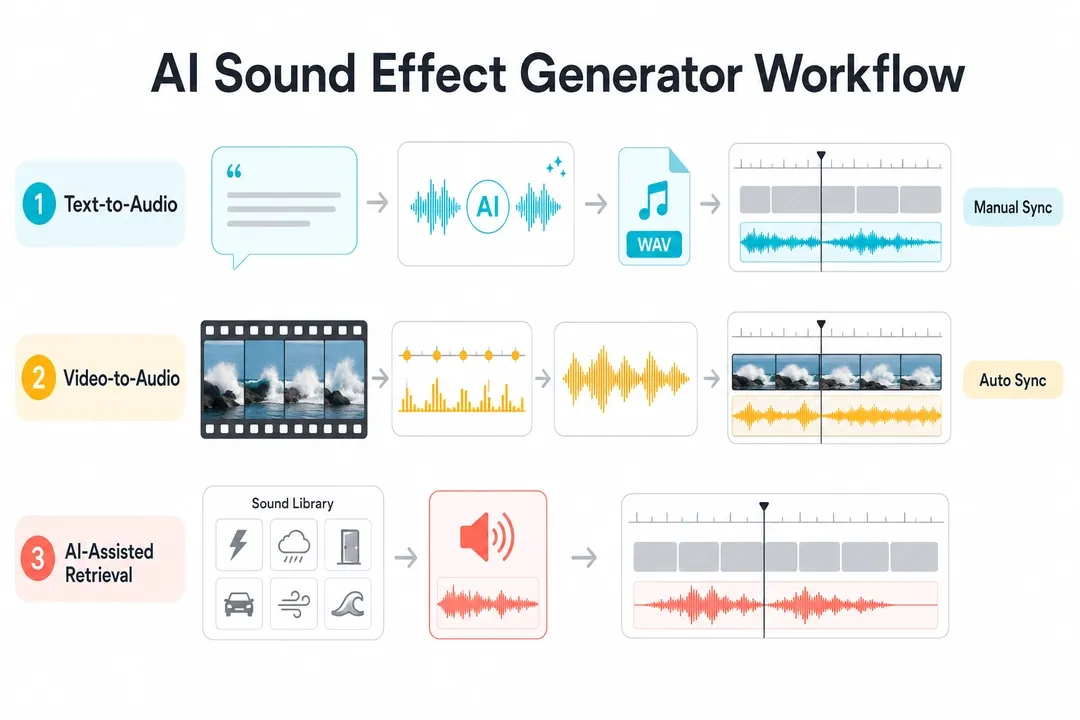
Ngắn gọn: text-to-audio hợp với sound design độc lập, video-to-audio hợp khi timing với clip là quan trọng.
- Text-to-audio bắt đầu từ prompt và hợp với Foley, ambience, UI sounds, game audio, fantasy effects, nhưng thường cần sync thủ công.
- Video-to-audio bắt đầu từ video clip hoặc timeline và hợp với footsteps, impacts, transitions, product demos, AI videos cần sync.
- AI-assisted retrieval bắt đầu từ sound library hoặc editor project, nhanh cho swipes, clicks, whooshes và ambience nhưng ít unique hơn.
Nên thử công cụ nào trước?
- Video sync: so sánh PixVerse và CapCut.
- Cinematic text-to-SFX: so sánh ElevenLabs, Adobe Firefly và LoudMe.
- Adobe workflows: bắt đầu với Adobe Firefly.
- Social creators: bắt đầu với CapCut hoặc Canva.
- Open-source: bắt đầu với Meta AudioCraft.
- Quick browser tasks: so sánh Canva, MyEdit và LoudMe.
- Games and apps: so sánh ElevenLabs, LoudMe và Meta AudioCraft.
So sánh nhanh AI Sound Effect Generator
| Công cụ | Phù hợp nhất | Input | Video sync | Giá / truy cập |
|---|---|---|---|---|
| PixVerse Sound Effect Generator | Video-to-audio sync for clips, ads, and AI videos | Video upload; optional text hint | Aligns sound to motion; can keep original audio | Credit-based; 6s test used 14 credits |
| ElevenLabs Sound Effects | Detailed text-to-SFX prompts and variations | Text prompt | Manual sync after download | Free tier; Starter listed at $6/month on 2026-06-23 |
| Adobe Firefly Generate Sound Effects | Adobe workflows with prompt, reference, or mic | Text, reference audio, mic | Can add to media, still needs placement choices | Depends on Adobe plan and credits |
| Canva AI Sound Effect Generator | Quick social and design projects | Text, duration, intensity | Inside Canva projects | One free custom SFX credit listed |
| LoudMe AI Sound Effect Generator | Browser SFX for creators and game/audio projects | Text | Download and place manually | Free entry; commercial use depends on paid terms |
| CapCut AI Sound Effects Generator | Short-form editors in CapCut | Project analysis, library | CapCut says it can add matching effects | Free entry; Pro/AI varies |
| Pika video workflow | Pika-native video workflow | Pika workflow | Audio stays inside Pika | Basic $0; paid yearly from $8/month |
| Meta AudioCraft | Developers and researchers | Text prompt through code | Manual sync after export | Open-source; hardware and ops cost |
| MyEdit AI Sound Effect Generator | Quick browser tasks | Text | Manual sync after download | Freemium; check limits |
Cách chúng tôi chọn công cụ
Chúng tôi đánh giá từ góc nhìn sản xuất video, không chỉ chất lượng audio riêng lẻ. Tiêu chí gồm use case, input method, video sync, output control, rights/pricing clarity và workflow friction.
1. PixVerse Sound Effect Generator: tốt nhất cho video-to-audio sync
PixVerse Sound Effect Generator phù hợp với creator muốn tạo sound effects từ video và căn theo motion. Thay vì yêu cầu mô tả mọi âm thanh bằng text, công cụ dùng video upload làm source. PixVerse Platform Docs cũng có API endpoint nhận source video ID, original sound switch và optional SFX content.
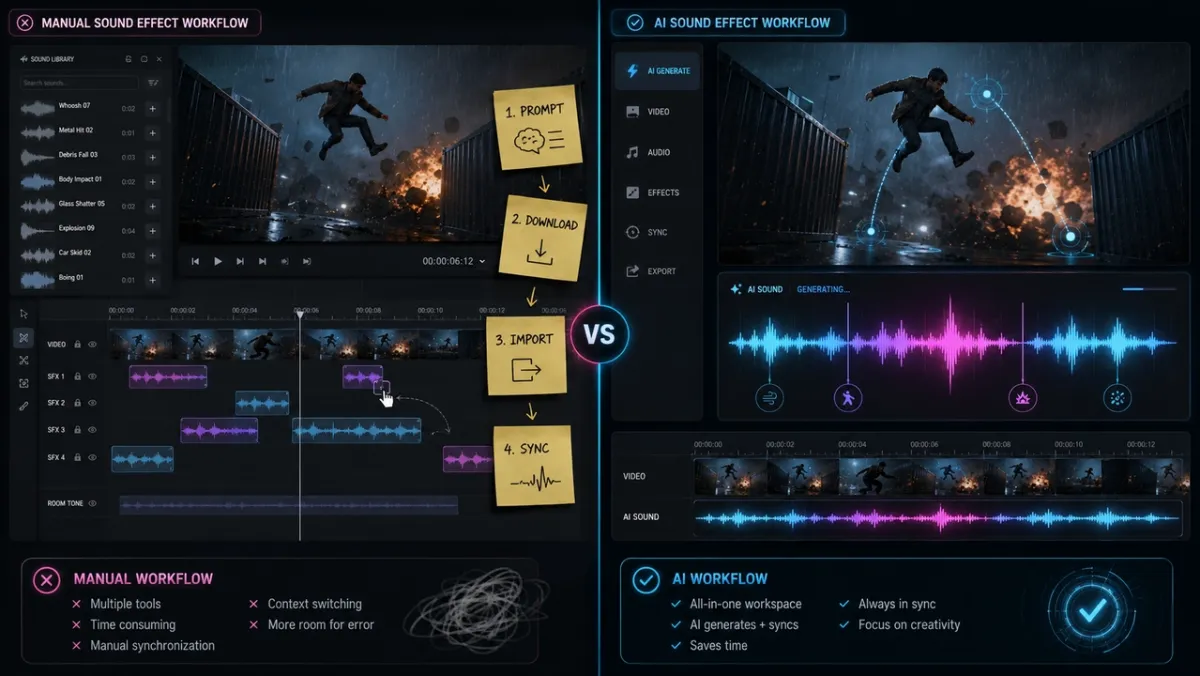
Trong thử nghiệm với clip cửa gỗ nặng đóng lại, PixVerse tạo tiếng thud sâu đúng điểm impact. Với “Keep original audio”, tiếng mới trộn cùng room tone gốc. Giá trị chính là bỏ qua vòng search, download, import và manual alignment.
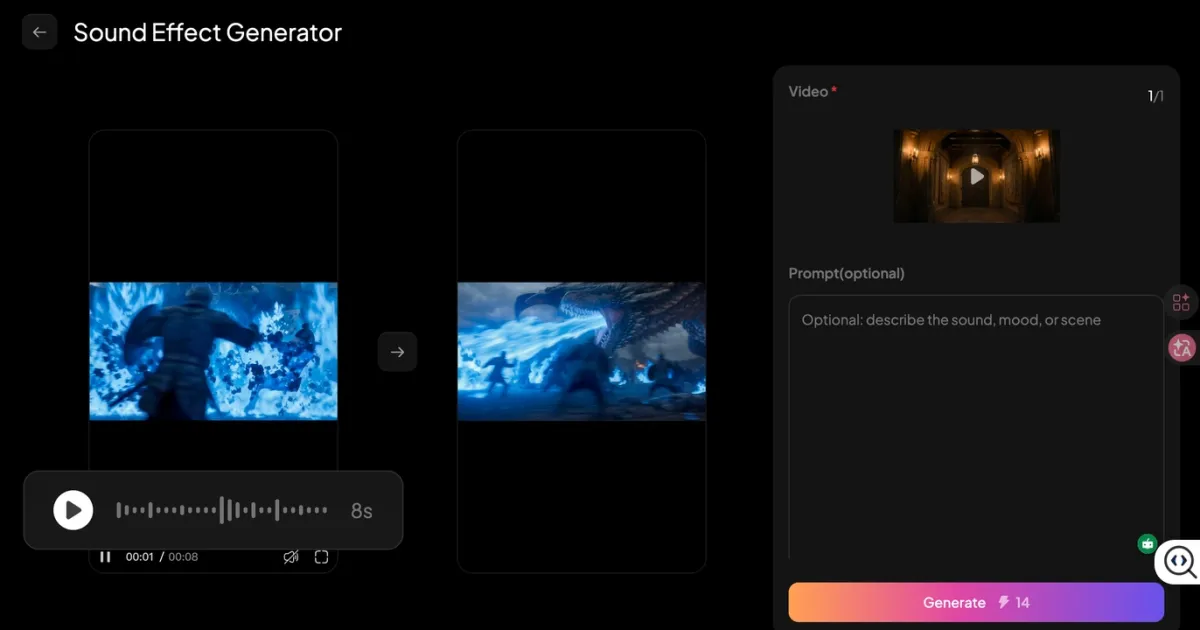
PixVerse mạnh với short clips, social video và AI video workflows. Nó không thay thế multitrack film mix, nhưng giúp hoàn thiện âm thanh cho clip ngắn rất nhanh.
2. ElevenLabs Sound Effects: tốt nhất cho cinematic text-to-SFX
ElevenLabs Sound Effects xoay quanh text-to-audio. Tài liệu có duration, looping và prompt influence controls; mỗi generation tạo 4 variations.
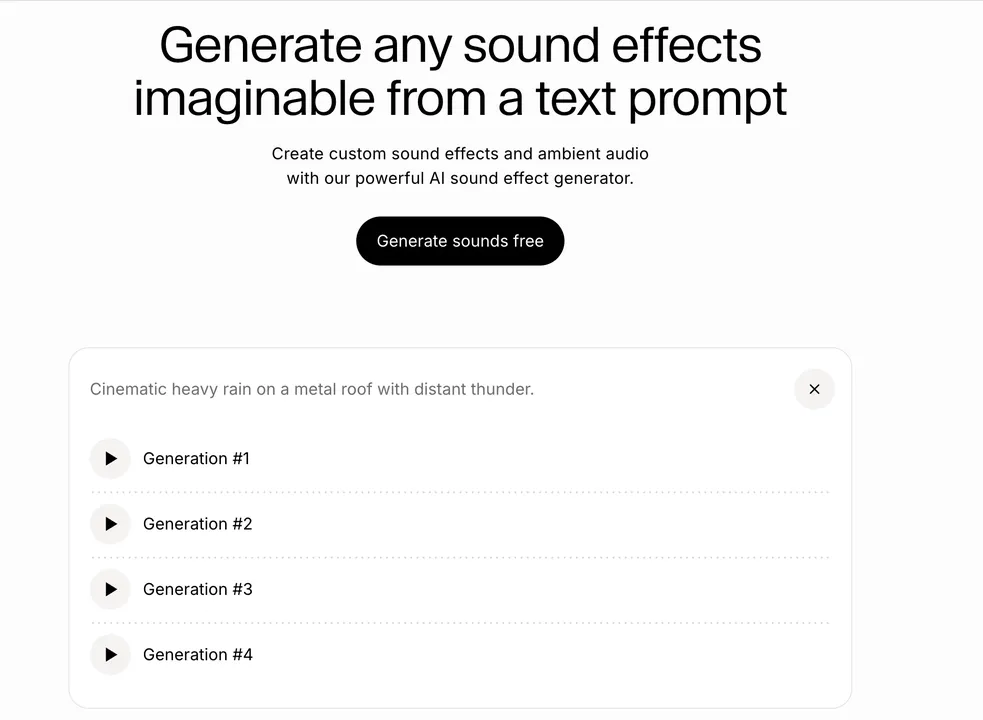
Prompt “Cinematic heavy rain on a metal roof with distant thunder” tạo ambience dùng được rất nhanh. Nhưng sau download, chúng tôi vẫn phải kéo thunder trong Premiere Pro để khớp với lightning.
3. Adobe Firefly Generate Sound Effects: tốt nhất cho Adobe workflow
Adobe Firefly Generate Sound Effects nhận text, reference audio và microphone performance. Nó hữu ích với người đã làm trong Adobe, nhưng với clip ngoài vẫn cần quyết định placement và layering.
4. Canva AI Sound Effect Generator: tốt nhất cho social/design nhanh
Canva AI Sound Effect Generator phù hợp với social posts, presentations, product explainers và chỉnh sửa nhẹ. Người dùng nhập prompt, đặt duration/intensity rồi dùng trong Canva project.
Điểm mạnh là dễ dùng, nhưng đây không phải audio workstation chuyên sâu và không chuyên phân tích motion của video.
5. LoudMe AI Sound Effect Generator: tốt nhất cho browser SFX
LoudMe nhấn mạnh text prompts, downloads, sharing và royalty-free use. Công cụ hữu ích cho nature, urban, machinery, creature, game và production effects, nhưng vẫn cần generate, download và đặt thủ công.
6. CapCut AI Sound Effects Generator: tốt nhất cho short-form editing
CapCut AI Sound Effects Generator tiện trong editor. CapCut cho biết app có thể phân tích project và thêm effects khớp motion, transitions và scene changes.
Với clip đi bộ trong rừng, tìm “crunchy autumn leaves footsteps” cho kết quả nhanh và dùng được. Phù hợp với người edit trong CapCut, nhưng kém portable hơn khi asset đến từ nhiều nền tảng.
7. Pika Pikaformance: tốt nhất trong Pika workflow
Trang pricing của Pika liệt kê Pikaformance với audio tối đa 10 giây ở free access và 30 giây ở paid access, giá 3 credits/second. Nó phù hợp khi video và audio đều ở trong Pika.
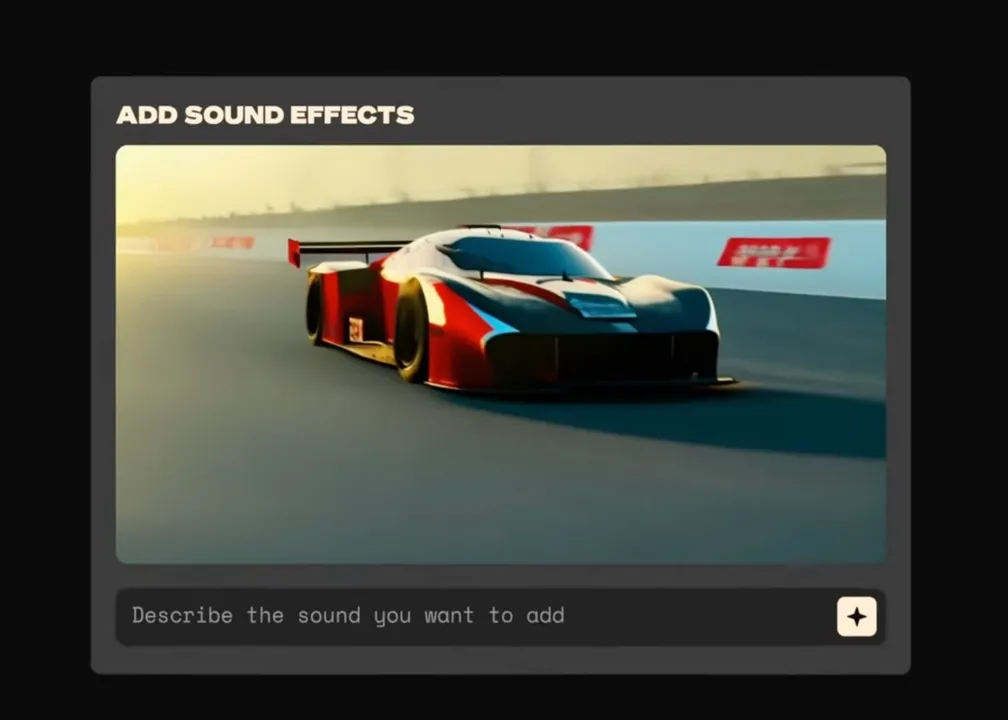
Với clip bên ngoài bất kỳ, nó không mở như dedicated video-to-audio workflow.
8. Meta AudioCraft: tốt nhất cho developer
Meta AudioCraft là open-source library cho audio processing và generation. Nó gồm AudioGen và MusicGen, phù hợp với đội kỹ thuật muốn xây pipeline riêng.
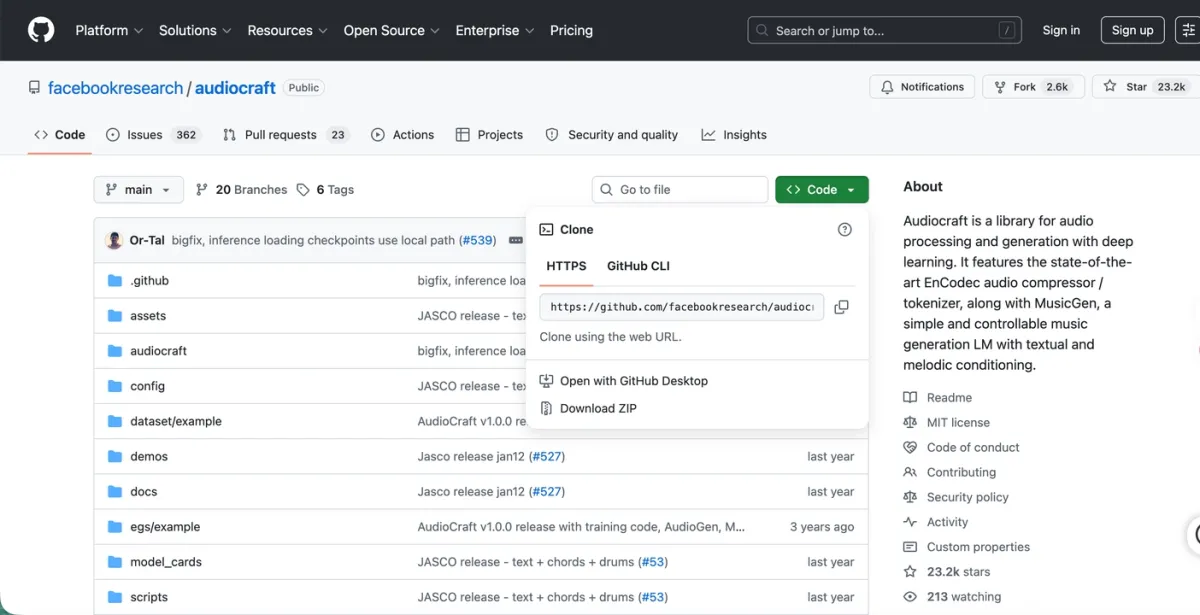
Điểm mạnh là local control. Chi phí thật là GPU, engineering và operations. Sync với video sau export vẫn thủ công.
9. MyEdit AI Sound Effect Generator: tốt nhất cho browser tasks
MyEdit là browser tool nhẹ cho beep, pop, transition, whoosh và ambience ngắn.
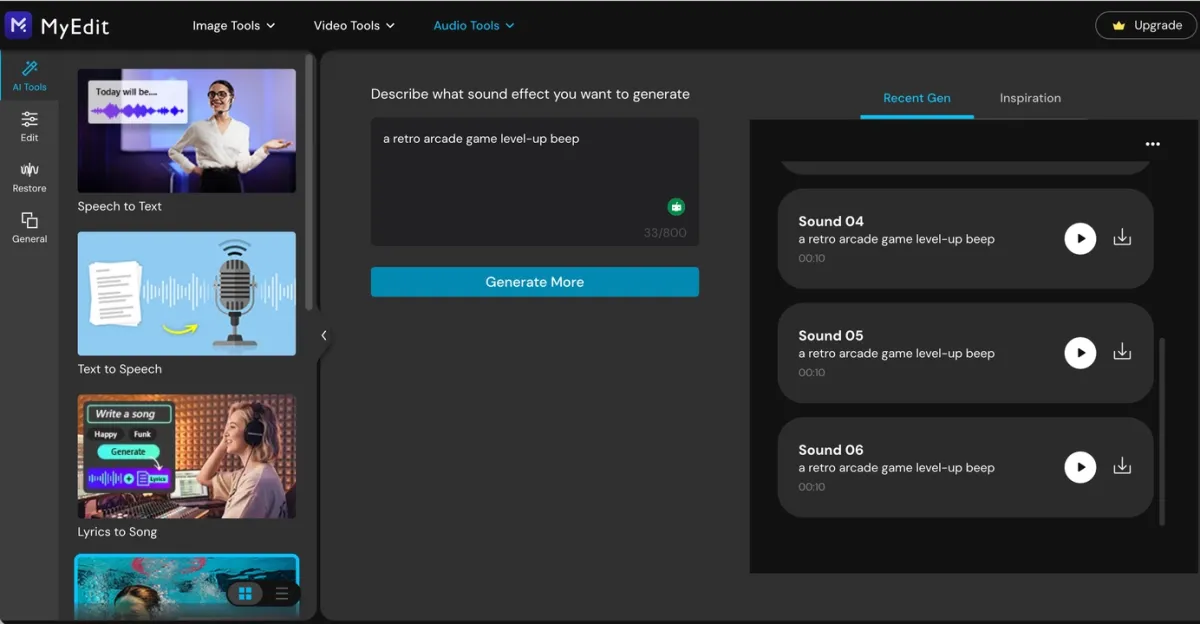
Nó không dựa trên video analysis nên cần download và sync thủ công.
AI Sound Effect Generator From Video tốt nhất
Nếu intent là “AI sound effect generator from video”, hãy tìm tool nhận chính clip làm input thay vì chỉ nhận text prompt. Trong so sánh này, PixVerse là một lựa chọn rõ cho video-to-audio workflow; CapCut cũng phù hợp nếu bạn đã edit trong CapCut.
Hữu ích cho door slams, footsteps, object drops, transitions, silent AI videos và automation bằng source video ID. Film mix phức tạp, game audio system hoặc layered sound design vẫn cần DAW, NLE hoặc audio workflow riêng.
Prompt examples
| Use case | Prompt |
|---|---|
| Product video | “soft magnetic snap of a premium cosmetic compact closing, clean studio sound, short and satisfying” |
| Cinematic impact | “heavy wooden door slamming shut in a stone hallway, deep thud, subtle room echo” |
| UI | “bright futuristic interface confirmation beep, tiny sparkle tail, under one second” |
| Nature | “light rain on leaves in a quiet forest, gentle wind, no thunder, seamless loop” |
| Action | “motorcycle tire skid on wet asphalt, close perspective, sharp start, short fade” |
| Game | “retro arcade level-up chime, playful 8-bit energy, two seconds” |
Lỗi AI audio thường gặp và cách sửa
Âm thanh không đúng frame
Clip có thể có quá nhiều hành động dễ bị hiểu là nguồn âm. Hãy cắt còn 2-3 giây hành động chính và thêm gợi ý ngắn như “door slam” hoặc “soft object drop”.
Audio nghe đục
Hiệu ứng tạo ra có thể va với nhạc, thoại hoặc noise có sẵn. Tắt original audio, giảm track cũ hoặc tạo hiệu ứng ngắn và khô hơn.
Công cụ tạo sai âm thanh
Mô tả rõ material, action và intensity. “Impact” quá rộng; “small ceramic cup tapping a wooden table” cụ thể hơn nhiều.
Âm thanh tạo ra quá dài
Viết duration vào prompt, ví dụ “under one second”, “short hit” hoặc “two-second loop”.
Workflow vẫn chậm
Nếu bạn mất thời gian download, import và kéo audio thủ công, có thể bạn đang dùng text-to-audio để giải bài toán video sync. Hãy thử video-to-audio hoặc editor-native sync trước.
FAQ
AI sound effect generator nào tốt nhất cho video?
Nếu âm thanh phải đi theo hành động trong hình, ưu tiên PixVerse vì có thể upload video và tạo hiệu ứng sync. Nếu bạn đang edit trong CapCut, CapCut cũng đáng so sánh.
AI sound effect generator có tạo âm thanh từ video không?
Có. Công cụ video-to-audio dùng clip làm input, ước lượng hành động chính và timing rồi tạo hiệu ứng phù hợp.
Text-to-audio khác video-to-audio thế nào?
Text-to-audio tạo audio từ prompt. Video-to-audio bắt đầu từ clip và dùng hình ảnh để dẫn hướng loại âm thanh và thời điểm xuất hiện.
Công cụ miễn phí nào tốt?
Developer có thể dùng Meta AudioCraft. Creator phổ thông nên so sánh gói miễn phí hoặc freemium của Canva, ElevenLabs, CapCut, Pika, LoudMe và MyEdit.
Hiệu ứng âm thanh AI có royalty-free không?
Không phải lúc nào cũng vậy. Dù nền tảng ghi royalty-free hoặc commercial-ready, hãy kiểm tra terms hiện tại trước khi dùng cho ads, games, client work hoặc video kiếm tiền.
Có thể dùng âm thanh tạo ra cho YouTube, TikTok hoặc ads không?
Chỉ nên dùng khi terms hiện tại bao phủ account, plan, project type và distribution channel của bạn.
Có thể dùng PixVerse Sound Effect Generator với PixVerse V6 không?
Có. Bạn có thể tạo video bằng PixVerse V6, rồi thêm hiệu ứng sync bằng Sound Effect Generator.
Viết prompt AI sound effect tốt như thế nào?
Bắt đầu bằng object và action, rồi thêm material, space, mood và duration. Ví dụ: “heavy metal gate closing in an empty warehouse, deep echo, two seconds”.
Nên chọn công cụ nào?
PixVerse cho video sync, ElevenLabs cho text-to-SFX chi tiết, Firefly cho Adobe, Canva cho social nhẹ, LoudMe hoặc MyEdit cho browser tasks, CapCut cho edit trong CapCut và AudioCraft cho developer.
Kết luận
Công cụ tốt nhất không giống nhau với mọi creator. Text-to-audio phù hợp với âm thanh độc lập, browser tools phù hợp với tốc độ, editor-native tools phù hợp khi workflow đã ở trong app đó.
Với video creator, câu hỏi lớn là synchronization. Nếu vẫn phải đặt âm thanh thủ công, workflow vẫn chậm. PixVerse giải quyết điểm này bằng cách tạo sound effects from video và căn theo action.
Hãy thử PixVerse Sound Effect Generator để biến clip tiếp theo thành audiovisual asset hoàn chỉnh hơn.