Best AI Sound Effect Generators: A 2026 Workflow Audit
Compare AI sound effect generators for video: six tools on fidelity, text-to-audio versus video-to-audio sync, pricing, and when manual timeline work still wins.
Video creation is faster than ever today. Yet, post-production audio editing remains a massive bottleneck for most creators. You can generate a stunning video clip in seconds. But finding and matching the right audio track often takes minutes or even hours.
Creators need tools that actually save time. That is why finding the best ai sound effect generator is no longer just about audio quality. It is about how fast you can sync that sound to your video. If you are spending five minutes aligning a five-second audio clip, your workflow is fundamentally broken. A true productivity tool must address the friction of the entire editing process. This article audits the top tools available today to help you fix that specific problem.
The 3 Paradigms of Audio Generation
To evaluate any ai sound effect generator, we must first look at its underlying structure. The current market operates across three distinct workflow paradigms. Understanding these categories is the first step to optimizing your production speed.
Paradigm 1: AI-Assisted Retrieval
These tools operate primarily within traditional editing software. They use AI semantic understanding to search massive pre-existing asset libraries. They do not create new sounds from scratch. They act as intelligent search engines to help you find existing assets faster. The workflow is familiar, but it is strictly limited by the size of the database.
Paradigm 2: Text-to-Audio
This paradigm is the current standard for high-fidelity sound design. Users type a descriptive prompt, and the model synthesizes a unique audio file. The quality is often exceptional. However, this approach introduces severe workflow fragmentation. The output from this type of sound effect generator is completely disconnected from your visual timeline. You must download the file manually, import it into your editing software, and adjust it frame by frame to match the visual action.
Paradigm 3: Video-to-Audio
This is the emerging standard for post-production efficiency. These systems eliminate the need for manual text prompts by directly analyzing your uploaded video frames. The system automatically detects motion, physical impacts, and environmental changes. It then generates and aligns the audio track in a single step. This approach closes the gap between visual input and audio output.
The 2026 Audit: Testing the Best AI Sound Effect Generator Tools
Data-Driven Comparison: Efficiency vs. Fidelity
Before reviewing each tool individually, we present a technical breakdown of the market. The table below compares the six platforms based on their input methods, synchronization capabilities, target audience, and pricing structures.
| Tool | Primary input | Sync and workflow | Best for | Pricing (indicative) |
|---|---|---|---|---|
| PixVerse Sound Effect Generator | Uploaded video; optional text hint | Video-to-audio: sound aligned to motion on one screen; can keep or replace original audio | Creators who already work in PixVerse and want to skip manual timeline alignment | Credits per generation (example in testing: 14 credits for a 6s clip) |
| ElevenLabs Sound Effects | Text prompt | Text-to-audio: download file, then align in an NLE or DAW | Teams that want detailed text-driven SFX and accept manual sync | Limited free tier; paid from about $6 per month (see ElevenLabs pricing) |
| Pika (built-in audio) | Text-to-video with audio toggle | Audio generated with video in one pass; no separate upload for external clips | Users who stay inside Pika for end-to-end clips | Free daily credits on basic tier; paid from about $10 per month |
| Meta AudioCraft (AudioGen) | Text plus local / code setup | Text-to-audio: export WAV, align manually; no built-in video timeline | Developers and researchers with GPU and Python comfort | Open source; no platform fee (hardware and ops cost only) |
| CapCut Desktop (AI audio search) | Text search inside the editor | AI-assisted retrieval: pick from stock-style results on the timeline | Editors who want speed inside one app without leaving the cut | Freemium; Pro around $9.99 per month for premium assets and AI features |
| MyEdit | Text prompt in the browser | Text-to-audio: download, then sync in your editor | Quick browser-only SFX without installing software | Freemium with daily free credits; paid tiers for higher volume |
You will notice a clear divide in the data above. Some tools prioritize absolute audio fidelity through complex text prompts. They cater to users who do not mind downloading files and syncing them manually in a separate program. Other tools focus heavily on workflow speed. For example, PixVerse uses visual data directly to bypass the manual alignment process entirely. Choosing the best ai sound effect generator depends entirely on your specific production bottleneck. If your primary goal is fast video publishing, automated synchronization will save you much more time than raw audio resolution. The following section details our hands-on testing experience with each of these platforms.
We tested the leading platforms to evaluate their true production value. Each tool was tested using a specific video or text prompt. We recorded the processing time, audio fidelity, and the friction of the workflow.
1. Sound Effect Generator: The Best AI Sound Effect Generator for Video Creators
PixVerse is an established AI video generation platform. They recently expanded their ecosystem by launching a Sound Effect Generator within their Mini-Apps library. This tool introduces a video-to-audio workflow. Instead of asking users to describe a sound with text, the system analyzes the actual video frames. It understands the visual context and generates matching audio automatically. This approach specifically targets the post-production bottleneck of manual audio synchronization.
My Test Experience
We tested the tool using a short clip of a heavy wooden door closing. We accessed the tool under the “Mini Apps” section. We uploaded the video. The system read the visual data and generated a deep thud exactly when the door hit the frame. The audio aligned with the visual impact point perfectly. We then tested the “Keep original audio” toggle. This feature successfully mixed the newly generated thud with the existing background room tone from the original file. The entire process happened on a single screen without any timeline adjustments.
User Reviews
Early feedback from the creator community highlights significant time savings. Short-form video editors praise the automated synchronization. They report that skipping the traditional “search, download, and align” process speeds up their daily output. Professional sound designers note that the tool is too automated for complex cinema-grade mixing. However, they acknowledge its utility for rapid social media content creation.
Pros & Cons
- Pros:
- Zero manual synchronization is required. The audio matches the video frames automatically.
- Seamless workflow integration. Users can directly select their existing PixVerse video assets without downloading or uploading files.
- The “Keep original audio” feature provides essential mixing flexibility for videos that already have dialogue or music.
- Cons:
- The tool is restricted to single-clip processing.
- It lacks advanced multi-track editing capabilities for highly detailed sound design.
Pricing
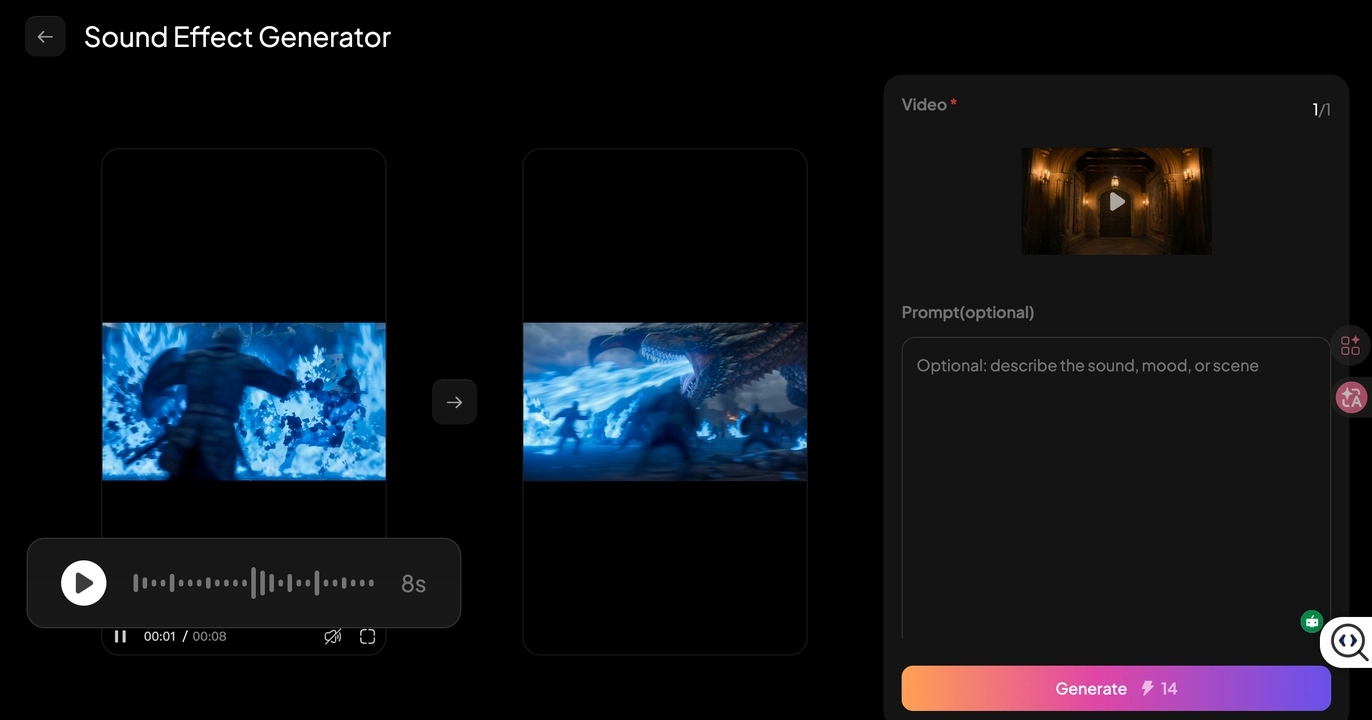
The tool operates on a flexible credit-based system. Users spend points per generation. My 6s video cost 14 credits. This structure avoids heavy monthly subscription fees and favors creators who need sound effects occasionally rather than daily.
ElevenLabs: A Premium Text-to-Audio AI Sound Effect Generator
ElevenLabs sound effect generator is an industry leader in AI voice and audio synthesis. Their sound effects tool operates on a strict text-to-audio workflow. Users type detailed text descriptions to generate specific audio clips. This platform caters primarily to professional sound designers and creators who need highly customized Foley and ambient sounds. It focuses entirely on audio generation without integrating any visual elements.
My Test Experience
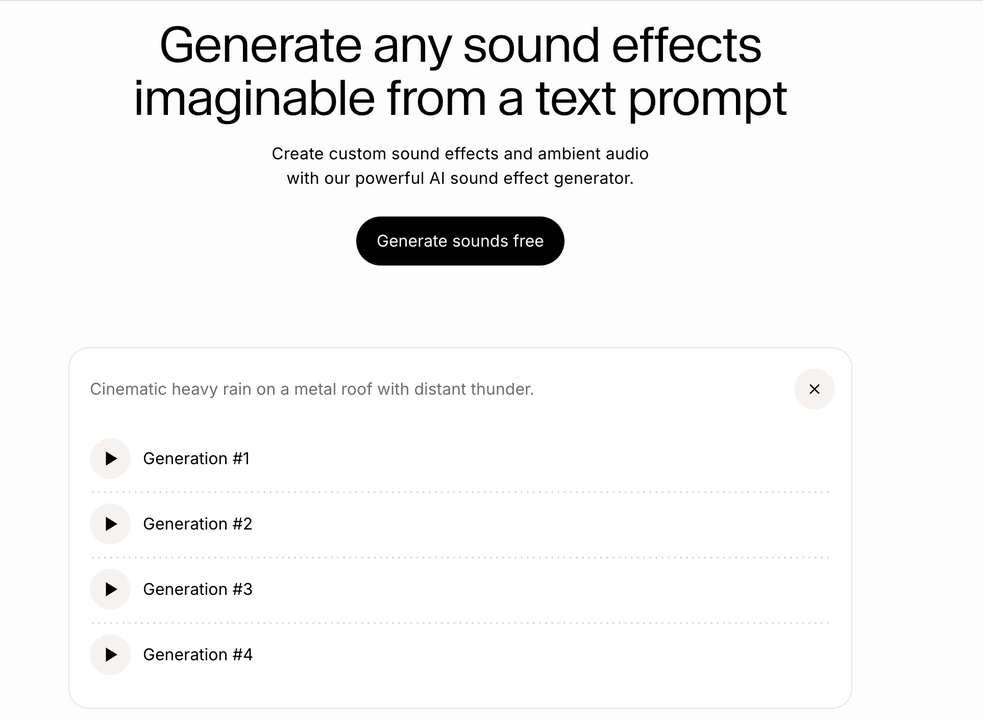
We tested ElevenLabs by entering a complex text prompt: “Cinematic heavy rain on a metal roof with distant thunder.” The system generated four audio variations in about 12 seconds. The audio quality was exceptional. The spatial depth and 48kHz resolution made it sound like a professional studio recording. However, we had to download the WAV file manually. We then imported it into Adobe Premiere Pro to align the thunderclap with a specific lightning flash in our video timeline. This manual alignment process took several minutes.
User Reviews
Professional audio engineers praise ElevenLabs for its unparalleled physical realism and audio fidelity. They appreciate the ability to generate rare sounds that are hard to find in traditional stock libraries. On the other hand, casual video editors frequently point out the workflow friction. The constant need to download files and manually sync them slows down rapid video production significantly.
Pros & Cons
- Pros:
- It delivers the highest audio fidelity and realism available in the market today.
- The model understands complex and highly specific text descriptions perfectly.
- The platform provides multiple audio variations for every single prompt.
- Cons:
- The disconnected workflow creates high friction for video editors.
- Users must align the audio manually in a separate digital audio workstation (DAW).
Pricing
ElevenLabs offers a limited free tier for testing. Paid subscriptions start at $6 per month for the Starter plan. This plan includes commercial licensing and a set number of generation credits. Higher-tier plans scale up based on monthly usage volume. For more details, you can refer to https://elevenlabs.io/pricing.
Pika: An Integrated Sound Effect AI Generator for Native Workflows
Pika sound effect maker is a well-known AI video creation platform. They recently added a built-in audio engine to their system. This tool does not function as a standalone ai sound effect generator. Instead, it generates audio at the exact same time it creates the video. This integrated approach aims to deliver a complete audiovisual asset in a single click. It targets users who want a finished product without leaving the Pika environment.
My Test Experience
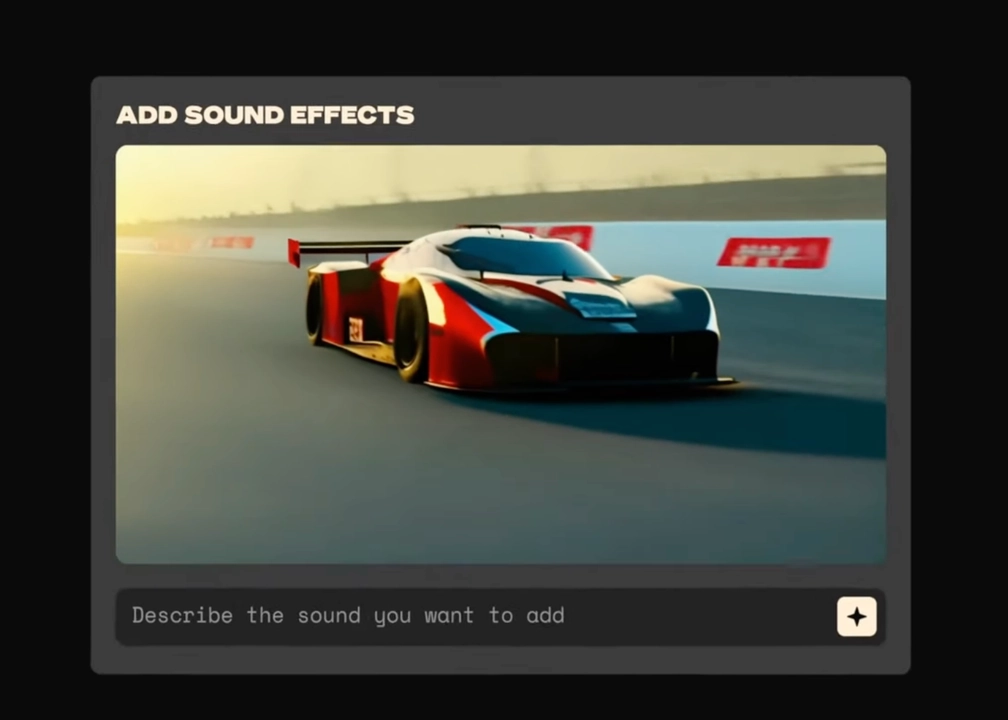
We generated a three-second video clip of a race car drifting around a tight corner using Pika. We activated the sound generation toggle before pressing generate. The final output included both the visual motion and the audio of a roaring engine with screeching tires. The sound matched the visual speed perfectly. However, the system provided no options to adjust the volume or change the audio style after the generation finished. We also could not upload an existing external video solely to generate new sound.
User Reviews
Native platform users highly value this convenience. They appreciate getting a ready-to-post clip without opening a second application. It saves them significant time during the initial creation phase. However, power users express frustration over the closed ecosystem. They note that the lack of parameter controls makes it difficult to fix minor audio errors. They also dislike the inability to process videos created on other platforms.
Pros & Cons
- Pros:
- Perfect synchronization because the video and audio generate simultaneously.
- It requires zero extra workflow steps for active Pika users.
- The audio context matches the visual prompt natively.
- Cons:
- It operates completely as a closed ecosystem.
- You cannot use it to generate sound for videos made outside of Pika.
- Users have absolutely no parameter control over the final audio track.
Pricing
Pika operates on a subscription model. The basic tier offers free daily credits for casual testing. Paid plans start at $10 per month. These paid tiers provide more daily credits, faster processing times, and commercial rights.
Meta AudioCraft: The Foundational Free AI Sound Effect Generator
Meta released AudioCraft as an open-source research project. It includes the AudioGen model which is specifically built for sound effects. It actually serves as the foundation for many commercial tools available today. This platform targets software developers and audio researchers rather than typical video editors. It operates purely through text prompts and code.
My Test Experience
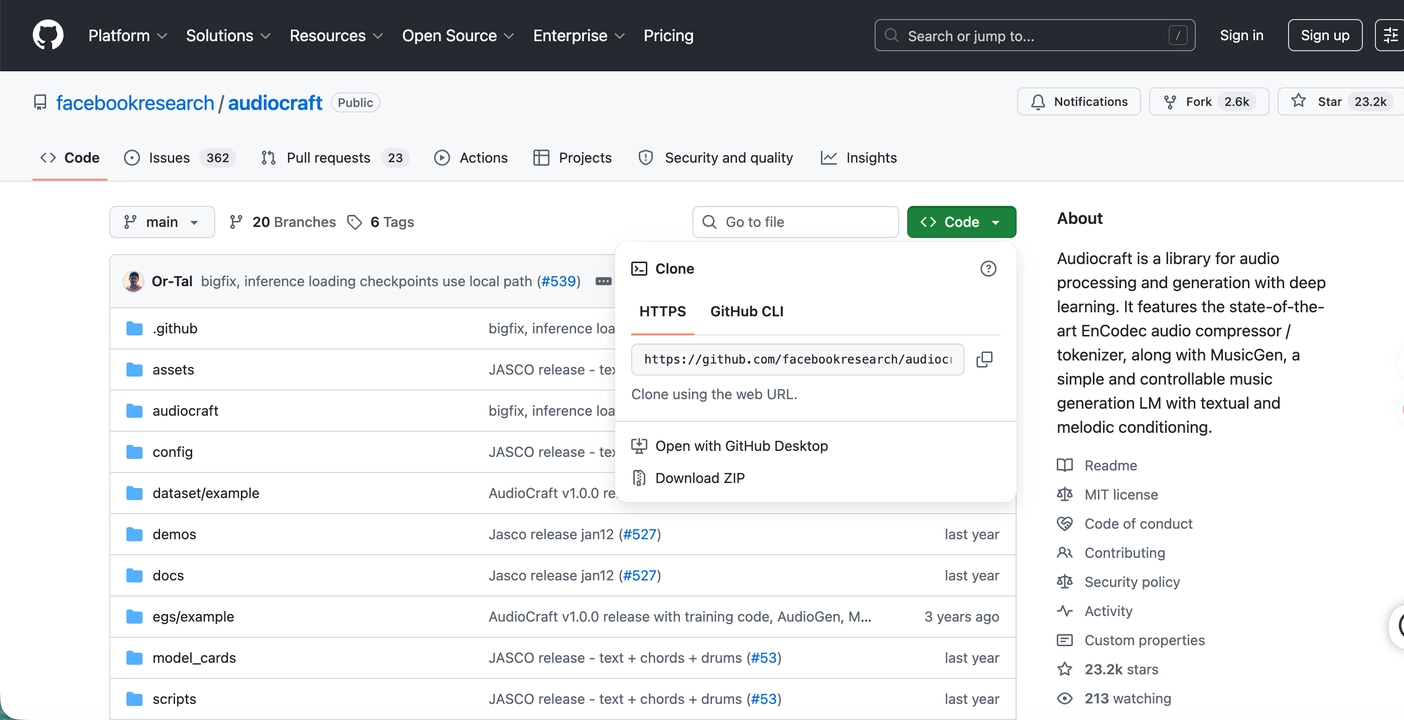
We deployed the AudioGen model locally on a workstation equipped with an RTX 4090 GPU. We typed a prompt for a crowded train station with a train arriving. The local generation took roughly 40 seconds. The background crowd noise sounded very organic and layered. However, generating sharp impact sounds required multiple attempts and code tweaks. We then had to manually align the resulting WAV file in our editing software.
User Reviews
Software developers highly praise this model. They love the ability to build custom applications on top of the open code. Technical researchers appreciate the open access to the model weights. Conversely, standard video creators find it entirely unusable. They often complain about the complete lack of a graphical user interface and the steep technical learning curve.
Pros & Cons
- Pros:
- It allows for deep technical customization and local data privacy.
- Users can run it entirely offline without internet connectivity.
- The underlying code is open for developers to inspect and modify.
- Cons:
- It demands very high-end computer hardware to run efficiently.
- It requires Python coding knowledge for the initial setup.
- There is no visual timeline interface for video synchronization.
Pricing
The model is 100% free and open-source. This makes it the most capable free ai sound effect generator for users possessing the right technical expertise and hardware.
CapCut Desktop: A Hybrid AI Sound Effect Generator with Smart Search
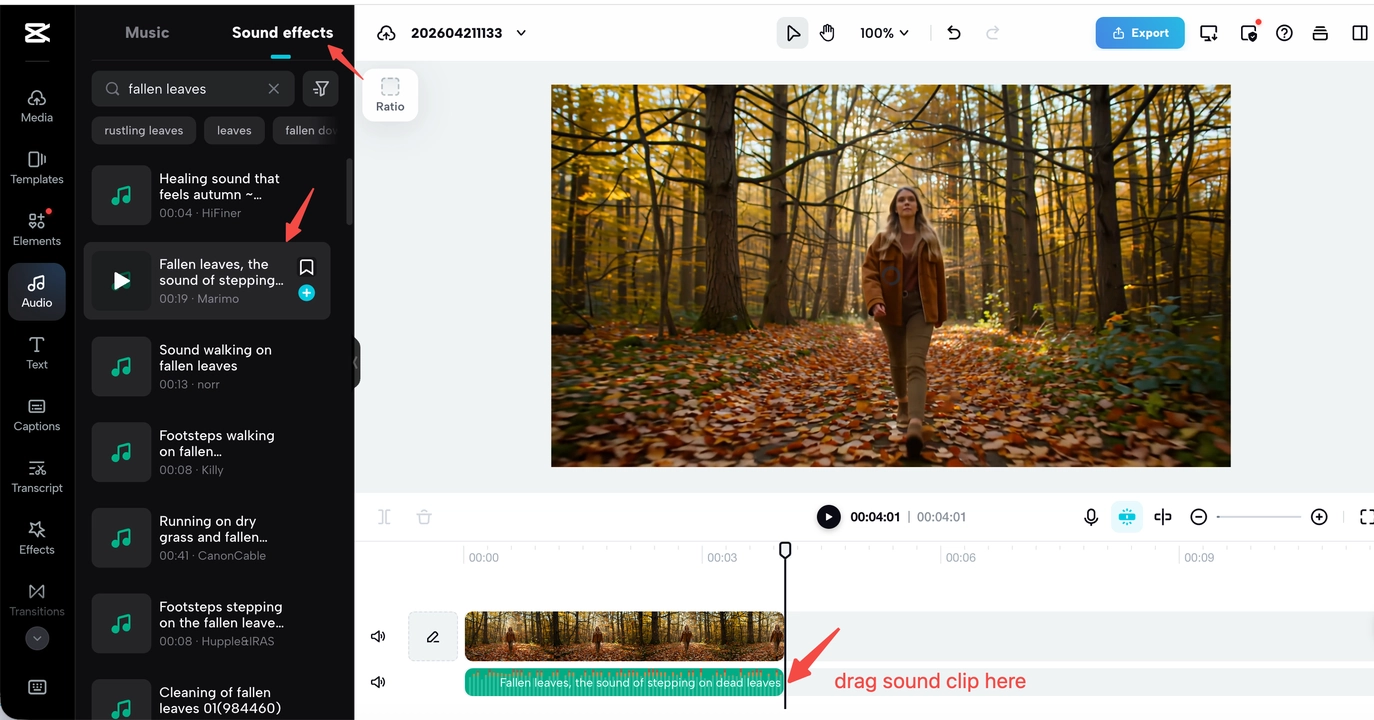
CapCut is a highly popular video editing application. ByteDance integrated an intelligent audio search function directly into the software. This tool does not synthesize entirely new audio from scratch. Instead, it acts as an AI-assisted retrieval system. It scans a massive internal database of pre-recorded stock sounds based on your text prompt. It targets users who want fast results without leaving their primary editing timeline.
My Test Experience
We placed our playhead over a video clip of a person walking in the forest. We typed “crunchy autumn leaves footsteps” into the AI search bar. The system returned six accurate audio options instantly. We dragged the best option onto the editing track in one second. The workflow was incredibly fast. However, the sounds were standard stock files rather than uniquely generated audio.
User Reviews
Standard video vloggers highly praise the timeline integration. They appreciate the massive time savings during the final editing process. They enjoy not having to browse external stock audio websites. Conversely, professional users often complain about the lack of true synthesis. They mention that highly specific or unusual audio requests often return zero relevant results.
Pros & Cons
- Pros:
- It offers the fastest workflow for traditional timeline editing.
- Users never have to leave their primary editing software interface.
- The massive stock library covers most common sound scenarios.
- Cons:
- It relies entirely on pre-existing stock audio files.
- It cannot generate entirely new physical sounds for unique visual scenarios.
Pricing
CapCut operates on a freemium model. The base software and basic search functions are free to use. However, many advanced AI features and premium audio assets require a CapCut Pro subscription. The Pro version typically costs around $9.99 per month.
MyEdit: A Browser-Based AI Sound Effect Generator for Quick Tasks
MyEdit AI sound effect generator offers a lightweight browser tool for audio creation. CyberLink developed this platform for users who need fast audio elements. It targets social media managers and digital marketers. These users often want quick results without installing heavy desktop software. It operates strictly on a standard text-to-audio model.
My Test Experience
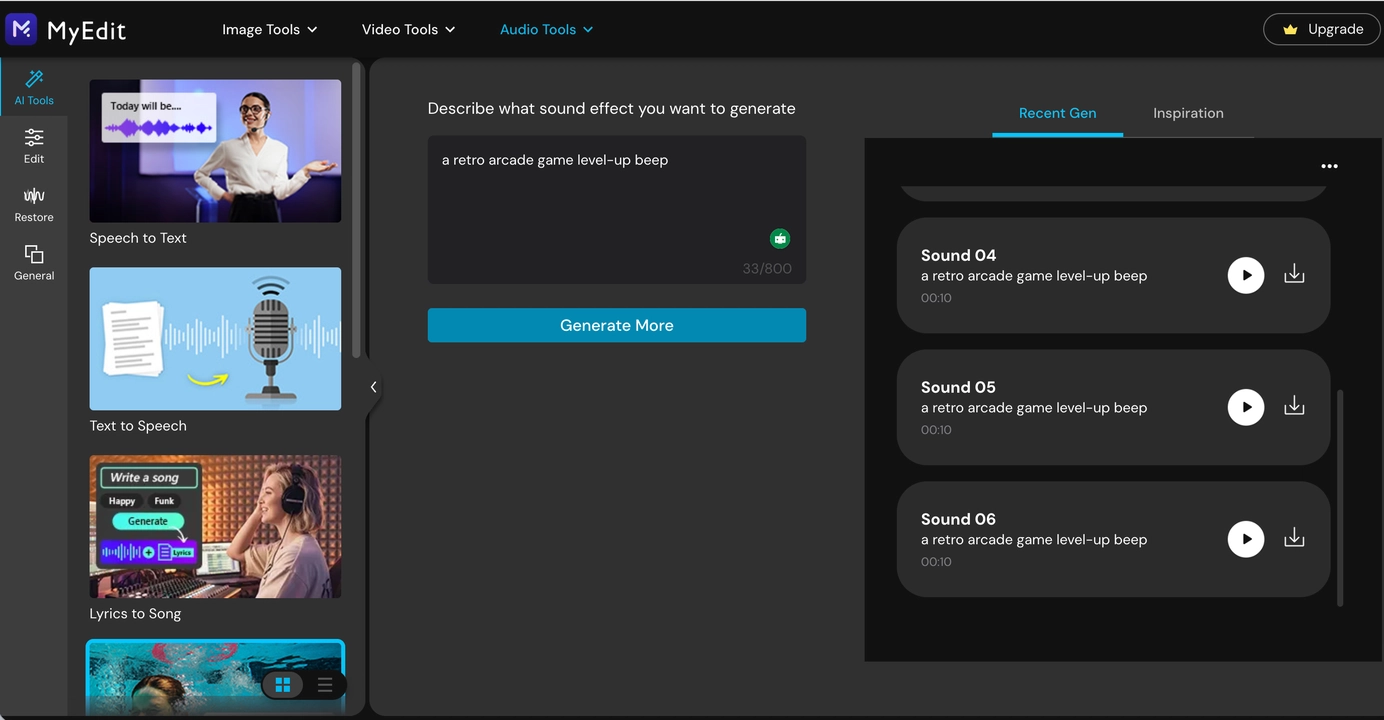
We asked the tool to generate a retro arcade game level-up beep. The system produced three distinct audio variations in under five seconds. The audio was loud and functional for a short social media clip. However, the platform offers no way to preview these sounds against a video file online. We had to download the file and sync it manually in our video editor.
User Reviews
Social media content creators enjoy the clean web interface. They appreciate the fast generation speed for basic sound effects. On the other hand, audio professionals note that the output often lacks spatial depth. They also express frustration with the disconnected workflow. The generation and download process still slows down final video production.
Pros & Cons
- Pros:
- It requires no software installation.
- The web interface is very clean and simple to navigate.
- It generates basic sound effects very quickly.
- Cons:
- The generated audio often lacks complexity and spatial depth.
- It traps users in a manual synchronization workflow.
- It cannot analyze video inputs natively.
Pricing
MyEdit uses a freemium pricing structure. Users receive a small number of free daily credits to test the ai sound effect generator. For higher volume and commercial use, users must purchase a premium subscription plan.
Troubleshooting Common AI Audio Issues
Even the best ai sound effect generator can encounter processing errors. Here is how to fix common workflow problems when generating audio for your videos.
- The generated sound misses the exact visual frame.
- Cause: The video contains too much rapid motion. This confuses the visual recognition model.
- Solution: Cut your video into shorter, distinct clips. Upload only the specific two or three seconds where the impact occurs.
- The final audio mix sounds muddy or cluttered.
- Cause: You enabled the “Keep original audio” toggle on a video that already has loud background noise. The new sound competes with the old noise.
- Solution: Turn off the “Keep original audio” switch. This forces the generated sound to override the noisy original track. Alternatively, use a vocal isolation tool in your original video before uploading it.
- The tool generates the wrong type of sound.
- Cause: The AI misinterpreted an ambiguous visual cue. For example, it mistook a soft falling object for a heavy crash.
- Solution: Utilize the optional text prompt box. Add a simple, direct keyword like “soft thud” or “glass shattering” to guide the visual model accurately.
- The generation process fails or times out.
- Cause: The uploaded video file is too large or in an unsupported format.
- Solution: Ensure you are using standard web formats like MP4. Keep the file size small and the duration short to guarantee fast processing.
FAQs
How does an ai sound effect generator improve video editing?
Traditional video editing requires manual searches across large stock audio libraries. You must then download the audio file and align it carefully on your timeline. An ai sound effect generator automates this tedious process. Advanced tools remove the manual alignment step entirely. They read the visual context of your video and place the sound exactly where the action happens. This drastically cuts down total post-production time.
Can I use the sound effect generator with PixVerse V6 and other video tools?
Yes. You can generate your initial visual content using the PixVerse V6 model or other AI video generators. Once your video generation is complete, you can bring that asset directly into the sound effect generator. This allows you to add automated audio or adjust environmental sound effects during the post-editing phase. It builds a highly efficient workflow from initial visual rendering to the final audio output.
Are there free ai sound effect generator options available?
Yes. Open-source models like Meta AudioCraft act as a completely free ai sound effect generator if you have the hardware and coding skills to run them. For standard video creators, platforms like CapCut and MyEdit offer freemium models with basic capabilities. PixVerse uses a flexible credit system. It typically provides free starting credits for new users to test the automated workflow before committing to a purchase.
Can I use generated sounds for commercial projects?
Most commercial platforms grant you full rights to use the generated audio for monetization. However, you must always read the specific terms of service for each tool. Open-source models often have strict non-commercial licensing rules. Platforms operating on subscription or credit models generally clear the assets for your commercial use.
What is the exact difference between text-to-audio and video-to-audio generation?
Text-to-audio requires you to type a description. You then download the resulting sound file and manually sync it to your video inside an editing program. Video-to-audio tools directly analyze your uploaded video. They generate the sound and synchronize it to the visual action automatically. This eliminates the manual editing step.
Conclusion
The definition of a good audio tool is changing rapidly. Pure audio quality is no longer the only important metric. Workflow efficiency matters just as much. If you need complex cinematic sound design, a text-based tool is an excellent choice. However, if your goal is fast video publishing, manual audio synchronization will severely slow down your output. The best ai sound effect generator for modern creators must address the friction of the editing timeline. It needs visual awareness. The Sound Effect Generator solves the synchronization bottleneck by generating sound directly from your video frames. It turns a frustrating multi-step chore into a single automated action. Explore the video-first workflow and try the Sound Effect Generator in the PixVerse Mini-Apps library today.